A fake Instagram account may copy a brand’s name, logo, product images, and content while directing customers to fraudulent offers, counterfeit products, or phishing websites.
Tracking the account does not usually mean uncovering the owner’s IP address, private contact details, or exact location. For brands, it means preserving evidence, reviewing the account’s history, identifying connected profiles, and building a stronger case for enforcement.
This guide explains what information brands can access, how to investigate suspicious accounts, and when manual tracking is no longer enough.
TL;DR
- Instagram’s About This Account feature may reveal when a profile joined the platform, the country where it is based, how many times its username has changed, and whether it is running ads.
- Brands cannot normally access the IP address, private email address, phone number, or precise location associated with an Instagram account.
- Evidence should be preserved before reporting the profile because usernames, posts, links, and contact details can change.
- Repeated images, contact details, usernames, domains, and posting patterns can help connect one fake profile to a wider network.
- Brands dealing with recurring impersonation need continuous detection and account-level intelligence rather than occasional manual searches.
Can you track a fake Instagram account?
You can investigate a fake Instagram account using information that is publicly available on the profile, through Instagram’s transparency features, and across websites or other social platforms connected to it.
However, there are limits to what a brand can access.
| Information brands can usually investigate | Information brands cannot normally access |
| Current username and profile URL | The account’s IP address |
| Date the account joined Instagram | The private email used to register |
| Country where the account is based | The private phone number used to register |
| Number of username changes | The account owner’s precise location |
| Public email, phone, or messaging details | Private messages the brand was not part of |
| Bio links and connected websites | The verified legal identity of the owner |
| Active ads | Other private information held by Meta |
| Reused usernames, images, and content | |
| Related profiles and domains |
Meta may hold records such as IP address logs and account activity, but these are not available through an ordinary Instagram search or a username-tracking tool. Access generally requires an appropriate legal request, as explained in Meta’s guidance on requests for user data.
Public information can still be enough to confirm infringement, connect related accounts, assess the risk to customers, and support an enforcement request.
How to track or trace a fake Instagram account
1. Preserve the account before it changes
Start by recording the profile as it currently appears.
Fake accounts may change their usernames, replace their images, delete posts, or redirect their bio links once they realize they have been detected.
Save:
- The exact username and profile URL
- The display name and bio
- The profile image
- The number of followers and accounts followed
- Relevant posts, Reels, Stories, and Highlights
- Public contact details
- Links in the bio
- The date and time the evidence was collected
Take screenshots of the full profile and each relevant infringement. Keep the original URLs alongside the screenshots so the content can be reviewed later.
Do not rely on the username alone. A profile can change its username while the underlying account remains active.
2. Check Instagram’s About This Account section
Instagram’s About This Account feature is a useful starting point.
Open the profile, tap the three-dot menu, and select About This Account. Depending on the account and region, Instagram may show:
- When the account joined Instagram
- The country where the account is based
- The number of times its username has changed
- Whether the account is currently running ads
You can open active advertisements in the Meta Ad Library to see what the profile is promoting.
None of these signals proves that an account is fake on its own. They become more useful when compared with what the account claims to be.
For example, a profile presenting itself as the official US customer support account for a long-established brand deserves closer review if it was created recently, is based in an unexpected country, and has changed its username several times.
3. Check whether its images have been copied
Run the account’s profile image, logo, and important post images through a reverse image search tool such as Google Lens.
This may reveal whether the account has copied:
- Images from the brand’s official Instagram profile
- Product photography from the brand’s website
- Photographs of employees or executives
- Content belonging to unrelated accounts
- Stock images presented as real people or products
Look for cropping, mirroring, added text, filters, and small visual changes. Fake accounts often modify official images slightly while keeping the original content recognizable.
The way images are used can also help clarify the account’s purpose. A profile that copies official campaign photography and links to an unrelated store creates a different risk from a fan account that clearly identifies itself as unofficial.
4. Review public contact information and external links
Check the profile’s bio, contact buttons, captions, and any messages received from the account.
Publicly available information may include:
- Email addresses
- Phone or WhatsApp numbers
- Telegram usernames
- Customer support details
- Ecommerce storefronts
- Payment links
- Link-in-bio pages
- Profiles on other platforms
Record the information exactly as it appears. A phone number, email address, or messaging handle may be reused across several fake profiles.
Follow the account’s bio link and record its final destination. A profile may link to a fake website, counterfeit store, phishing page, or another social media account.
Avoid entering login credentials, submitting personal information, downloading files, or making a purchase while investigating a suspicious website.
5. Search the username across other platforms
Search the exact username on Google and other social platforms. Repeat the search using any public email addresses, phone numbers, domains, or messaging handles associated with the account.
The same operator may reuse a handle across Instagram, Facebook, TikTok, X, YouTube, and messaging apps. Even when the usernames differ, repeated profile images, descriptions, links, and contact details may reveal a connection.
Search common variations of the username, including:
- The brand name followed by “official,” “store,” “shop,” or “support”
- The brand name combined with a country or city
- Letters replaced by visually similar numbers
- Added underscores or punctuation
- Common misspellings of the brand name
- Terms such as “outlet,” “discount,” “sale,” or “giveaway”
These searches can generate useful leads, but a matching username or image does not prove that every profile belongs to the same person. Connections should be based on several consistent signals.
6. Look for related Instagram accounts
A fake Instagram account may be one part of a larger operation.
Search for profiles using the same:
- Contact details
- Website or link-in-bio destination
- Product images
- Profile picture
- Bio wording
- Captions and hashtags
- Offers or discount codes
- Customer support messages
Review which profiles the account follows and which accounts regularly engage with its content. Connected fake accounts may follow, repost, or comment on one another to appear more established.
Also check whether several profiles direct users to the same website, payment method, or messaging account. These links can help a brand identify a coordinated network rather than treating every profile as a separate case.
7. Assess the account’s reach, intent, and history
Not every suspicious account creates the same level of risk.
Once the account has been documented, consider:
- How many people the account can reach
- Whether users are actively engaging with it
- Whether it contacts customers directly
- Whether it sells products or requests payment
- Whether it redirects users away from Instagram
- Whether it is running paid advertisements
- Whether it has appeared in previous infringement cases
- Whether it is connected to other active profiles
Follower numbers should not be the only priority signal.
An account with a small audience may still create an immediate risk if it intercepts customer complaints, requests payment, or sends phishing links through direct messages. Conversely, a large follower count does not necessarily mean the account has meaningful influence.
Review comments, views, posting frequency, customer interactions, and paid advertising activity together.
How can you tell if an Instagram account is fake?
A missing verification badge does not automatically mean an account is fake. Many legitimate brands, distributors, employees, and fan communities are not verified.
Instead, look for several signals appearing together:
- The profile presents itself as an official brand account but is not linked from the brand’s website or verified social channels.
- It copies the brand’s logo, product images, posts, or customer support language.
- A recently created account claims to represent a long-established business.
- Its country, username-change history, or contact information conflicts with what it claims to be.
- It links to an unrelated, misleading, or recently created website.
- It requests payment through unusual or unapproved methods.
- It contacts people who comment on the brand’s official profile.
- It promotes giveaways, recruitment opportunities, refunds, or discounts the brand has not authorized.
- The same images, links, or contact information appear across several suspicious profiles.
One unusual detail may have an innocent explanation. A consistent pattern across the account, its history, and its connected assets provides a stronger basis for enforcement.
What evidence should brands collect?
A useful account record should show what the profile is doing, how it uses the brand, and whether it is connected to previous incidents.
| Evidence | What to record |
| Account identity | Username, display name, profile URL, and account identifier where available |
| Account history | Date joined, country, username-change count, and verification status |
| Brand use | Logos, trademarks, product images, and copyrighted content |
| Misleading behavior | Claims of being official, customer support activity, and fake promotions |
| Commercial activity | Products, prices, payment methods, and storefront links |
| Customer risk | Direct messages, phishing links, and requests for personal information |
| Contact information | Public email addresses, phone numbers, and messaging handles |
| Network evidence | Related profiles, repeated images, domains, captions, and contact details |
| Reach | Followers, engagement, views, and active ads |
| Timeline | Date first detected, later changes, and previous enforcement activity |
Keep the evidence in a single case record rather than distributing it across screenshots, spreadsheets, inboxes, and individual team members.
A structured record makes it easier to compare profiles, identify recurring activity, and prepare the information required for reporting.
What should you do after tracking the account?
Once the investigation confirms that an account is impersonating the brand or misusing its intellectual property, select the reporting route that matches the violation.
Instagram allows users to report profiles and content directly within the platform. Rights holders can also use Meta’s dedicated trademark report form or copyright report form.
Eligible rights holders can apply for Meta Brand Rights Protection, which helps brands identify and report content that misuses their intellectual property across Meta platforms.
This guide focuses on investigation and evidence collection. For detailed reporting instructions and escalation routes, read our guide on how to ban a fake Instagram account.
Where the account is connected to financial fraud, threats, significant customer harm, or immediate personal danger, preserve the evidence and consider contacting the relevant authorities.
When manual Instagram tracking stops working
Manual investigation can be effective when a brand is dealing with one known profile. It becomes less reliable when impersonators create replacement accounts, operate across several markets, or move between platforms.
Periodic searches may find profiles using the brand’s exact name. They are less likely to uncover accounts using misspellings, local-language terms, modified logos, indirect links, or public contact details connected to previously removed profiles.
Manual records also make repeat activity harder to identify. An account removed today may return with a different username while continuing to use the same images, phone number, website, or offer.
At that stage, the brand needs a way to detect new accounts continuously, preserve their history, connect them to earlier incidents, and prioritize the profiles creating the most risk.
How Red Points tracks fake Instagram accounts at scale
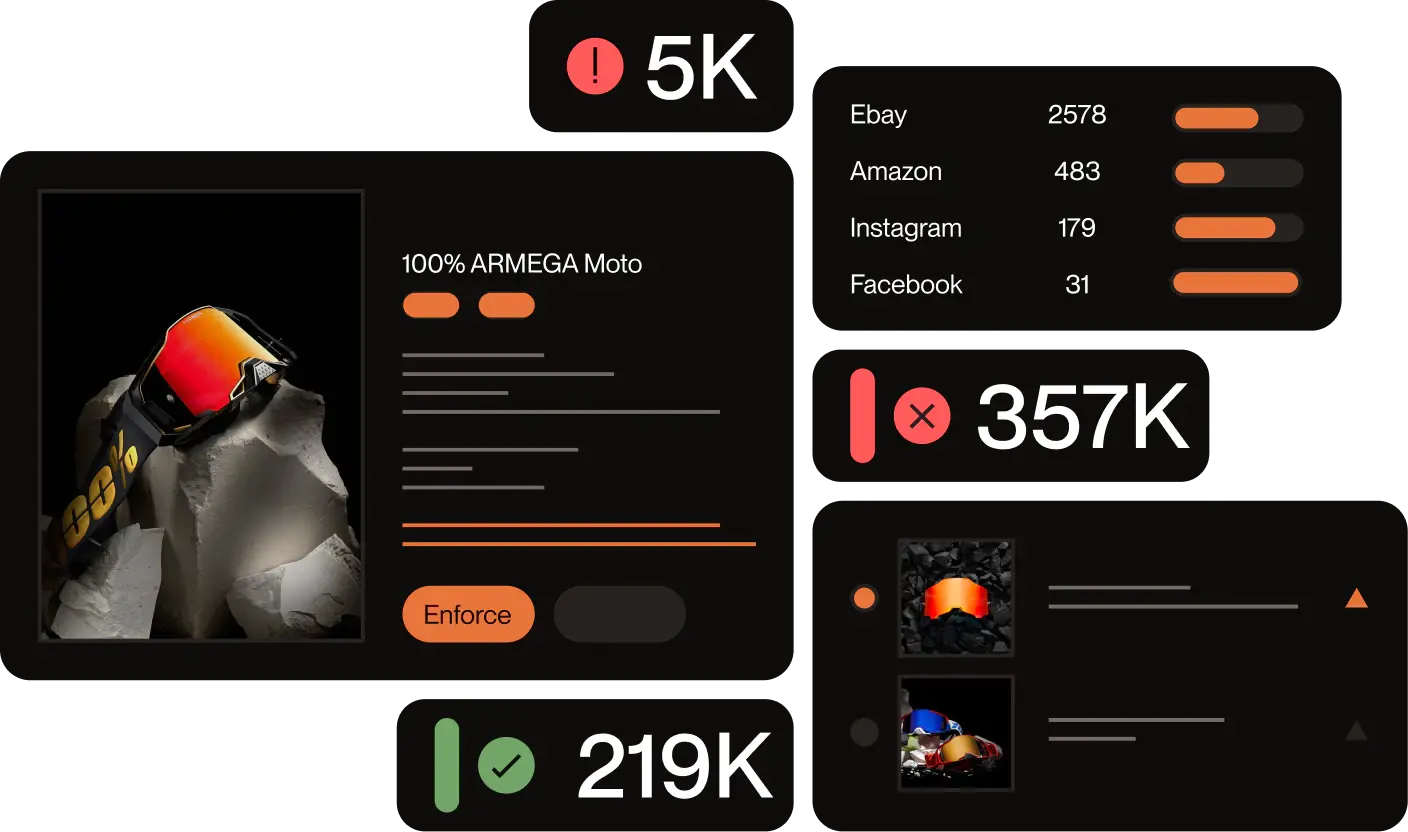
Red Points’ fully managed AI platform detects impersonation and infringement across social media platforms, websites, advertisements, marketplaces, video platforms, and other digital channels.
When a suspicious social media account is detected, the Account Details screen brings the available intelligence together in one place.
See the account’s reach and influence
Audience and activity signals help brand protection teams understand how widely the account may be spreading and how urgently it should be reviewed.
The assessment is not limited to follower numbers. Engagement and account activity provide additional context when deciding which cases require immediate attention.
Access available contact information
Red Points surfaces contact information that is publicly available on or connected to the account.
This may help teams identify links between profiles that share the same email address, phone number, messaging handle, or external website.
It does not provide access to private registration information held by Instagram, such as a private IP address, registration email, or phone number that has not been made public.
Verify location and authenticity signals
Account identifiers, location signals, verification information, usernames, and other profile details help teams compare the account’s claims with the available evidence.
These signals make it easier to distinguish a legitimate local account, distributor, or fan profile from an account designed to mislead customers.
Track infringement history
Teams can review when the account was first and last detected, how many incidents are connected to it, and the types of infringement involved.
This helps identify whether the profile is an isolated case, a repeat offender, or part of a wider pattern.
Red Points combines this account intelligence with image recognition, keywords, brand assets, and behavioral signals to detect related threats. The detection strategy is continuously refined as scammers change their language, imagery, and account structures.
Red Points manages the day-to-day detection, review, and enforcement process, while customers retain control over the rules and approvals that determine when action is taken.
A global fashion group used this approach to achieve a 92% reduction in social media impersonation over 18 months. Red Points removed around 30,000 fake social media profiles, achieved a 99.6% enforcement success rate on social media, and reached a one-day median removal time.
Request a demo to see how Red Points can help detect, investigate, and remove fake Instagram accounts before they reach more customers.
Frequently asked questions (FAQs)
Can you find out who owns a fake Instagram account?
Public information may provide clues through contact details, connected websites, repeated usernames, or related social media profiles. However, these signals do not necessarily establish the account owner’s legal identity.
Instagram may hold information that could identify the user, but brands cannot normally access it without an appropriate legal process.
Can you find the location of a fake Instagram account?
Instagram’s About This Account section may show the country where the account is based.
External websites, public contact information, language, posting times, and connected profiles may provide additional location signals. These clues do not reveal or prove the account owner’s exact physical location.
Can you track the IP address of an Instagram account?
No public Instagram feature reveals another user’s IP address.
Websites or tools claiming that they can find an Instagram user’s IP address from a username alone should be treated cautiously. Meta may hold IP address records, but they are not available through an ordinary account search.
Can you trace a fake Instagram account using its phone number?
You can search a phone number if the account has published it in its bio, contact button, posts, linked website, or messages sent to the brand.
The same number may help connect several suspicious accounts. You cannot access a private phone number used to register the Instagram profile if it has not been made public.
Can you track a deleted fake Instagram account?
Once an account has been deleted, suspended, or renamed, much of its public information may no longer be available.
This is why evidence should be preserved before the account is reported. Instagram may retain internal records, but those records are not normally available to brands without a valid legal request.
What tools can help track a fake Instagram account?
Useful starting points include Instagram’s About This Account feature, reverse image search, search engines, social media searches, domain research, and a structured evidence log.
For recurring or high-volume impersonation, a brand protection platform can detect suspicious accounts continuously, maintain their infringement history, connect related incidents, and manage enforcement across channels.
How do I trace a fake Instagram account?
Start by preserving the profile as it currently appears: username, display name, bio, links, profile image, and all relevant posts. Use Instagram’s About This Account section to check when the account joined, its listed country, and how many times its username has changed. Run the profile and post images through a reverse image search. Follow bio links and record their destinations. Search the username, email, phone number, or domain across other platforms. Public signals can confirm infringement, identify connected accounts, and support a reporting request, even if the account owner’s identity cannot be confirmed from public information alone.
What should I do after finding a fake Instagram account impersonating my company?
Preserve the evidence first before reporting, before contacting the account, and before alerting anyone who might warn the operator. Then use Instagram’s trademark report form or impersonation report if the account falsely claims to represent your brand. Where the account is connected to fraud or financial harm, consider notifying the relevant cybercrime or consumer protection authority. See the guide on how to ban a fake Instagram account for the full reporting and escalation sequence.