You’ve found a website copying your content without permission, and it’s hosted on GoDaddy. Whether it’s stolen product images, duplicated text, or a counterfeit store using your brand name, GoDaddy’s DMCA process gives you a direct path to getting it taken down. This guide walks you through exactly how to file a GoDaddy DMCA takedown for both copyright and trademark complaints, what to do if your request gets rejected, and how to handle it if the infringer pushes back with a counter-notice.
TL;DR
- GoDaddy accepts DMCA takedowns for sites it hosts, so always verify with WHOIS first
- You can file via online form or email for both copyright and trademark complaints
- GoDaddy resolves approved requests in 10-14 business days
- Infringers can submit a counter-notice, so have a legal response plan ready before you file
What is a GoDaddy DMCA takedown?
A GoDaddy DMCA takedown is a formal request submitted to GoDaddy asking them to remove or disable access to content that infringes your copyright or trademark. It is based on the Digital Millennium Copyright Act (DMCA), a U.S. law that requires hosting providers to act on valid infringement notices.
GoDaddy operates as both a domain registrar and a hosting provider. It only processes DMCA complaints for websites it actively hosts. If GoDaddy only registered the domain but a third party handles hosting, your takedown request will be redirected to the correct hosting provider.
GoDaddy copyright vs. trademark complaint: what’s the difference?
Both types of complaints follow a similar process, but they protect different kinds of intellectual property and require different supporting information.
| Copyright Complaint | Trademark Complaint | |
| What it protects | Original creative works (images, text, video, code) | Brand identifiers (name, logo, slogan) |
| Registration required | No, but recommended for legal action | Yes, registration number required |
| Form URL | supportcenter.godaddy.com/ipclaims | supportcenter.godaddy.com/ipclaims |
| Email alternative | copyrightclaims@godaddy.com | trademarkclaims@godaddy.com |
| Key info needed | URLs of infringing content + proof of ownership | Trademark term, registration number, jurisdiction |
| Resolution timeline | 10-14 business days | 10-14 business days |
| Domain disputes covered? | No | No, use UDRP instead |
What do you need before filing a GoDaddy DMCA takedown request?
Gather the following before you open the form. Incomplete submissions are the most common reason GoDaddy rejects complaints.
Infringing URLs: Collect the exact page-level URLs where your content appears. A general homepage link is not sufficient. GoDaddy requires links to specific pages.
Proof of ownership: Screenshots of your original work on your own website, copyright certificates, or trademark registration documents. Even if certificates are not required, they significantly strengthen your claim.
Your contact information: Full name, company name, address, phone number, and email. GoDaddy uses this to send updates on your complaint and to share with the alleged infringer if a counter-notice is filed.
A description of the infringement: A clear explanation of what has been copied, where it appears, and why it constitutes copyright infringement. Vague descriptions are a common rejection trigger.
How to file a GoDaddy copyright complaint step by step
Step 1: Go to GoDaddy’s IP claims portal
Navigate to supportcenter.godaddy.com/ipclaims and select Copyright Complaints.
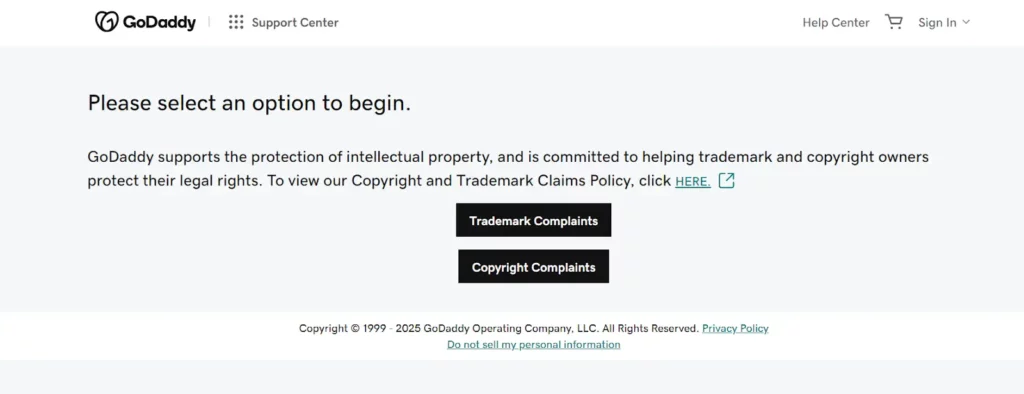
Step 2: Choose your submission method
You have two options:
- Online form: Click “Get Started” and complete the guided form
- Email: Send your notice directly to copyrightclaims@godaddy.com
The online form is recommended because it guides you through each required field and reduces the risk of missing information.
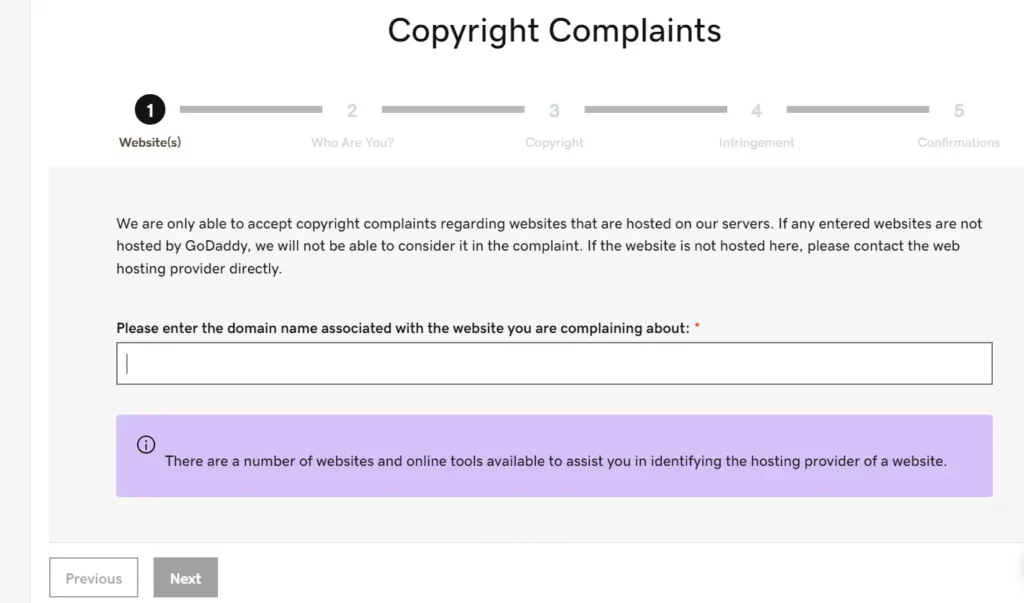
Step 3: Enter the infringing domain
The form asks for the domain name of the website you are complaining about. GoDaddy will verify at this stage whether it hosts the site. If it does not, it will refer you to the correct hosting provider.
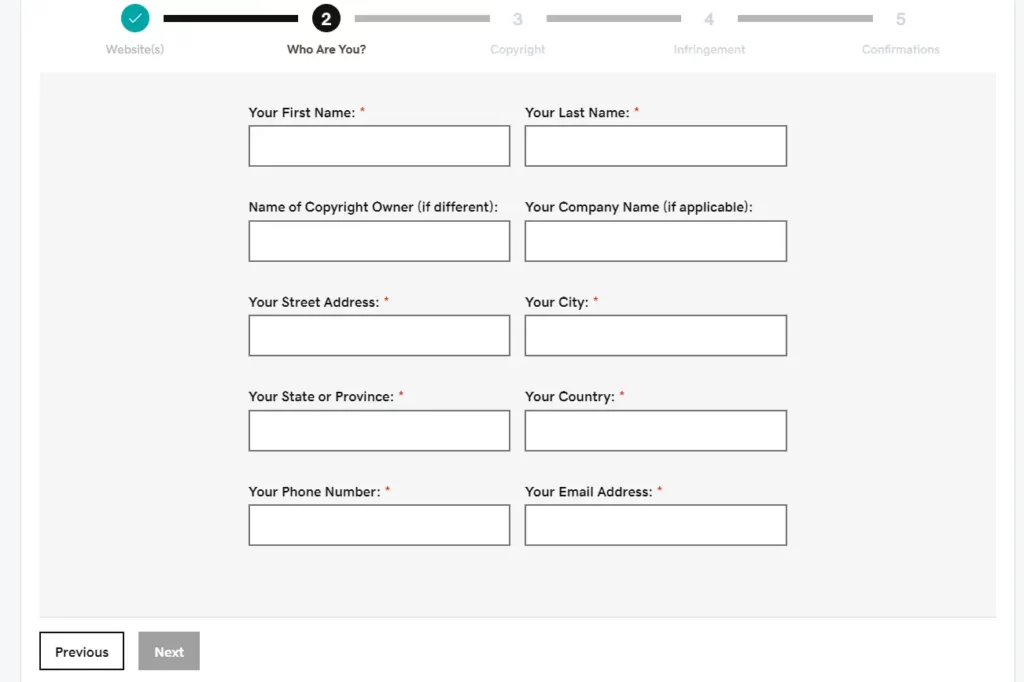
Step 4: Fill in your contact information
Provide your first and last name, company name, street address, city, state or province, country, phone number, and email address.
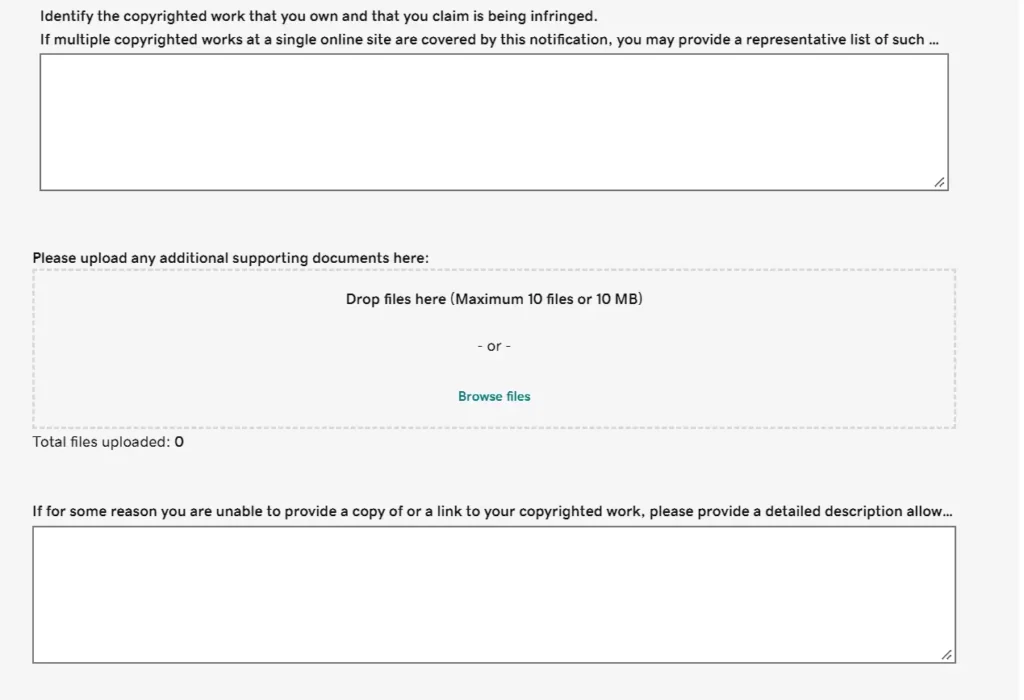
Step 5: Describe and document the infringement
Enter a description of your copyrighted work, include direct URLs to your original content, and upload any supporting documentation such as copyright certificates or timestamped screenshots. If your original work is not available online, describe it in the text field provided.
Step 6: Identify the infringing content
Provide the specific URLs on the infringing site where your content appears, along with a description of exactly what has been copied and where it appears on those pages.
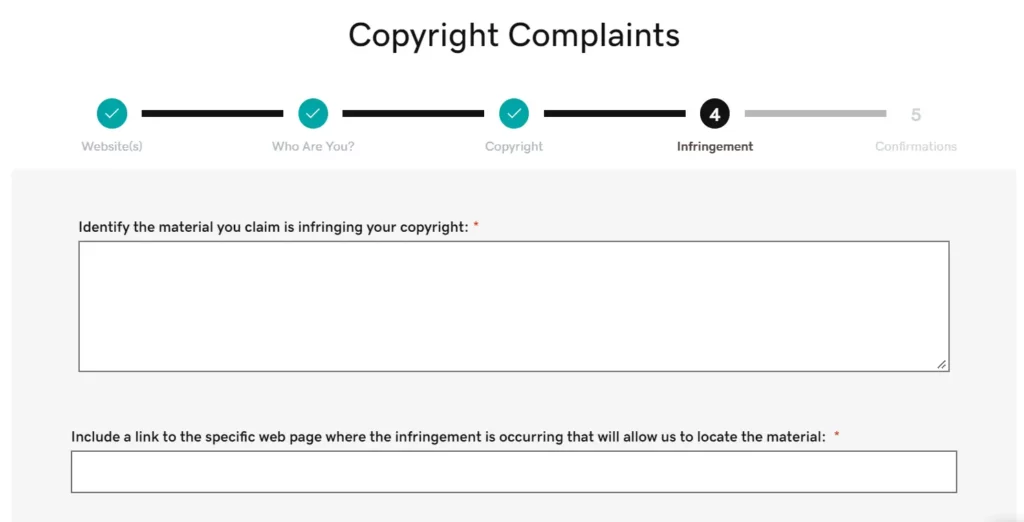
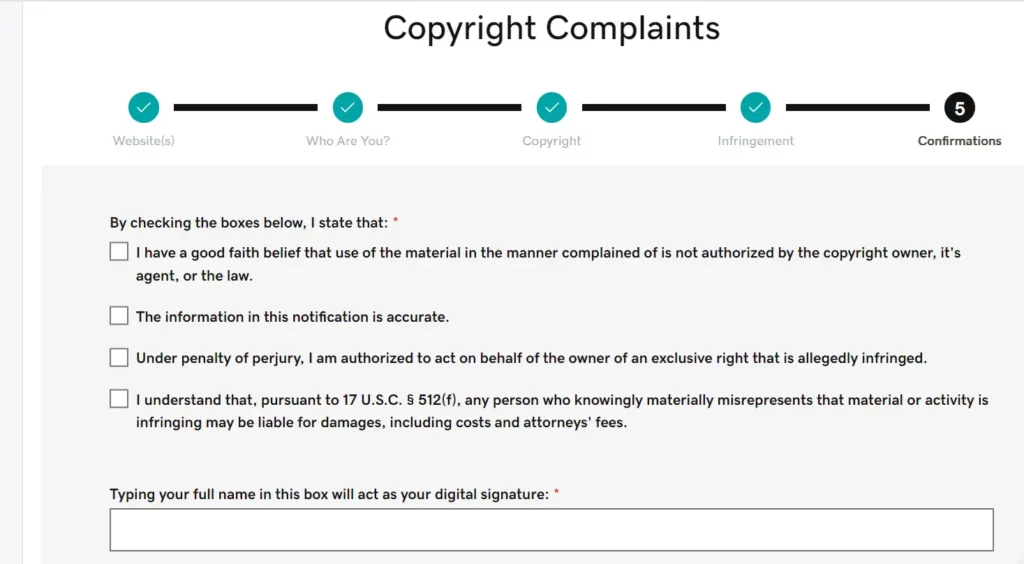
Step 7: Sign and submit
Check all good faith declarations, enter your digital signature, and submit. GoDaddy will email you when a decision has been reached.
How to file a GoDaddy trademark complaint step by step
Step 1: Go to GoDaddy’s IP claims portal
Navigate to supportcenter.godaddy.com/ipclaims and select Trademark Complaints.
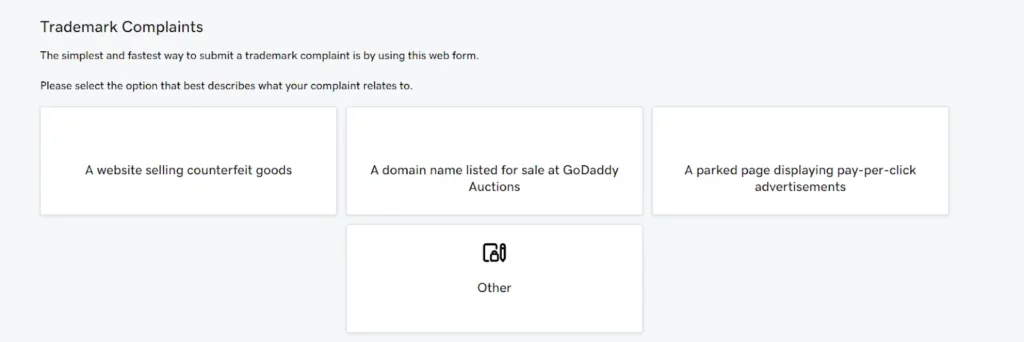
Step 2: Select the complaint type
GoDaddy asks you to specify which type of trademark violation applies:
- A website selling counterfeit goods
- A domain name listed for sale at GoDaddy Auctions
- A parked page displaying pay-per-click advertisements
- Other
Step 3: Fill in your contact information
Same fields as the copyright form: full name, company, address, phone, and email.
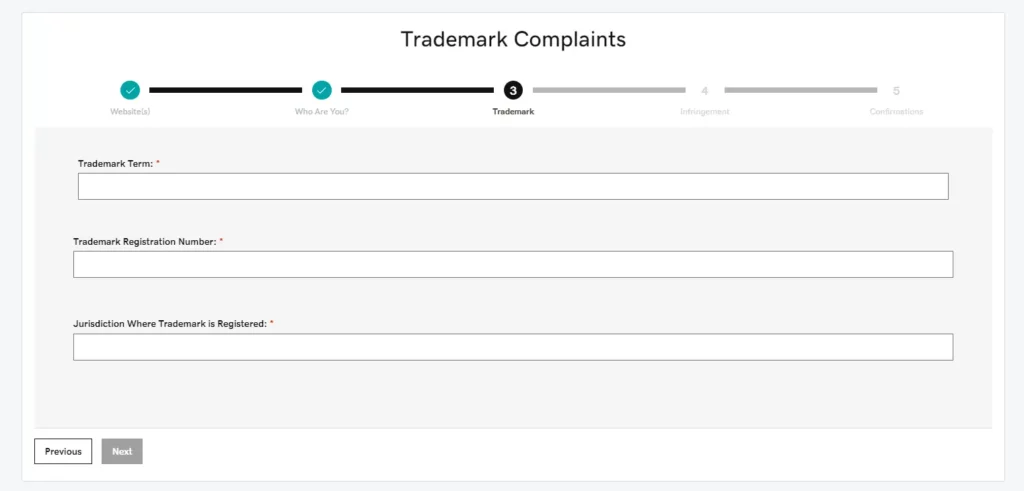
Step 4: Provide your trademark details
Enter your trademark term, registration number, and the jurisdiction where it is registered. This is the key difference from the copyright form. You must provide registration details.
Step 5: Identify the infringing content
Provide URLs and a description of how the infringing site uses your trademark in a way that causes confusion or misrepresents brand identity.
Step 6: Sign and submit
Complete the good faith declarations, add your digital signature, and submit.
What happens after you submit your GoDaddy takedown request?
Once submitted, GoDaddy’s legal team reviews your request and emails an update when a decision is reached.
If your request is approved and no counter-notice is received, GoDaddy will disable access to the infringing content within 10-14 business days.
If your request is rejected, GoDaddy will explain the reason in its response. Common rejection reasons include incomplete fields, blurred or insufficient screenshots, and vague descriptions. You can refile with the issues addressed.
What should you do if GoDaddy rejects your DMCA request?
A rejection is not final. Review GoDaddy’s feedback carefully and address every point they raise before refiling.
The most common fixes are: adding more specific URLs, uploading clearer screenshots with visible timestamps, providing a more detailed description of exactly what was copied and where it appears, and including copyright or trademark certificates if you have them.
When refilling, treat it as a new submission. Do not simply resubmit the same form. Strengthen every field.
What if GoDaddy refers you to a different hosting provider?
GoDaddy only processes complaints for websites hosted on its servers. If a website uses GoDaddy for domain registration but hosts content elsewhere, GoDaddy will refer you to the correct hosting provider.
To identify the actual hosting provider before filing, use a WHOIS lookup tool such as whois.com. Look under the “Registrar Information” section. Even if the owner has hidden their personal details behind a privacy service, the hosting provider is typically still visible.
Once you have confirmed the correct hosting provider, file your DMCA request directly with them. If the site is behind Cloudflare, you can follow our guide on how to file a Cloudflare DMCA takedown.
Note: GoDaddy’s policy also excludes domain name disputes. If your complaint is about the domain name itself rather than the hosted content, you need to file under the Uniform Domain Name Dispute Resolution Policy (UDRP) instead.
How do you handle a counter-notice on GoDaddy?
After GoDaddy notifies the alleged infringer of a takedown, they have the right to submit a counter-notice disputing the claim. GoDaddy will share a copy of any counter-notice with you while it reviews it, which typically takes 10-14 business days.
There are two possible outcomes:
- GoDaddy accepts the counter-notice and restores the content. At this point, your only option to keep it offline is to file a legal action (court order) within 10 business days and notify GoDaddy. If you do not, the infringing content goes back live.
- GoDaddy does not receive notification of legal action within the timeframe. The infringing website stays live.
This is why it is worth having a legal response plan in place before you file, particularly if the infringement is serious enough to warrant court action.
How do you track infringing content that reappears after a takedown?
A successful takedown does not guarantee the problem is solved. Infringers frequently reupload content to a different domain, switch hosting providers, or create new sites copying the same material.
Manual monitoring, such as searching periodically with relevant keywords, brand name variations, and reverse image search tools, can catch obvious repeat offenders, but it does not scale and misses a large proportion of violations.
Automated monitoring tools scan search engines, marketplaces, hosting providers, and social platforms continuously, flagging new instances as they appear and building a record of repeat infringement patterns. This approach is significantly faster than manual checks and reduces the window between a violation appearing and a DMCA takedown notice being filed.
If the infringing content also appears in search results, you may want to file a separate Google DMCA takedown to deindex those pages at the same time.
How Red Points automates GoDaddy DMCA enforcement at scale
Filing a single GoDaddy DMCA takedown is straightforward. Managing enforcement across dozens of infringing sites, tracking which ones reappear, and keeping up with counter-notices is a different problem entirely.
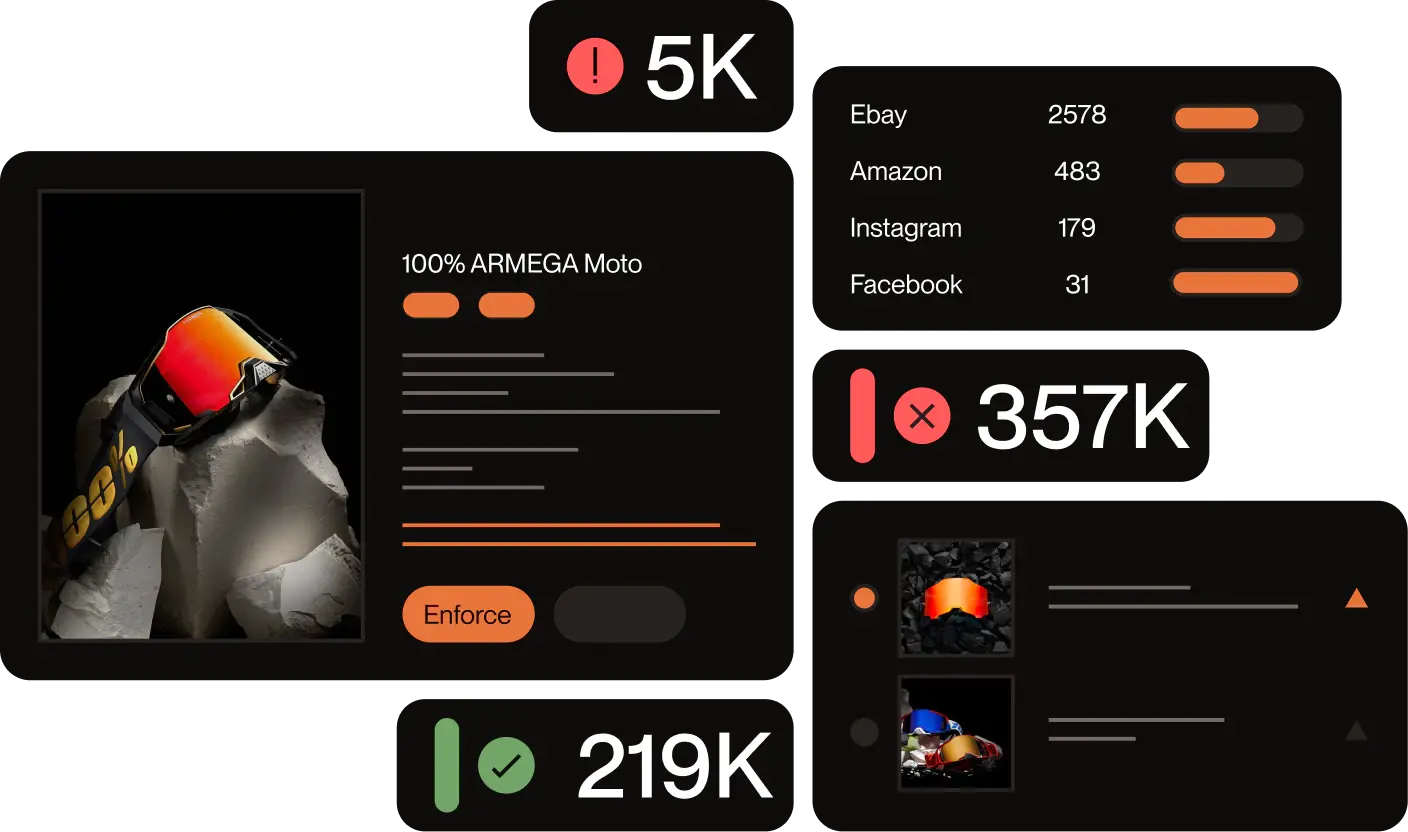
Red Points’ DMCA Takedown Service automates the full enforcement cycle. Its AI-powered detection engine scans the web 24/7, including hosting providers like GoDaddy, search engines, marketplaces, and social media, and identifies unauthorized use of your content using image fingerprinting, text matching, and bot-powered search.
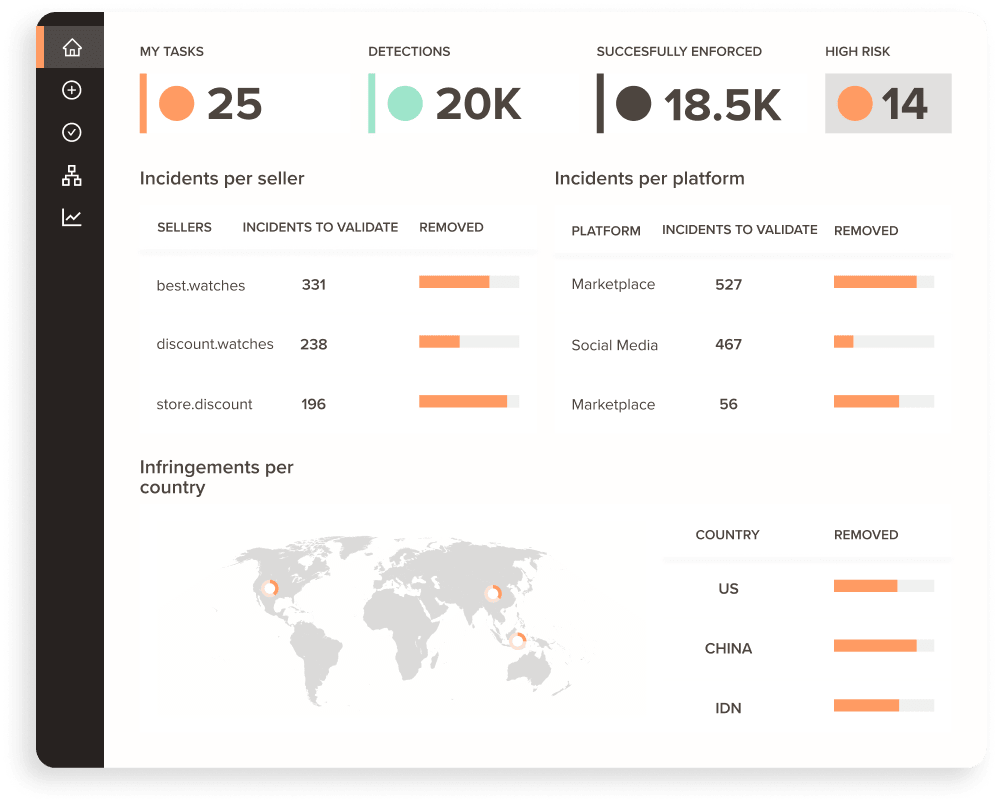
When infringement is detected, Red Points automatically collects evidence (HTML snapshots, screenshots, timestamps) and files takedown notices on your behalf across multiple platforms simultaneously. A centralized dashboard tracks the status of every request, flags repeat offenders, and generates monthly reports so you can measure enforcement impact over time.
Instead of reacting to violations one at a time, Red Points gives brands a proactive copyright infringement protection system that keeps pace with how quickly bad actors operate.
Request a demo to see how it works.
Frequently asked questions about GoDaddy DMCA takedowns
No. GoDaddy only processes complaints for websites it hosts. If GoDaddy is only the domain registrar and the site is hosted elsewhere, GoDaddy will refer you to the correct hosting provider. Use a WHOIS lookup tool to verify before filing.
If your request is approved and no counter-notice is filed, GoDaddy typically disables access to the infringing content within 10-14 business days.
Yes. For copyright complaints, email copyrightclaims@godaddy.com. For trademark complaints, email trademarkclaims@godaddy.com. The online form is recommended because it reduces the risk of missing required fields.
No. Copyright is automatic upon creation of an original work. However, if you intend to pursue legal action in the U.S., copyright registration is required to claim statutory damages.
GoDaddy shares the counter-notice with you and reviews it over 10-14 business days. If accepted, you must file a court order within 10 business days to keep the content offline. Otherwise, it will be restored.
No. GoDaddy’s DMCA policy excludes domain name disputes. For claims about the domain name itself, you need to file under the Uniform Domain Name Dispute Resolution Policy (UDRP).
Incomplete fields, blurred or low-quality screenshots, vague descriptions that do not clearly identify the infringing content, and providing a general homepage URL instead of specific page-level URLs.
You would need to identify the new hosting provider via WHOIS and file a new takedown with them. Automated monitoring tools like Red Points can detect when infringing content reappears and initiate new requests automatically.
Yes. The DMCA governs the obligations of US-based hosting providers like GoDaddy — not the nationality of the rights holder. International brands can submit copyright and trademark complaints through GoDaddy’s IP claims portal using the same process as US-based filers. If your copyright or trademark is registered in a jurisdiction other than the US, include your registration documentation from your home country and a clear description of the infringement. For trademark complaints specifically, GoDaddy requires a registration number and jurisdiction — provide the equivalent from your national trademark office.