A domain that resembles your brand can do more than divert website traffic. It may host a cloned store, collect customer credentials, send fraudulent emails, promote counterfeit goods, or create the false impression that the domain belongs to your business.
However, a similar domain name is not automatically trademark infringement. Domain names and trademarks perform different functions, and disputes depend on factors such as the parties’ rights, how the domain is being used, the likelihood of consumer confusion, and whether the registrant acted in bad faith.
This guide explains domain name trademark infringement, the difference between trademarks and domain names, how domain impersonation fits into the picture, and the enforcement options available to brand owners.
See also: How to protect your domain name
TL;DR
- A domain name is an internet address. A trademark identifies the commercial source of goods or services.
- Registering a domain does not automatically create trademark rights.
- Domain name trademark infringement may occur when a domain is used in a way that is likely to confuse consumers about its source, sponsorship, affiliation, or endorsement.
- Cybersquatting usually involves registering or using a trademark-related domain in bad faith, often to divert traffic, disrupt a business, impersonate a brand, or demand payment for the domain.
- Domain impersonation uses a lookalike website or email domain to make users believe they are interacting with a legitimate organization.
- Similarity alone is not always enough. Fair use, legitimate businesses, personal names, criticism sites, and unrelated uses may create legitimate rights or interests.
- Brands should preserve evidence, verify their trademark rights, inspect the domain’s use and infrastructure, and choose the appropriate enforcement route.
- Enforcement may involve the registrant, hosting provider, registrar, search engines, advertising platforms, a UDRP proceeding, or court action.
- ICANN made RDAP the definitive source for generic top-level domain registration information on January 28, 2025, replacing WHOIS for this purpose.
- Continuous monitoring is important because abusive domains frequently reappear under new extensions, spellings, registrars, or hosting providers.
What is domain name trademark infringement?
Domain name trademark infringement occurs when the registration or use of a domain interferes with another party’s trademark rights, commonly by creating confusion about who owns, operates, sponsors, or endorses the website.
For example, a bad actor might register a domain that combines a protected brand name with words such as:
- Login
- Support
- Outlet
- Sale
- Refund
- Verification
- Store
- Careers
The domain may then be used to imitate the brand, sell counterfeit goods, redirect visitors, collect credentials, or send fraudulent emails.
The term is often used broadly, but several different legal and operational issues may be involved:
| Issue | What it usually involves | Typical response |
| Trademark infringement | Confusing commercial use of a protected mark | Trademark notice, intermediary complaint, or litigation |
| Cybersquatting | Bad-faith registration, trafficking, or use of a trademark-related domain | UDRP, settlement, or court action |
| Domain impersonation | Fake websites or email domains pretending to be the brand | Phishing, fraud, hosting, registrar, and IP reports |
| Copyright infringement | Copying website text, images, designs, or product content | Copyright or DMCA-style notice |
| Counterfeit sales | Fake products sold through an impersonating domain | Trademark, counterfeit, payment, advertising, and hosting complaints |
| Business email compromise | Lookalike email domains used to impersonate staff or suppliers | Security response, email provider reports, registrar escalation, and law enforcement |
The correct enforcement route depends on what the domain is doing. A parked domain, cloned ecommerce site, phishing page, criticism site, and legitimate company with a similar name should not all be treated in the same way.
What is the difference between a trademark and a domain name?
A trademark identifies the source of goods or services. A domain name directs internet users to a particular online location.
The two may contain the same wording, but they do not create the same rights.
| Trademark | Domain name |
| Identifies the commercial source of goods or services | Identifies an internet address |
| May consist of words, names, logos, designs, or combinations of these | Consists of a registered name and top-level domain |
| Rights depend on use, registration, jurisdiction, and the goods or services involved | Registration gives control of that specific domain for the registration period |
| Similar trademarks may coexist in different industries or territories | Each complete domain is technically unique |
| Registration is handled by a trademark office | Registration is handled by a domain registrar |
| Can support claims against confusing or bad-faith domain use | Does not automatically create trademark ownership |
According to USPTO guidance on how trademarks and domain names differ, registering a domain with a registrar does not give the registrant trademark rights. A domain may sometimes function as a trademark when it is used prominently to identify the source of goods or services, rather than appearing only as a web address.
This distinction corrects a common misconception: owning example.com does not automatically mean you own trademark rights in “Example,” and owning an “Example” trademark does not automatically give you every domain containing that word.
Can a domain name be trademarked?
A domain name can potentially be protected as a trademark when consumers understand it as identifying the source of particular goods or services.
The domain must perform a trademark function. Merely placing an address such as example.com in a browser bar, footer, or contact section may not be enough. Using the wording prominently as a brand name may support trademark rights, subject to distinctiveness and the usual registration requirements.
The USPTO explains that a domain used only as part of a web address does not normally qualify as source-indicating trademark use, although prominent use apart from the address may qualify.
A domain is less likely to qualify when it is:
- Generic for the relevant products or services
- Merely descriptive without acquired distinctiveness
- Used only as a technical web address
- Confusingly similar to an earlier mark covering related goods or services
- Incapable of identifying one commercial source
Trademark rights are also territorial. A registration in one country does not automatically create enforceable rights everywhere the website is accessible.
Does registering a domain give you priority over a trademark owner?
Not necessarily.
Domain registrations generally operate on an availability basis: a registrant can obtain a domain that has not already been registered. However, registration does not provide an absolute right to use the domain in any manner.
A registrant’s position may be stronger when:
- The domain was acquired before the complainant developed trademark rights
- The registrant has an independent, legitimate reason for using the name
- The domain corresponds to the registrant’s legal or commonly used name
- The website offers bona fide goods or services
- The wording has an ordinary dictionary meaning
- The site makes legitimate noncommercial or fair use of the term
- The parties operate in unrelated industries and confusion is unlikely
A brand owner’s position may be stronger when the domain was chosen to exploit an established trademark, divert consumers, disrupt the business, imitate the official website, or pressure the brand into purchasing the domain.
The UDRP identifies bona fide use, being commonly known by the domain, and legitimate noncommercial or fair use as possible evidence of rights or legitimate interests.
When does a domain name infringe a trademark?
No single factor decides every dispute. Relevant questions commonly include the following.
Is the domain identical or confusingly similar to the mark?
Exact matches are not required. A domain may remain confusingly similar after adding:
- A product name
- A geographic term
- A hyphen
- A common misspelling
- An industry term
- Words such as “official,” “shop,” “support,” or “sale”
- A different top-level domain
The overall impression matters. A minor change may be especially deceptive when users are likely to overlook it.
For UDRP cases, WIPO’s current panel guidance explains that the initial confusing-similarity test focuses on whether the complainant’s trademark remains recognizable within the domain. This test is narrower than the broader likelihood-of-confusion analysis used under national trademark law.
Are the goods, services, or audiences related?
Traditional trademark infringement analysis often considers whether the parties operate in related markets or target overlapping customers.
A similar name used by an unrelated legitimate organization may present less risk than a domain selling the trademark owner’s products, copying its support portal, or targeting searches for the brand.
What appears on the website?
The domain should not be assessed in isolation.
Evidence of likely confusion may include:
- Copied logos and brand colors
- Product images taken from the official website
- Identical navigation or page layouts
- Claims that the site is “official” or “authorized”
- Fake customer-support functions
- Counterfeit goods
- Copied legal notices or company details
- Login, checkout, or payment forms
- Redirects to competitors or unrelated sellers
Is the domain being used for email?
A domain may have no visible website but still be used to send email.
Mail exchange records can indicate that the domain is configured for email. A lookalike domain used to impersonate an executive, supplier, support agent, or accounts-payable department may pose a more immediate risk than an inactive web page.
Does the registrant have a legitimate explanation?
Similarity does not prove bad faith by itself.
The registrant may have its own rights in the term, use the domain for a bona fide business, operate a legitimate criticism site, or be commonly known by the name. These facts should be assessed before submitting an enforcement request.
Is there evidence of bad faith?
Bad-faith indicators may include:
- Offering the domain to the trademark owner at an inflated price
- Registering multiple trademark-related domains
- Providing misleading registration information
- Redirecting customers to a competitor
- Copying the trademark owner’s website
- Using the domain for phishing or counterfeit sales
- Registering the domain shortly after a product launch or publicity event
- Repeating the same conduct across new domains after takedowns
- Using the domain to disrupt a competitor
In the United States, the Anticybersquatting Consumer Protection Act addresses bad-faith registration, trafficking, or use of trademark-related domains. Its listed factors include the registrant’s own rights, bona fide use, lawful fair use, attempts to divert consumers, offers to sell the domain, misleading contact information, and patterns of registering domains related to other parties’ marks.
Domain name trademark infringement vs. cybersquatting
Trademark infringement and cybersquatting overlap, but they are not identical.
Trademark infringement generally focuses on unauthorized trademark use that is likely to confuse consumers.
Cybersquatting focuses more specifically on abusive domain registration or use. Common cybersquatting patterns include:
- Registering a brand’s exact name and demanding payment
- Registering multiple trademark-related domains
- Redirecting traffic to a competitor
- Using a domain to disrupt the trademark owner
- Creating a fake store or phishing site
- Holding a domain to prevent the trademark owner from using it
A domain may support both claims. For example, a domain that incorporates a trademark and hosts a counterfeit store may involve cybersquatting, trademark infringement, copyright infringement, fraud, and platform-policy violations at the same time.
What is domain impersonation?
Domain impersonation is the use of a domain or email address designed to make people believe they are dealing with another organization or person.
A domain impersonation attack often has two layers:
- The lookalike domain: a URL that resembles the legitimate brand.
- The impersonating activity: a cloned website, fake store, login page, support page, advertisement, or fraudulent email campaign.
The lookalike domain is the infrastructure. Impersonation is how that infrastructure is used.
Domain impersonation frequently involves trademark misuse, but brands should also consider fraud, phishing, copyright, cybersecurity, payment-provider, and advertising violations. These routes may produce faster action than relying on a trademark complaint alone.
Common types of infringing and impersonating domains
Exact-match cybersquatting
The registrant obtains a domain corresponding exactly to a brand name, often under another extension, and attempts to sell it, redirect traffic, or prevent the brand from using it.
An exact match is not automatically unlawful. The timing, registrant’s rights, content, and intent remain important.
Typosquatting
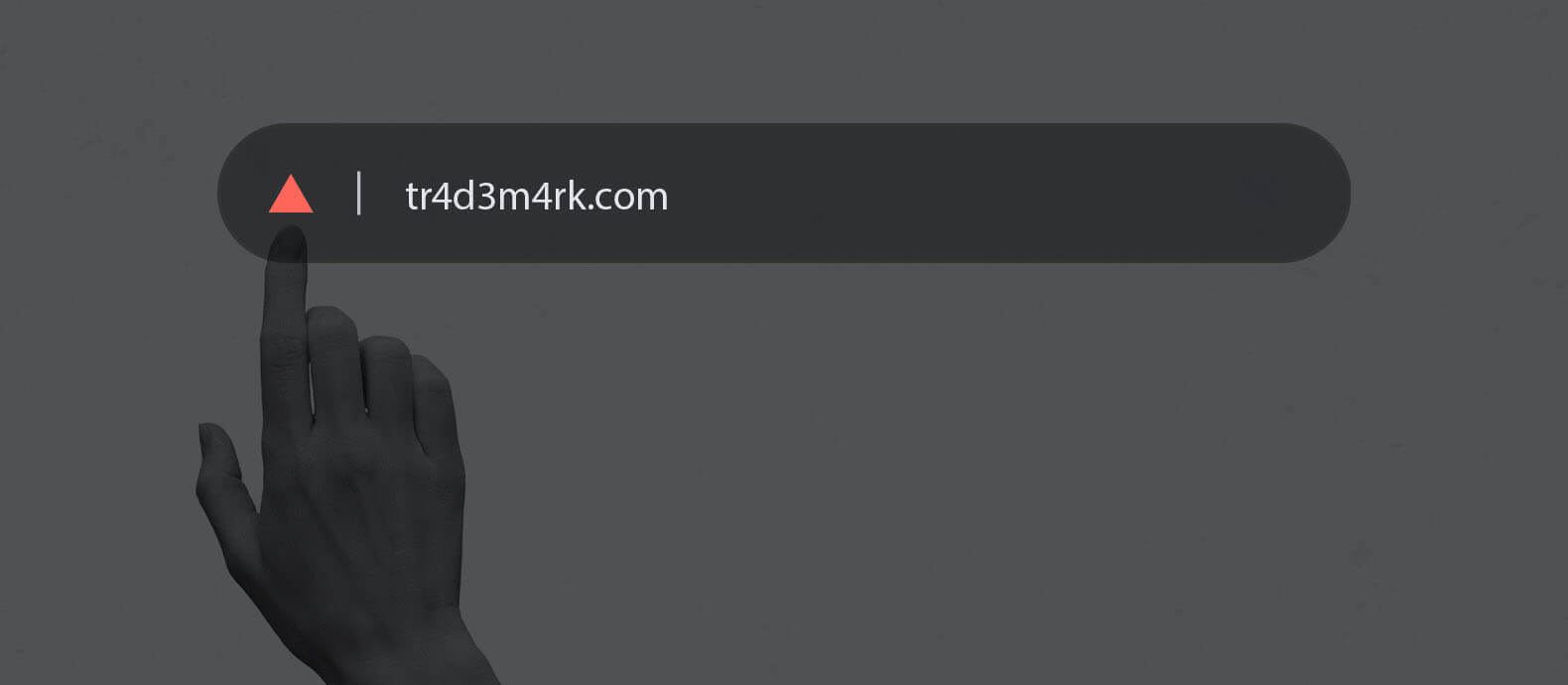
Typosquatting uses common typing errors, such as:
- Missing letters
- Repeated letters
- Reversed characters
- Adjacent keyboard characters
- Added or removed hyphens
- Replacing a letter with a number
The attack relies on users failing to notice the mistake.
Combosquatting
Combosquatting combines a trademark with a plausible descriptive word.
Examples include fictional variations such as:
- brand-support
- brand-outlet
- brand-login
- brand-refunds
- brand-careers
These domains can be more convincing than obvious misspellings because the added word appears to explain the page’s purpose.
Homoglyph and internationalized domain attacks
Some characters from different alphabets look almost identical. Attackers can use these visual similarities to create domains that appear legitimate at a glance.
The browser may display the characters differently or convert the domain into an encoded format, but most users will not inspect that technical detail before clicking.
Top-level domain variations
A bad actor may register the same or similar wording under another extension.
However, owning one extension does not automatically entitle a brand to every variation. The registrant’s use and intentions still matter.
Deceptive subdomains
Users often focus on the first recognizable brand name they see.
In a domain such as brand.login-example.com, the registered domain is login-example.com, not brand.com. Attackers use subdomains to place a recognizable trademark at the beginning of a longer address.
Cloned ecommerce websites
These sites copy the official brand experience and may reuse:
- Product photographs
- Descriptions
- Prices
- Customer reviews
- Logos
- Checkout design
- Shipping information
- Privacy policies
Their purpose may be to sell counterfeits, take payment without shipping anything, or harvest card details.
Email-domain impersonation
A lookalike domain may be used in messages that appear to come from:
- A CEO or senior executive
- A supplier
- An accounts-payable department
- Customer support
- Human resources
- A delivery partner
- A bank or payment provider
The email may request a payment, password reset, account verification, invoice change, or confidential information.
How to investigate suspected domain name trademark infringement
Step 1: Preserve the evidence
Capture the evidence before contacting the operator. The website may change, redirect users selectively, or disappear after receiving notice.
Record:
- The full URL
- Screenshots showing the browser address bar
- Page source or archived copies where appropriate
- Product and checkout pages
- Logos, images, and copied content
- Prices and payment methods
- Contact details
- Terms, privacy, and returns pages
- Search results and advertisements leading to the site
- Emails, including full headers
- Dates and times
- Customer complaints
- Any attempted domain sale or payment demand
Do not complete a suspicious checkout using real personal or financial information.
Step 2: Confirm the relevant trademark rights
Identify:
- The trademark owner
- Registration numbers
- Relevant countries
- Protected goods or services
- First-use information
- Unregistered rights, where applicable
- Licensing or authorization documents
- Earlier disputes involving the same mark or actor
A registration certificate alone does not establish that every similar domain is unlawful. Connect the trademark rights to the domain’s actual use.
Step 3: Examine the domain carefully
Separate the registered domain from its paths and subdomains.
Check for:
- Misspellings
- Added words
- Hyphens
- Character substitutions
- Different extensions
- Encoded internationalized domains
- Redirect chains
- Active email records
- Shared infrastructure with other suspicious sites
Step 4: Check the registration data
Use the ICANN Registration Data Lookup Tool to identify publicly available information such as the registrar, registration dates, nameservers, and domain status codes.
RDAP replaced WHOIS as the definitive source for generic top-level domain registration data on January 28, 2025.
When relevant registration information is not public, parties with a legitimate need may submit a request through ICANN’s Registration Data Request Service when the registrar participates in the service, or contact the registrar about its disclosure process. The service standardizes requests but does not guarantee disclosure.
Privacy-protected data is not itself evidence of wrongdoing. Many legitimate registrants use privacy services.
Step 5: Identify the immediate threat
Classify the incident before choosing an enforcement route.
| Domain status | Main concern |
| Parked or inactive | Potential cybersquatting or future misuse |
| Redirecting | Traffic diversion or affiliate abuse |
| Fake store | Counterfeits, fraud, trademark and copyright infringement |
| Login page | Credential theft or phishing |
| Email enabled | Executive, supplier, or customer impersonation |
| Malware warning | Cybersecurity and user harm |
| Criticism or fan site | Fair-use and legitimate-interest questions |
| Legitimate business | Possible naming conflict requiring careful legal analysis |
Step 6: Prioritize customer harm
Domains involving phishing, malware, financial fraud, or active credential collection should usually be escalated immediately through security and abuse channels.
A domain that is merely parked may require a different strategy from a live phishing site. Treating every incident identically can delay action against the most harmful threats.
Step 7: Document recurrence
Track whether the actor returns using:
- New extensions
- New registrars
- New hosting providers
- Different spellings
- The same analytics or advertising identifiers
- Reused payment accounts
- Reused images and page templates
- Connected social-media accounts
- The same nameservers or infrastructure
A documented pattern can strengthen later complaints and help teams move from individual takedowns to network-level enforcement.
How to stop domain name trademark infringement
There is no universal “domain takedown form.” The right route depends on the legal basis, domain extension, intermediary policies, and desired outcome.
Contact the registrant
Direct contact may work where the use is accidental, the registrant is identifiable, or the parties are open to a transfer.
A notice should clearly explain:
- Who owns the rights
- Which domain is disputed
- How it infringes or creates confusion
- The evidence relied on
- The requested action
- A reasonable response deadline
- How the recipient can contact the rights holder
Avoid making unsupported legal threats. A weak or overreaching demand can undermine credibility and may create reverse-domain-name-hijacking concerns in a later proceeding.
Report the website to its hosting provider
The host controls the website content, not necessarily the domain registration.
Hosting complaints may be appropriate for:
- Phishing
- Malware
- Fraud
- Copyright infringement
- Counterfeit sales
- Violations of the host’s acceptable-use policy
Removing the hosting can take the site offline even while the domain remains registered.
Report qualifying abuse to the registrar
The registrar manages the domain registration.
Registrar policies vary. Some registrars will investigate phishing, malware, fraud, inaccurate registration information, or clear violations of their terms. A registrar may not decide a complex trademark ownership dispute solely from a standard abuse complaint.
Provide specific evidence and select the correct abuse category. A generic message stating that a domain is “fake” is less effective than a documented explanation of the conduct and policy violation.
Report connected search results, advertisements, and payment services
A harmful website may depend on several intermediaries.
Depending on the conduct, brands may report:
- Search results
- Paid advertisements
- Social-media posts
- Merchant accounts
- Payment processors
- Shopping feeds
- Content-delivery or security providers
- Affiliate networks
These actions may reduce customer exposure or revenue while a domain dispute is pending. Removing a search result or advertisement does not cancel the domain itself.
File a UDRP complaint
The Uniform Domain Name Dispute Resolution Policy is an administrative procedure for abusive domain registrations.
Under the ICANN Uniform Domain Name Dispute Resolution Policy, a complainant must establish all three of the following:
- The domain is identical or confusingly similar to a trademark or service mark in which the complainant has rights.
- The registrant has no rights or legitimate interests in the domain.
- The domain was registered and is being used in bad faith.
UDRP remedies are limited to cancellation or transfer of the domain. A UDRP panel cannot award monetary damages or legal costs, although either party may still bring the dispute before an appropriate court.
According to WIPO’s guide to the UDRP process, a case without procedural complications should normally be completed within approximately two months from the date WIPO receives the complaint.
At the time of publication, the standard WIPO fee for a complaint covering one to five domains with a single panelist is USD 1,500. WIPO also offers an optional expedited service for qualifying cases at a higher fee. Fees and procedures should always be checked before filing.
The UDRP applies to generic top-level domains and to country-code domains whose registration authorities have adopted the UDRP. Other country-code extensions may use their own dispute procedures. The WIPO UDRP guide lists the country-code domains that use the UDRP or a local variation.
Consider court action
Court action may be appropriate when the brand needs:
- An injunction
- Monetary relief
- Broader discovery
- Action against several connected defendants
- Remedies beyond transfer or cancellation
- An urgent order addressing fraud or customer harm
- Resolution of a complex trademark dispute
In the United States, the Anticybersquatting Consumer Protection Act permits claims involving bad-faith registration, trafficking, or use of protected trademark-related domains. Courts may order forfeiture, cancellation, or transfer of the domain, while other remedies may be available depending on the claims and circumstances.
Legal standards differ between jurisdictions. Brands should seek qualified legal advice before starting formal proceedings.
How to avoid infringing another company’s trademark when choosing a domain
Domain name trademark infringement is also a risk for legitimate businesses selecting a new name.
Search before registering
Check more than exact matches. Search for similar spellings, sounds, meanings, and visual impressions in the countries where the business will operate.
Review:
- Trademark databases
- Search-engine results
- Company registries
- App stores
- Social-media platforms
- Domain records
- Industry directories
- Marketplace listings
The USPTO trademark search resources can help identify registered and pending US marks, but a comprehensive clearance search may require additional databases and legal analysis.
Consider the intended goods and services
Two businesses may sometimes use similar wording without confusion when their industries, customers, and branding are sufficiently different.
That does not mean every unrelated use is safe, particularly where a mark is famous or distinctive.
Avoid building around someone else’s reputation
Adding “shop,” “official,” “support,” “outlet,” or a geographic term to another party’s trademark does not necessarily avoid infringement.
Ask whether customers might believe the domain belongs to, is authorized by, or is affiliated with the trademark owner.
Document the naming process
Keep records showing why the name was selected, the searches performed, the intended business use, and the date development began.
These records will not cure infringement, but they may help demonstrate legitimate business planning rather than an intent to exploit another company.
Obtain legal clearance where the risk is material
A registrar confirming that a domain is available is not a trademark clearance opinion.
Legal review is especially important before investing in a global launch, regulated product, consumer-facing platform, or name similar to an established brand.
How brands can prevent domain impersonation and repeat infringement
Register the most important defensive domains
Prioritize variations customers are most likely to trust or mistype, including:
- Core extensions
- Important country-code domains
- Common misspellings
- Major product names
- High-risk campaign names
- Commonly abused support or login combinations
Registering every theoretical variation is rarely practical. Use risk and customer behavior to prioritize.
Monitor new and existing domains
Monitoring should cover more than exact trademark matches.
Useful signals include:
- Misspellings
- Character substitutions
- Added commercial terms
- New top-level domains
- DNS and email records
- Website content
- Copied images
- Search results
- Advertisements
- Social-media links
- Customer complaints
- Previously used attacker infrastructure
The scale of the problem remains significant. WIPO managed more than 6,200 domain name disputes in 2025, its highest annual caseload on record.
Secure the official domain portfolio
Use:
- Centralized ownership records
- Automatic renewal
- Registry locks where appropriate
- Multi-factor authentication
- Restricted account permissions
- Approved registrar lists
- Change alerts
- Documented acquisition and transfer processes
Brands can lose control through internal errors and account compromise as well as deliberate infringement.
Protect official email domains
Configure and maintain:
- SPF
- DKIM
- DMARC
- Monitoring for unauthorized email-sending domains
- Clear payment-verification procedures
- Secondary approval for bank-detail changes
These controls do not prevent criminals from registering lookalike domains, but they help protect official domains and reduce the success of sender spoofing.
Educate employees, suppliers, and customers
Tell stakeholders:
- Which domains are official
- Which email addresses the business uses
- How payment changes are confirmed
- What information the brand will never request
- Where legitimate promotions are published
- How suspicious websites or messages should be reported
Education should support monitoring and enforcement, not replace them.
Maintain a domain incident playbook
Define responsibilities before an incident occurs.
The playbook should identify who handles:
- Evidence preservation
- Trademark verification
- Cybersecurity analysis
- Customer communications
- Registrar and host reports
- UDRP decisions
- Law-enforcement referrals
- Executive escalation
- Post-takedown monitoring
This reduces delays when a domain is actively targeting customers.
How Red Points helps brands detect and stop abusive domains
Domain enforcement becomes difficult when threats appear across multiple registrars, hosts, search engines, advertisements, social-media accounts, and payment channels.
Red Points’ Domain Takedown solution helps brands centralize the process by:
- Monitoring domain registrations and online channels
- Detecting typosquatting, combosquatting, lookalike domains, and cloned websites
- Identifying domains used for fake stores, phishing, and impersonation
- Preserving evidence
- Prioritizing threats according to customer and business risk
- Routing enforcement to the relevant registrar, host, platform, or intermediary
- Tracking responses, removals, and rejections
- Connecting repeat domains and related abuse
- Monitoring for relaunches after enforcement
Human validation remains important where the facts are ambiguous. Teams can review cases themselves or use specialist support without having to investigate every low-risk detection manually. Red Points processes 5.1M+ enforcements per year across domains, fake websites, social media, and other channels
The risks can escalate quickly. In the KEEN case study on stopping rogue websites, the brand went from zero reports to 1,400 customer complaints in a single day. The documented results include 1,000 covered domains, a 93.5% enforcement success rate, and USD 35.6 million in counterfeit product value enforced.
Brands dealing with recurring cybersquatting, fake websites, or domain impersonation can use Red Points to move from isolated complaints to continuous detection and enforcement. Request a demo today.
Frequently asked questions
Yes. A domain may infringe trademark rights when its use is likely to confuse consumers about the source, sponsorship, affiliation, or endorsement of a website, product, or service. Bad-faith registration may also support a cybersquatting claim or UDRP complaint.
No. The USPTO confirms that registering a domain with a registrar does not give the registrant trademark rights. Trademark rights depend on how the name is used, its distinctiveness, the relevant goods or services, and the applicable jurisdiction.
Potentially. The name must function as a source identifier for your goods or services and satisfy the ordinary requirements for trademark protection. Displaying it only as a web address may not be enough.
The earlier domain registration is an important fact, but it does not automatically decide the dispute. Consider when your trademark rights arose, whether the registrant knew of the brand, how the domain is being used, and whether the registrant has an independent legitimate interest.
No. Legitimate businesses, personal names, dictionary uses, criticism sites, resellers, fan sites, and unrelated commercial uses may have rights or legitimate interests. The facts and applicable law must be assessed before enforcement.
Cybersquatting concerns bad-faith registration or use of a trademark-related domain. Domain impersonation concerns using a domain or email address to make people believe they are interacting with the genuine organization. A single incident may involve both.
Under the UDRP’s three-part test, the complainant must show that the domain is identical or confusingly similar to a mark in which it has rights, the registrant lacks rights or legitimate interests, and the domain was registered and is being used in bad faith.
No. WIPO confirms that UDRP panels cannot award monetary judgments or lawyers’ costs. A panel can order the domain to be transferred or cancelled, while monetary claims generally require court proceedings.
WIPO states that a case without procedural issues should normally be completed within approximately two months from the date it receives the complaint.
At the time of publication, the standard WIPO fee for one to five domains decided by a single panelist is USD 1,500. Three-member panels, larger cases, expedited processing, and country-code procedures may have different fees.
A registrar may suspend or otherwise act on domains that violate its terms or abuse policies, particularly for phishing, malware, fraud, or inaccurate registration data. Registrars may decline to decide complex trademark ownership disputes without a court or UDRP decision. The hosting provider may be a more appropriate route when the objective is to remove website content.
Start with the ICANN Registration Data Lookup Tool. Public results may identify the registrar, registration dates, nameservers, and domain status. Personal details may be redacted. When nonpublic information is required for a legitimate purpose, eligible parties may use ICANN’s Registration Data Request Service for participating registrars or contact the registrar directly about its disclosure procedure.
Collect screenshots, full URLs, dates, copied branding, product pages, checkout details, advertisements, search results, emails with full headers, registration data, DNS information, customer complaints, and proof of your trademark rights. Preserve the evidence before alerting the operator.
Preserve the email and full headers, alert the affected employees or customers, block the domain, report it to the email provider and registrar, and escalate fraud or phishing activity through the appropriate security channels. Your official domains should also use SPF, DKIM, and DMARC.
No. Register the variations that create the greatest customer, revenue, or security risk. Continuous monitoring is more practical than trying to purchase every spelling, extension, keyword combination, and internationalized variant.