A customer searches for your company and lands on a website that looks almost identical to yours. It uses your logo, product photographs, brand colors, company description, and contact information. The domain is slightly different, but the customer does not notice.
The website may sell counterfeit goods, collect payments for products that never arrive, steal login credentials, distribute malware, or use your company’s identity to make another scam appear legitimate.
This is website impersonation.
Removing one impersonating site is not always enough. The operator may use a separate registrar, hosting provider, content delivery network, payment processor, advertising account, and social media profile. After one domain is disabled, the same content can reappear under another address.
This guide explains how to recognize website impersonation, preserve evidence, select the correct reporting route, remove the supporting infrastructure, and reduce the risk of repeat attacks.
TL;DR
- Website impersonation occurs when a website deceptively presents itself as a real person, company, organization, or authorized partner.
- Common examples include cloned stores, fake login pages, fraudulent support portals, counterfeit shops, fake recruitment sites, and executive impersonation pages.
- Preserve screenshots, page-level URLs, copied assets, advertisements, checkout details, messages, and customer complaints before filing a report.
- Identify the domain registrar, hosting provider, website platform, CDN, payment processor, and advertising accounts separately.
- Use trademark reporting when protected branding creates false affiliation or confusion.
- Use copyright reporting when the site copies original photographs, videos, text, graphics, or other protected works.
- A DMCA notice is not a universal website-impersonation complaint. It only addresses copyright infringement.
- Report phishing and malware through security-specific routes, including the host, browser-security services, search engines, and relevant infrastructure providers.
- Google may remove or restrict a page within its services, but this does not delete the underlying website.
- Report social profiles, paid advertisements, payment accounts, and messaging channels separately.
- If customers have lost money or exposed sensitive information, notify banks, payment providers, security teams, and relevant authorities.
- Monitor for replacement domains because impersonators frequently reuse the same assets, contact details, and traffic sources.
What is website impersonation?
Website impersonation is the deceptive use of a website to make visitors believe they are interacting with a legitimate person, brand, business, public authority, or authorized service.
An impersonating website may copy:
- A company name
- Logo and trademarks
- Product catalogue
- Website layout
- Brand colors
- Product photography
- Company biography
- Employee or executive identities
- Support information
- Login pages
- Checkout pages
- Legal and shipping policies
- Customer reviews
- Social media links
The defining issue is not simply that two websites look similar. It is whether the second website creates a false impression about its identity, affiliation, authorization, or purpose.
Website impersonation vs. spoofing, cloning, and phishing
These terms describe related but different parts of an attack.
| Term | Meaning | Example |
| Website impersonation | A website falsely presents itself as another company or person | A fake store claiming to be the official brand |
| Website spoofing | A website imitates a trusted domain, interface, or customer journey | A lookalike login page using a misspelled domain |
| Website cloning | A website copies the content, layout, or code of another site | A duplicate storefront using the original images and text |
| Phishing | Deception intended to obtain credentials, payments, or sensitive information | A fake support page requesting passwords |
| Counterfeit site | A website sells unauthorized copies bearing protected branding | A fake fashion outlet selling replica products |
| Non-delivery scam | A store accepts payment but does not supply the advertised goods | A temporary shop that disappears after collecting orders |
An impersonating website may use several of these techniques at once. A cloned store can use a spoofed domain, run phishing forms, and sell counterfeit goods.
For a deeper explanation of the technical imitation itself, see the guide to website spoofing.
Why website impersonation is dangerous
Website impersonation can affect customers and the legitimate business simultaneously.
| Risk | Possible impact |
| Payment fraud | Customers pay the impersonator for counterfeit or nonexistent products |
| Credential theft | Fake login forms collect passwords and verification codes |
| Identity theft | Visitors submit personal documents or financial information |
| Counterfeit sales | Fake products divert revenue and create safety risks |
| Reputational damage | Customers blame the real brand for the scam |
| Search confusion | The fake site appears beside or above the official website |
| Support costs | Customer service teams handle complaints about transactions they did not process |
| Recruitment fraud | Applicants submit identity documents or pay fake employment fees |
| Supplier fraud | Fake procurement or executive pages target business partners |
| Malware | Visitors download harmful files or applications |
| Recurrence | The operator relaunches the same campaign through new domains |
Website impersonation should therefore be treated as a campaign-level threat, not only as a single-domain problem.
Common types of website impersonation
Fake ecommerce stores
These sites copy a legitimate retailer’s branding and products to sell counterfeits, take payments without fulfilling orders, or collect card details.
They often use large discounts, urgency messages, countdown timers, and claims such as “official outlet” or “warehouse clearance.”
Fake login and support pages
A fake page may imitate:
- Customer account logins
- Employee portals
- Banking pages
- Password-reset forms
- Delivery tracking
- Customer support
- Cloud storage
- Identity verification
The purpose is usually to steal credentials, payment data, or security codes.
Fake recruitment websites
Recruitment impersonators may copy a company’s careers page and publish nonexistent roles.
Applicants can then be asked to provide:
- Identity documents
- Banking information
- Tax information
- Equipment payments
- Training fees
- Background-check payments
Executive and employee impersonation sites
Some domains present themselves as the personal website, office, foundation, investment firm, or consulting business of a real executive or employee.
These sites may support investment, invoice, supplier, or partnership fraud.
Counterfeit and replica stores
A counterfeit website uses protected branding to advertise unauthorized copies.
The site may also copy official campaign images and product descriptions, giving the brand both trademark and copyright grounds for reporting.
Fake promotions and giveaways
These pages promise discounts, prizes, vouchers, product trials, or early access in exchange for information or payment.
They are frequently distributed through social media advertisements and direct messages.
Multi-brand scam stores
Some fake shops imitate several companies on the same website.
The operator may use different landing pages for different advertisements while processing payments through one merchant account.
How to spot an impersonating website
No single warning sign proves that a website is fraudulent. Look for a combination of inconsistencies.
| Signal | What to check |
| Domain | Misspellings, added words, hyphens, unusual extensions, or visually similar characters |
| Registration | Recently registered domain or concealed ownership |
| Branding | Distorted logos, outdated assets, or inconsistent styles |
| Product images | Photographs copied from the official store or unrelated sellers |
| Prices | Extreme discounts across most products |
| Contact details | Generic email addresses, false addresses, or no verifiable business information |
| Company claims | “Official,” “authorized,” or “exclusive” claims that cannot be confirmed |
| Policies | Copied terms, contradictory return information, or another company’s name |
| Checkout | Unfamiliar payment pages, bank transfers, gift cards, or cryptocurrency |
| Login forms | Requests for unnecessary credentials or verification codes |
| Social links | Broken icons or links to unrelated accounts |
| Language | Poor translations, inconsistent terminology, or copied text |
| Security | Browser warnings, redirects, forced downloads, or suspicious pop-ups |
| Advertising | Ads using the real brand’s images but sending users to another domain |
HTTPS is not proof that a website is legitimate. It only means the connection between the visitor and the website is encrypted.
What evidence should you collect?
Preserve the website before contacting the operator or submitting a complaint.
The impersonator may remove pages, change the domain, block your location, replace copied content, or redirect visitors after receiving notice.
Collect:
- Full domain name
- Homepage URL
- Every relevant page-level URL
- Screenshots showing the browser address
- Date and time of capture
- Copied logos and trademarks
- Copied photographs, text, videos, and graphics
- Links to the genuine website and original content
- Trademark registration details
- Copyright ownership records
- Fake login and checkout pages
- Payment methods and merchant names
- Advertisements promoting the website
- Emails, messages, and phone numbers
- Customer complaints
- Order confirmations
- Transaction records
- Shipping labels or delivered counterfeit products
- Browser security warnings
- Redirect destinations
- Connected social profiles
- Related domains
Where possible, record the full customer journey from advertisement or message to landing page, checkout, and payment destination.
Evidence table
A structured table makes the complaint easier to review.
| Reported URL | Problem | Supporting evidence |
| Homepage | False affiliation | Copied logo, company name, and official-site comparison |
| Product page | Counterfeit sale | Trademark registration and test purchase |
| Image page | Copyright infringement | Original photograph and publication date |
| Login page | Phishing | Genuine login page and captured form fields |
| Checkout | Payment fraud | Customer complaint and merchant information |
| Contact page | Impersonation | False address and copied support details |
Which reporting route should you use?
Choose the route based on the strongest supported violation.
| Situation | Primary reporting route | Additional routes |
| Fake login or credential form | Host, website platform, phishing reports | Registrar, Google, browser-security providers |
| Counterfeit store | Host or platform trademark route | Registrar, search, ads, payments, authorities |
| Copied images or text | Copyright or DMCA route | Google legal removal |
| Misleading use of a trademark | Trademark complaint | Registrar or domain dispute |
| Lookalike domain | Registrar abuse route | Host, trademark complaint, domain dispute |
| Malware or harmful download | Host and malware report | Search engines, browser-security providers |
| Fake paid advertisement | Advertising platform | Host, registrar, social account |
| Payment fraud | Payment processor and bank | Host, authorities, registrar |
| Fake social account linking to site | Social platform | Host, registrar, ads |
| Significant customer loss | Relevant authority | Bank, payment provider, insurer |
A complete fake website takedown often combines several routes.
How to report website impersonation
Step 1: Preserve the website
Capture the evidence before alerting the operator.
Save the specific pages that demonstrate impersonation. A screenshot of the homepage alone may not show the fake login, counterfeit products, checkout, or copied content.
For websites that change content based on location or referral source, record:
- Your location
- Device
- Browser
- Advertisement clicked
- Redirect chain
- Final landing page
Step 2: Classify the violation
Identify what the site is doing.
Possible categories include:
- Trademark infringement
- Copyright infringement
- Counterfeiting
- Phishing
- Fraud
- Malware
- Privacy violation
- False advertising
- Domain abuse
- Unauthorized use of a person’s likeness
Avoid treating every fake site as a copyright case.
Copyright may cover the copied photographs and text, while trademark law may cover the false brand identity. Phishing or fraud routes may be stronger when the site collects credentials or payments.
Step 3: Identify the registrar, host, and platform
Use ICANN Lookup to find available registration information, including the registrar and nameservers.
The results may not reveal the domain owner because registration information can be protected, but the registrar should still be identifiable. ICANN’s lookup tool provides current public registration data; it does not host websites or decide infringement disputes.
Then identify:
- Hosting provider
- Website builder
- Ecommerce platform
- CDN or reverse proxy
- Domain registrar
- Payment processor
- Advertising providers
- Connected social networks
The registrar and host are not interchangeable.
The registrar manages the domain registration. The host or website platform normally stores or delivers the content. A CDN may sit between the visitor and the origin server without hosting the underlying website.
Step 4: Report the hosting provider or website platform
The host or website platform is often the provider most capable of disabling the content.
Find its:
- Abuse form
- Fraud form
- Phishing form
- Trademark form
- Copyright form
- Acceptable-use reporting process
Include:
- The domain
- Exact page URLs
- Description of the violation
- Evidence of your identity and authority
- Trademark or copyright information
- Comparison with the legitimate website
- Customer harm
- Urgent security risks
- Requested action
Adapt the complaint to the provider’s service and policy instead of sending the same generic message everywhere.
Step 5: Report the domain registrar
Report the registrar when the domain itself supports the impersonation, particularly when it:
- Contains a confusing version of your trademark
- Is used for phishing or malware
- Supports fraud
- Uses false registration information
- Violates the registrar’s abuse rules
- Is part of a repeating network
The registrar may suspend or lock a domain in qualifying cases, but it does not normally control content hosted by another company.
Provide the registrar with:
- Domain name
- Exact abusive activity
- Relevant URLs
- Trademark details
- Screenshots
- Hosting report references
- Evidence of customer harm
- Connected domains
Step 6: Submit a trademark complaint
Use a trademark complaint when the website uses a protected name, logo, or other mark in a way that is likely to mislead users about source, sponsorship, authorization, or affiliation.
Prepare:
- Trademark owner
- Registration number
- Jurisdiction
- Protected goods or services
- Reporter’s authorization
- Infringing URLs
- Genuine website
- Explanation of confusion
- Screenshots
- Customer complaints
A strong trademark report explains how the branding is used deceptively rather than merely stating that the trademark appears on the site.
Step 7: Submit a copyright complaint
Use copyright when the website copies original:
- Product photographs
- Videos
- Website text
- Artwork
- Graphics
- Catalogues
- Designs
- Illustrations
- Downloadable material
A DMCA-style notice generally requires identification of the protected work, the copied material, contact information, good-faith and accuracy statements, authority to act, and a signature.
Follow the full copyright takedown process when copied creative material is the strongest basis.
A DMCA notice does not automatically address:
- Trademark misuse
- Counterfeit goods
- Fraud
- Phishing
- False affiliation
- Domain-name abuse
File separate reports where those issues also apply.
Step 8: Report phishing, malware, or deceptive behavior
When the website steals credentials, distributes malware, or uses dangerous social-engineering techniques, use security-specific routes.
Google provides separate options for reporting spam, phishing, and malware. These reports help Google investigate harmful or manipulative pages and improve the systems protecting Search users.
Also report the site to:
- Hosting provider
- Website platform
- Registrar
- CDN
- Browser-security providers
- Email provider
- Payment provider
For a complete escalation sequence, use the phishing guide.
Step 9: Report the website to Google
Use the Google legal report when content in a Google product violates your rights or applicable law.
Google routes requests according to the product and issue, including copyright and other legal grounds. Removing or restricting a URL in Google does not remove the source website from the internet.
The Google reporting guide explains the differences between:
- Legal removal
- Copyright removal
- Phishing reporting
- Malware reporting
- Search spam reporting
- Outdated-content tools
Use page-level URLs rather than reporting only the domain.
Step 10: Report Cloudflare or another CDN
If the website uses Cloudflare, determine whether Cloudflare is hosting content or only providing pass-through security and CDN services.
Cloudflare states that most abuse reports concern websites using its reverse-proxy and CDN services, where it does not host the underlying content. Its primary reporting route is the Cloudflare abuse form.
The Cloudflare guide explains how to report:
- Phishing
- Malware
- Trademark infringement
- Copyright infringement
- Registrar abuse
- Hosted Cloudflare content
Report the origin host separately when Cloudflare only proxies the site.
Step 11: Report advertisements, payments, and social accounts
An impersonating website may receive most of its visitors from advertisements rather than organic search.
Report:
- Search advertisements
- Social media advertisements
- Shopping listings
- Promoting profiles
- Influencer content
- Messaging accounts
- Payment processors
- Banks
- Cryptocurrency services
Preserve the advertisement before reporting it because the creative or destination URL may change.
If fake social profiles support the website, follow a separate social media takedown.
Step 12: Report fraud to the authorities
If customers have lost money, exposed credentials, received counterfeit goods, or suffered identity theft, document the losses and notify the relevant authorities.
In the United States, fraud and scams can be reported through ReportFraud, while internet-enabled fraud and cybercrime can be submitted through the IC3.
Include:
- Website URLs
- Transaction amounts
- Dates
- Payment destinations
- Account or wallet details
- Emails and phone numbers
- Advertisements
- Products offered
- Customer reports
- Known related domains
An authority report does not replace the platform, host, or registrar complaint.
Step 13: Track the reports and monitor recurrence
Record:
- Provider
- Submission date
- Violation type
- URLs reported
- Evidence included
- Case number
- Response
- Outcome
- Follow-up date
- Replacement domains
Continue searching after the site is removed.
Impersonators often reuse:
- Product photographs
- Logos
- Templates
- Phone numbers
- Email addresses
- Analytics identifiers
- Payment accounts
- Nameservers
- Advertising creative
- Social profiles
What should you write in a website impersonation report?
A useful complaint connects observable evidence to a specific policy or legal basis.
Weak wording:
This website is fake and damaging our brand. Please take it down.
Stronger impersonation and trademark wording:
The reported website uses our registered trademark, logo, product catalogue, and company description to present itself as an official store. It is not owned, operated, or authorized by our company. The trademark registration, official website, copied pages, customer complaints, and affected URLs are attached.
Stronger phishing wording:
The reported page copies our customer-login interface and asks visitors to submit email addresses, passwords, and payment details. It is not operated by our company. The genuine login page, phishing URL, screenshots, form fields, and customer messages are attached.
Stronger copyright wording:
The reported pages reproduce our original product photographs without permission. Each infringing URL is paired below with the original photograph and authorized publication URL.
State:
- Who you are
- Who owns the rights
- Why you are authorized to report
- What the website is doing
- Which pages are affected
- Which policy or right applies
- How users are being misled
- What evidence supports the report
- What action you are requesting
What happens after you report the website?
The outcome depends on the provider’s role, the report category, and the evidence.
Possible results include:
- Content removal
- Website suspension
- Domain suspension
- A browser warning
- Search-result removal
- Advertising-account restriction
- Payment-account investigation
- A request for more information
- Referral to another provider
- Rejection
- A counter-notice
- No visible action
Do not promise a fixed removal time. A simple phishing page may be handled differently from a contested trademark dispute or copyright claim.
Why website impersonation reports get rejected
The wrong provider was contacted
A registrar may not control the website content. A CDN may not host the origin. Google may control visibility but not the website itself.
Map the infrastructure before escalating.
The wrong category was selected
A fake store is not automatically phishing. Trademark misuse is not automatically copyright infringement.
Choose the category that matches the evidence.
The URLs are incomplete
Reporting only the homepage makes it difficult to locate a credential form, copied image, or counterfeit product.
Provide direct URLs.
Ownership is unclear
A complaint may fail when the reporter cannot establish trademark ownership, copyright ownership, or authority to act.
Include the relevant records.
The report does not explain the deception
A logo appearing on a page does not, by itself, explain why users will believe the site is official.
Describe the false claims, copied customer journey, or evidence of confusion.
The goods may be genuine
An unauthorized seller is not automatically a counterfeiter.
Confirm whether the products are fake, gray-market, second-hand, or otherwise genuine before filing a counterfeit report.
The reported use may be lawful
Commentary, criticism, comparison, news reporting, or descriptive references may be permitted depending on the context and jurisdiction.
Assess the full use rather than the presence of one brand reference.
What if the website is not removed?
Correct and resubmit the report
Review the response and address the stated problem.
Add missing URLs, rights records, screenshots, authority documents, or a clearer explanation.
Escalate to another provider
Report the:
- Host
- Website platform
- Registrar
- CDN
- Search engine
- Advertising platform
- Payment provider
- Social network
- Email service
Each controls a different part of the operation.
Send a formal legal notice
A cease-and-desist letter or other formal notice may be appropriate when the operator can be identified.
Qualified legal advice may be needed when rights, jurisdiction, defamation, fair use, or contractual issues are disputed.
Consider a domain dispute or court order
A domain-name dispute may be appropriate when a domain targets a protected trademark and meets the relevant requirements.
Court action may be necessary where:
- The harm is substantial
- The operator repeatedly relaunches
- Damages are sought
- Identifying information is required
- Providers require a binding order
- Several related defendants are involved
How to prevent repeat website impersonation
Register important trademarks and creative assets
Formal rights make trademark and copyright reporting easier.
Prioritize:
- Company name
- Product names
- Logos
- Key slogans
- Product photographs
- Campaign content
- Packaging and designs
Register defensive domains
Secure important variations where practical, including:
- Common misspellings
- Regional domains
- Product-related domains
- Support-related domains
- High-risk extensions
Defensive registration cannot cover every variation, but it can reduce obvious opportunities.
Publish official channels
Clearly list:
- Official domains
- Login pages
- Support addresses
- Approved retailers
- Careers pages
- Social profiles
- Payment methods
Customers should have a simple way to verify unfamiliar contact.
Monitor new domains
Track:
- Brand-name variations
- Product names
- Executive names
- “Support,” “login,” “shop,” and “outlet” combinations
- Visually similar characters
- Recently registered domains
- Reused infrastructure
Continuous domain monitoring helps identify suspicious registrations before they become established.
Monitor visual assets
Impersonators may avoid using the exact brand name while copying:
- Logos
- Product photographs
- Packaging
- Website layouts
- Executive images
- Advertisement creative
Visual detection can uncover sites that keyword monitoring misses.
Train customer-facing teams
Support, HR, finance, legal, security, and communications teams may see different parts of the same incident.
Create one escalation process for:
- Customer complaints
- Fake jobs
- Payment fraud
- Login theft
- Counterfeit sales
- Executive impersonation
- Suspicious advertisements
Warn customers carefully
When a campaign presents immediate risk, publish a warning through verified channels.
State:
- The genuine domain
- What the scam is doing
- What information the company will never request
- How customers can report an incident
- What affected customers should do
Avoid publishing clickable malicious links.
Common mistakes when handling website impersonation
Treating every case as a DMCA complaint
Copyright is only one possible route.
A cloned website may also involve trademark infringement, phishing, counterfeiting, fraud, and domain abuse. Using only copyright can leave the most harmful parts of the operation active.
Assuming Google removes the website
Google can act within its own products.
The host, platform, registrar, and operator control different parts of the underlying website.
Reporting only one provider
Removing one advertisement or search result does not disable the site. Suspending the site does not always cancel the domain. Closing a payment account does not remove its social profiles.
Report the full campaign.
Contacting the operator before preserving evidence
The operator may remove pages, block investigators, or relaunch elsewhere.
Capture the complete website first.
Relying only on exact-name searches
Impersonators use misspellings, visual substitutions, product names, slogans, and generic support terms.
Search beyond the exact company name.
Ignoring low-visibility websites
Some fake sites are deliberately excluded from search engines and receive visitors only through paid advertisements, email, or direct messages.
Search monitoring alone may miss them.
Failing to monitor after removal
A removal closes one incident, not necessarily the campaign.
Track the assets and infrastructure the operator is likely to reuse.
How Red Points helps remove website impersonation at scale
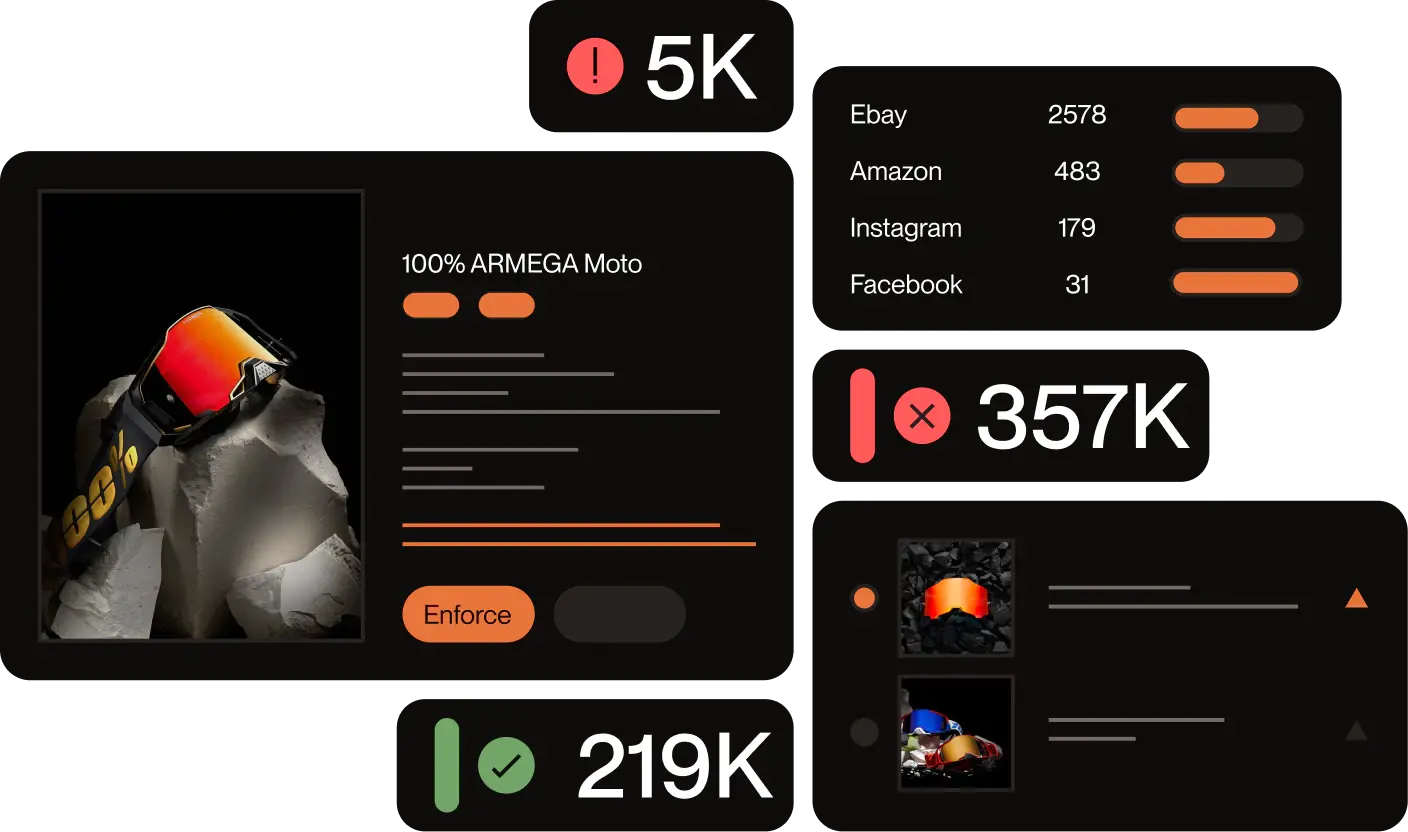
Manual reporting can work for one clearly documented website. It becomes harder when impersonators create several domains, run paid advertisements, change providers, and relaunch immediately after removal.
Red Points’ Impersonation Removal solution helps brands:
- Detect fake websites and lookalike domains
- Find copied logos, images, and brand assets
- Identify connected advertisements and profiles
- Map registrars, hosts, platforms, and infrastructure
- Prioritize high-risk threats
- Collect enforcement evidence
- Submit and track takedown requests
- Detect replacement domains
- Connect related impersonation campaigns
- Monitor recurrence
Red Points processes 5.1 million enforcements per year and is trusted by more than 1,300 brands. Its workflow combines automated detection with validation and specialist oversight before enforcement. A validation layer filters false positives before any enforcement action is submitted — so only confirmed impersonation threats are actioned
Request a demo to see how Red Points can help detect and remove websites impersonating your brand.
Frequently asked questions
What is website impersonation?
Website impersonation occurs when a website deceptively presents itself as another person, company, organization, or authorized service. The site may copy branding, content, products, login pages, or contact details to mislead visitors.
How do I report a website impersonating my business?
Preserve the website, identify the violation, find the registrar and host, and submit reports through the relevant abuse, trademark, copyright, phishing, or fraud routes. Also report advertisements, payment services, search results, and social accounts supporting the website.
Can Google remove an impersonating website?
Google can remove or restrict qualifying pages within Google products. It does not normally delete the source website or cancel the domain.
Do I need a registered trademark?
A registered trademark significantly strengthens formal trademark complaints and may be required by some providers. Without one, you may still be able to report fraud, phishing, malware, copied content, privacy abuse, or other policy violations.
Can I use a DMCA notice against an impersonating website?
Yes, when the website copies material protected by copyright, such as photographs, videos, text, artwork, or graphics. A DMCA notice does not address trademark misuse or fraud by itself.
How do I find the website’s registrar?
Enter the domain into ICANN Lookup. The results should identify the registrar and may show nameservers, registration dates, and available public registration data.
What is the difference between a registrar and a host?
The registrar manages the domain registration. The hosting provider or website platform normally stores or delivers the website’s content. They may be different companies.
What should I do when the website uses Cloudflare?
Report the site through Cloudflare’s abuse process and determine whether Cloudflare hosts the content or only provides proxy and CDN services. Report the origin host separately when Cloudflare does not host the underlying site.
How long does it take to remove an impersonating website?
There is no universal timeline. The outcome depends on the provider, violation, evidence, jurisdiction, urgency, and whether the operator disputes the report.
Can I remove a fake website hosted in another country?
Cross-border enforcement is often possible, but the available routes and response times vary. Report every relevant provider and seek legal advice when jurisdiction or litigation becomes important.
What if no customers have lost money yet?
You do not need to wait for a confirmed financial loss before reporting clear trademark infringement, copyright infringement, phishing, malware, false affiliation, or policy abuse. Early action can reduce customer exposure.
Should I warn customers about the fake website?
A public warning may be appropriate when the site presents an immediate and credible risk. Use verified channels, identify the genuine domain, explain the scam briefly, and avoid linking directly to the malicious site.
What is the difference between a fake website and a phishing site?
A fake website may sell counterfeit goods, impersonate a company, or collect payments. A phishing site specifically tries to obtain credentials or sensitive information through deception. A website can be both.
Is every website using my logo impersonating my business?
No. The context matters. News, commentary, comparison, criticism, or other lawful uses may refer to a logo without falsely claiming to be the brand. Focus on deception, confusion, infringement, and harmful behavior.
What is a website impersonation takedown service?
A website impersonation takedown service monitors domains and websites, identifies abuse, collects evidence, reports the relevant providers, tracks outcomes, and searches for replacement sites. It is most useful when a brand faces recurring abuse across multiple domains, advertisements, platforms, and infrastructure providers.
What does “This website might be impersonating” mean?
When a browser shows this warning, it has detected that the site’s domain may closely resemble a known legitimate domain and could be trying to deceive users. If you see this warning about a site impersonating your brand, capture the URL and follow the reporting steps in this guide. If you are a user who saw this warning, do not proceed to the site, do not enter any personal or payment information, and use Google Safe Browsing to report the URL.