


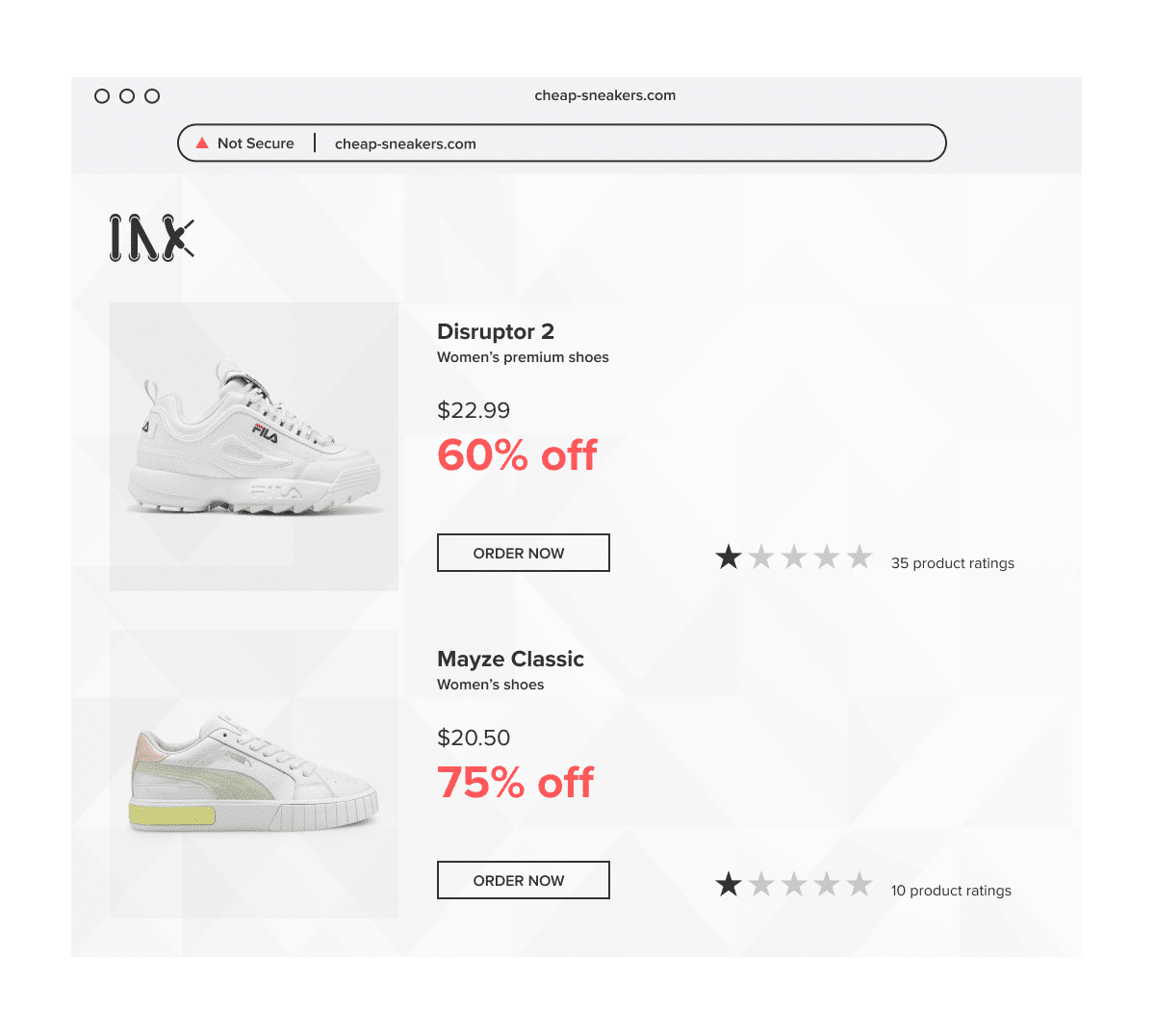
A customer types your web address too quickly. One letter is missing, two characters are swapped, or an added word makes the domain look close enough to trust.
Instead of reaching your website, they land on a page using your logo, product images, or checkout flow. They may see a fake promotion, enter their login details, pay for a product that never arrives, or get redirected through an affiliate link that earns money from your brand traffic.
That is the risk typosquatting creates. It starts with a small domain variation, but the impact can reach customer trust, revenue, paid media, support teams, and brand reputation.
This guide explains what typosquatting is, how to detect typo and lookalike domains, what evidence to collect, how to report them, and how brands can prevent repeat attacks.
TL;DR
- Typosquatting is the registration or use of a domain that closely resembles a real brand domain, often by adding, removing, replacing, or rearranging characters.
- Attackers use typo domains to divert traffic, run fake stores, host phishing pages, distribute malware, collect ad revenue, or impersonate a brand.
- Detection should cover more than obvious misspellings. Brands should monitor new domain registrations, search results, ads, social profiles, redirects, parked pages, and content copied from the official site.
- International brands should adapt monitoring by market, including ccTLDs, country-name variations, local spellings, translated terms, and markets where customers are already seeing fake sites.
- HTTPS does not prove a website is legitimate. It only means the browser connection is encrypted.
- Before reporting a typo domain, collect the exact URL, screenshots, redirects, registrar details, copied brand assets, traffic source, and evidence of trademark rights.
- UDRP can help recover or cancel a bad-faith domain. Registrar, host, search engine, ad platform, and phishing-reporting routes may also be relevant depending on how the domain is being used.
- Prevention works best when brands combine selective defensive registration, trademark protection, customer education, internal escalation, and continuous domain monitoring.
What is typosquatting?
Typosquatting is a form of domain abuse where someone registers or uses a domain name that is deliberately similar to a legitimate brand domain.
The goal is to capture people who mistype a URL, misread a link, or fail to notice a small variation in the domain.
For example, a typosquatter might register a domain that:
- Removes one letter from the brand name
- Adds a letter
- Swaps two letters
- Replaces a letter with a similar-looking number or character
- Adds words such as “shop,” “outlet,” “sale,” “support,” or a country name
- Uses a different top-level domain
- Uses lookalike characters from another alphabet
A typo domain may lead to a blank page, a parked page full of ads, a fake store, a phishing page, malware, or a redirect to another website.
Typosquatting is often treated as a type of cybersquatting because it usually involves registering a confusingly similar domain in bad faith. The difference is that typosquatting relies specifically on small variations or mistakes in how users type or read a domain.sers who are unaware that they are navigating on an untrustworthy website. Typo domains usually lead to web-optimized landing pages and fake websites that generate profits for the hosts or trick users into revealing personal data.
Common types of typosquatting domains
Typosquatting is not limited to obvious spelling mistakes. Attackers often test many variations at once and keep the ones that attract traffic.
| Type | What it looks like |
| Missing character | One letter is removed from the brand domain |
| Added character | An extra letter or number is inserted |
| Character swap | Two adjacent letters are reversed |
| Keyboard-neighbor typo | A nearby key replaces the intended character |
| Similar-looking character | A number or symbol replaces a letter, such as “0” for “o” |
| Hyphen variation | A hyphen is added, removed, or moved |
| Prefix or suffix | Words such as “shop,” “outlet,” “sale,” “support,” or “login” are added |
| Country or region variation | A country name, city, or ccTLD is added to make the site look local |
| TLD variation | The same or similar name is registered under another extension |
| Plural or singular variation | A final “s” is added or removed |
| Homograph domain | Lookalike characters from another alphabet are used to mimic the real domain |
Not every abusive domain is technically a typo. Some use the brand name plus a promotional, regional, or product-related word. From a brand protection point of view, these should be reviewed together because customers experience them in the same way: they think they are dealing with the real brand.
Typosquatting vs cybersquatting vs domain hijacking
These terms are often mixed together, but they are not identical.
Typosquatting refers to domains built around typing errors or small variations of a real domain.
Cybersquatting is broader. It usually refers to registering, trafficking in, or using a domain that is identical or confusingly similar to a trademark, often with bad-faith intent to profit from that mark.
Domain hijacking is different again. It usually means someone has taken control of a legitimate domain without permission, for example through account compromise, unauthorized transfer, or registrar-account abuse.
Some people use “URL hijacking” loosely to describe typosquatting. In practice, it is better to be precise. A mistyped lookalike domain, a bad-faith cybersquatting registration, and an unauthorized takeover of your real domain may require different evidence and escalation routes.
How typosquatting affects brands and customers
Typosquatting is sometimes treated as a technical issue, but the damage is commercial and reputational.
A typo domain can be used for:
- Fake stores: the site sells counterfeit products or takes payment without shipping anything.
- Phishing: the site imitates a login, support, warranty, or checkout page to collect credentials or card details.
- Traffic diversion: visitors are redirected to a competitor, marketplace, affiliate page, or ad-heavy landing page.
- Affiliate fraud: the typo domain redirects visitors back to the real brand through an affiliate link to collect commission.
- Malware or unwanted downloads: visitors are pushed toward malicious files, pop-ups, or browser extensions.
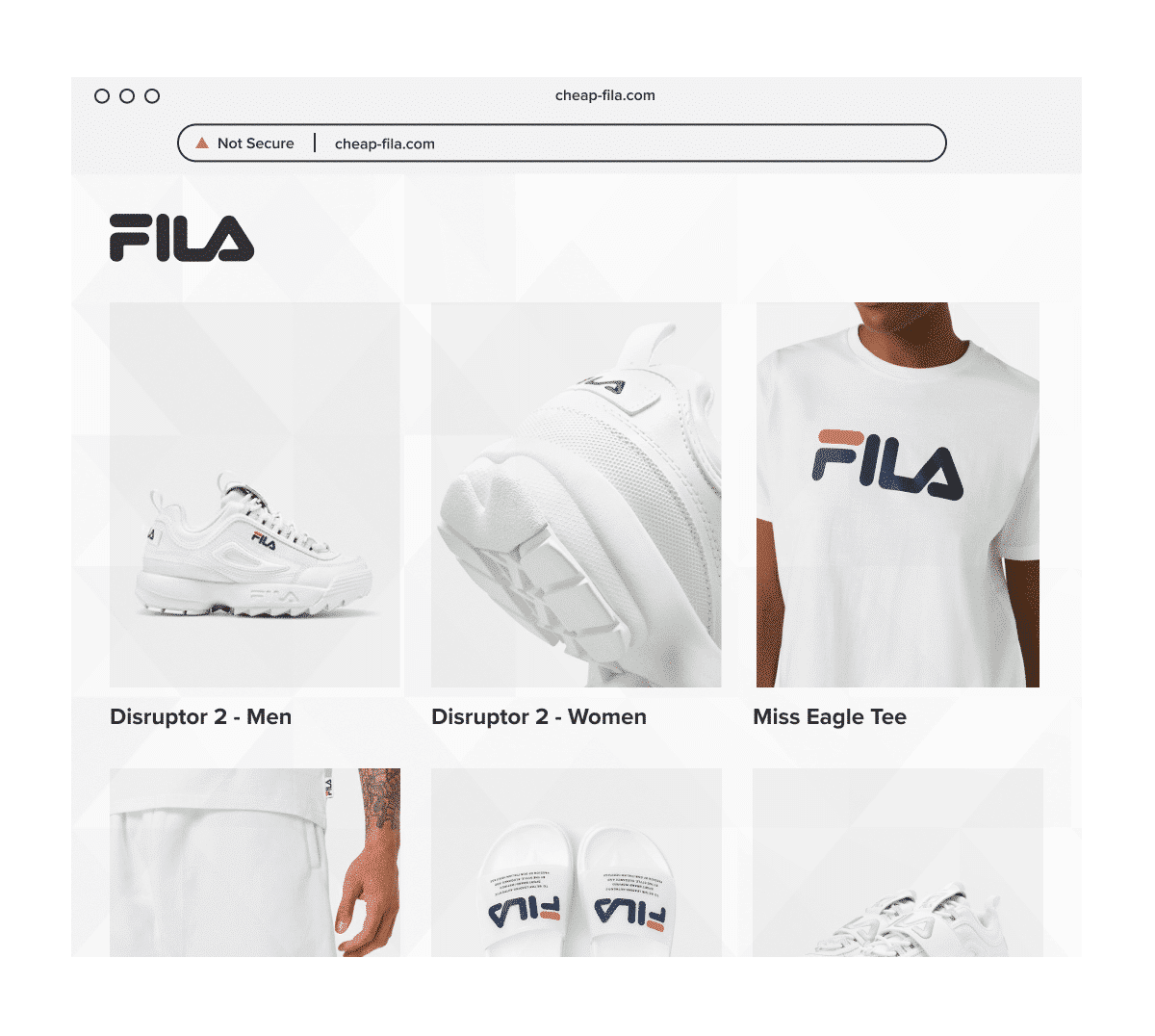
- Brand impersonation: the site copies the brand’s design, product images, customer-service pages, or legal information.
- Reputation harm: customers blame the brand when the fake site fails to deliver or misuses their data.
The issue is especially damaging when the fake site appears during a peak sales period. A discount that would look suspicious in March may feel normal during Black Friday.
How to detect typosquatting
Detection starts with the brand’s real domain portfolio, but it should not stop there.
1. Map your official and authorized domains
Create a current list of:
- Primary brand domains
- Country and regional domains
- Product or campaign domains
- Customer-support domains
- Authorized retailer and distributor domains
- Defensive domains already registered by the brand
- Domains used in email, ads, QR codes, and packaging
This gives your team a baseline for deciding whether a suspicious domain is legitimate, outdated, parked, or unauthorized.
2. Generate realistic typo and lookalike variations
Do not only search for one or two misspellings.
Build a list that includes:
- Common keyboard errors
- Missing letters
- Added letters
- Letter swaps
- Singular and plural variations
- Hyphenated versions
- Brand name plus “outlet,” “shop,” “sale,” “support,” “login,” or country terms
- Similar-looking characters
- Relevant alternative TLDs and ccTLDs
- Product names and campaign names
For international brands, detection should also include local spellings, country-specific domains, translated terms, phonetic versions, and typo patterns that appear in each priority market.
Prioritize the variants that customers are most likely to trust or mistype. Trying to register or monitor every possible variation can create noise quickly.
3. Monitor new domain registrations
Typosquatting often begins before the fake website is fully live.
A domain may be parked, inactive, or show harmless content at first. Later, it can be activated during a sale period or connected to an ad campaign.
Monitor:
- Newly registered domains
- Changes in DNS records
- Domains using your brand name with added commercial terms
- Domains that start showing copied content after being inactive
- Domains that appear shortly before peak sales periods or product launches
A domain that is not indexed in Google can still be used in ads, emails, SMS, or social posts.
4. Check what the domain actually displays
Open the suspicious domain and record what appears.
Look for:
- Copied logos
- Product images
- Official photography
- Similar page layouts
- Fake checkout pages
- Customer-service or returns pages copied from your site
- Discount messaging
- Countdown timers
- Payment logos
- Login forms
- Redirects to another website
Check both desktop and mobile. Some fake sites show different content depending on the device.
If the site redirects, record the full redirect path. The first domain may be the typo domain, but the final destination may reveal the fake store, phishing page, or affiliate scheme.
5. Search for traffic sources
A typo domain may not receive traffic from direct typing alone.
Search for the domain across:
- Search engines
- Social media platforms
- Ad libraries
- Email campaigns
- SMS messages
- Messaging apps
- Affiliate pages
- Review sites
- Coupon sites
The source matters. A fake ad, social profile, or email may contain the only link that shows the infringing content.
6. Review related infrastructure
Where possible, collect information about:
- Registrar
- Nameservers
- Hosting provider
- CDN or reverse proxy
- Mail records
- SSL certificate details
- Contact details
- Repeated page templates
- Analytics or tracking IDs
- Payment provider information
- Related domains using the same pattern
One typo domain may be part of a larger network. Similar templates, contact details, nameservers, or product images can reveal that several domains are connected.
What evidence should you collect before reporting a typo domain?
Preserve the evidence before contacting the operator, registrar, host, or platform. Domains can change quickly once the owner knows they are being reviewed.
| Evidence | What to save |
| Exact domain and URL | Full address, including path and parameters |
| Screenshots | Homepage, product pages, checkout, login pages, contact pages |
| Screen recording | Useful when redirects or device-specific content appear |
| Redirect path | Starting URL and final destination |
| Device and location | Desktop, mobile, country, browser, and date of access |
| Brand assets copied | Logos, product photos, text, page design, or legal content |
| Trademark evidence | Registration details and owner information |
| Traffic source | Ad, email, SMS, social post, search result, or affiliate page |
| Registrar and host details | ICANN Lookup or other domain-infrastructure records |
| Customer impact | Complaints, order confirmations, phishing reports, or failed deliveries |
| Related domains | Similar domains, repeated templates, or shared infrastructure |
If the site only appears through a specific ad, email, or tracking link, keep the full link. Removing tracking parameters may prevent a registrar or provider from seeing the same content.
How to report a typosquatting website
The right reporting route depends on how the typo domain is being used.
Report the domain to the registrar
Use ICANN Lookup or another domain lookup tool to identify the registrar and abuse contact.
A registrar may act when the domain is being used for phishing, malware, fraud, or another form of DNS abuse. A registrar is less likely to resolve a complex trademark dispute without a formal process such as UDRP or a court order.
Include:
- The domain
- Evidence of the abuse
- Screenshots
- Your trademark details
- Explanation of how customers are being misled
- Any phishing emails, ads, or customer reports connected to the domain
Report hosting or website abuse
If the domain hosts a fake store, phishing page, malware, or copied website content, the host, website platform, CDN, or reverse proxy may also be relevant.
This is especially important when the registrar does not control the website content directly.
Report phishing and malware
If the site is collecting credentials, card details, or personal information, report it through the relevant phishing and safe browsing channels as well as the registrar and host.
This can help trigger browser, search, and email warnings while the domain dispute or takedown request is being reviewed.
Report ads and social profiles
If the typo domain is promoted through paid ads or fake social profiles, report those assets too.
Removing the ad can stop traffic before the domain itself is taken down.
File a UDRP complaint
The Uniform Domain Name Dispute Resolution Policy, or UDRP, is an administrative process used to challenge bad-faith domain registrations.
To succeed, the complainant generally must show that:
- The domain is identical or confusingly similar to a trademark in which the complainant has rights
- The domain registrant has no rights or legitimate interests in the domain
- The domain was registered and is being used in bad faith
A successful UDRP complaint can result in the domain being transferred or cancelled. It is not the same as a damages claim and does not remove every related asset, such as ads, social profiles, or copied content hosted elsewhere.
Consider ACPA litigation in the US
In the United States, the Anticybersquatting Consumer Protection Act gives trademark owners a legal route against domain names registered, trafficked in, or used with bad-faith intent to profit from a protected mark.
Litigation is usually slower and more expensive than registrar reporting or UDRP, but it may be relevant for serious, repeated, or high-value cases.
Brands should involve legal counsel before choosing this route.
How can brands prevent typosquatting?
You cannot register every possible variation of your domain. The goal is to reduce the most likely risks and detect the rest quickly.
Register the most important lookalike domains
Defensive registration can help, but it should be selective.
Prioritize:
- Common misspellings
- High-risk TLDs and ccTLDs
- Country domains in markets where you sell or plan to expand
- Brand name plus “shop,” “outlet,” “sale,” or “support”
- Domains used in customer-service or login contexts
- Product names that customers search directly
Redirect legitimate defensive domains to your official site.
Do not rely on defensive registration alone. Attackers can always create another variation.
Prioritize domains by market
Typosquatting risk is not the same in every country.
Brands should review where they sell, where they plan to expand, where customers are already seeing fake sites, and where trademark rights are strong enough to support action.
This helps teams decide which ccTLDs, country-name variations, local spellings, translated or phonetic brand terms, and regional search phrases should be registered, monitored, or escalated first.
For example, a brand preparing to enter a new country may decide to monitor local-language variations before launch, even if sales are still low there. Another brand may prioritize markets where fake domains are already driving customer complaints or support tickets.
Use trademark protections where relevant
Make sure your core trademarks are registered in the markets where enforcement matters most.
Where relevant, record eligible trademarks with the Trademark Clearinghouse, especially if new gTLD launches or claims notices are part of your domain strategy.
This does not block every abusive registration, but it can support a broader domain-protection program.
Secure your official domains
Use HTTPS on official domains, but do not teach customers that HTTPS alone means a website is legitimate.
HTTPS only confirms that the connection is encrypted. Fake and phishing websites can use HTTPS too.
Also review:
- Domain-lock settings
- Registrar account security
- Multi-factor authentication
- DNS access controls
- Expiry monitoring
- Email authentication for official domains
SPF, DKIM, and DMARC can help protect your legitimate email domains from spoofing. They do not stop someone from registering a lookalike domain, but they make it harder to abuse your exact domain.
Publish official buying channels
Help customers verify where they can buy safely.
Maintain clear public information about:
- Official websites
- Country-specific domains
- Authorized retailers
- Approved marketplaces
- Customer-support channels
- Known scam warnings during peak periods
Cotopaxi took this approach after customers began reporting fake sites. The brand built internal processes and customer-facing resources to help people identify legitimate channels.
Connect customer service, paid media, social, and legal teams
Typosquatting is rarely found by one team alone.
Customer service may receive complaints first. Paid media may see suspicious ads. Social teams may see fake profiles. Legal may hold the trademark evidence. Ecommerce may know which promotions and retailers are legitimate.
Create one internal route for reporting suspicious domains, so the evidence is not split across inboxes, Slack threads, and spreadsheets.
Monitor continuously
Manual searches are useful, but they do not scale.
A typo domain can appear overnight, stay inactive, and activate only during a campaign or seasonal spike.
Continuous monitoring helps identify:
- New domains
- Relaunched domains
- Similar naming patterns
- Repeated website templates
- Copied imagery
- Fake ads
- Connected social profiles
- Repeat operators
The faster a brand can confirm the issue, the faster it can choose the correct enforcement route.
What Cotopaxi learned from fake and lookalike websites
Cotopaxi’s experience shows why typo and lookalike domains should be handled as part of a wider brand impersonation strategy.
Before Black Friday 2021, customers began contacting Cotopaxi about discounts of up to 80%. Some had placed orders and never received their products. Cotopaxi found 14 fake websites copying the brand’s identity and using domains close enough to confuse shoppers.
Some domains used the brand name with words such as “outlet,” “shop,” or “club.” Others used broader lookalike or regional naming patterns that made them feel like legitimate local stores.
The problem was not only the domains. The sites copied Cotopaxi’s imagery, promotions, and shopping experience. They also created support issues because customers contacted the real brand about orders placed on fake sites.
With Red Points, Cotopaxi moved from reactive discovery to a more structured process. The brand expanded its search strategy from 67 to more than 1,700 keywords, monitored domain patterns, reviewed pricing and stock signals, and used image recognition to identify copied assets.
The current Cotopaxi case study reports:
- 130+ hours saved in a quarter
- 4,700+ monthly enforcements
- $3.5M+ fraudulent value prevented in one year
- $13.5M+ fraudulent value prevented over the engagement
- 95% automation rate
- 110 fraud sites detected monthly during peak seasons
The lesson for other brands is straightforward: typo and lookalike domains should not be treated as isolated incidents. They often form part of a larger impersonation campaign involving copied images, fake discounts, social ads, and repeated domain patterns.
How Red Points helps detect and remove typo domains
Red Points’ fully managed AI platform helps brands detect, validate, report, and remove typosquatting, lookalike domains, fake websites, and impersonation threats at scale.
Detect suspicious domains and connected threats
Red Points monitors domains, websites, marketplaces, social media, search engines, ads, and other digital channels for threats connected to a brand.
Detection can identify:
- Typo domains
- Lookalike domains
- Brand plus “shop,” “sale,” “outlet,” “support,” or country variations
- Local spelling and ccTLD variations in priority markets
- Fake websites
- Copied product images
- Trademark misuse
- Phishing pages
- Connected ads and social profiles
- Repeat domain patterns
Adapt monitoring by market
For global brands, Red Points can help structure monitoring around the markets that matter most: where the brand sells, where it plans to expand, where customers are seeing fake sites, and where available rights support enforcement.
This helps teams prioritize country domains, local terms, language variations, and evidence requirements instead of applying the same domain strategy everywhere.
Validate before enforcing
Red Points validates potential infringements before enforcement, using the brand’s IP rights, evidence, approved rules, and known authorized sellers or distributors to avoid acting on legitimate activity.
Choose the right enforcement route
A typo domain may require action through a registrar, host, search engine, advertising platform, social platform, UDRP process, or another provider.
Red Points reviews the type of abuse and the infrastructure behind it before selecting the relevant enforcement route.
Manage takedowns and follow-up
Red Points can collect evidence, submit reports, track responses, and follow up when further information is required.
The platform processes more than 5.1 million enforcements per year across websites, marketplaces, social media, search engines, and other digital channels.
Monitor for repeat activity
Removing one domain may not stop the operator from returning with another variation.
Red Points monitors for relaunches, connected domains, repeated use of the same content, and recurring infrastructure patterns. Unlimited takedowns allow brands to keep enforcing during seasonal spikes without restricting action to a fixed number of reports.
Learn more about Red Points’ Domain Management and Impersonation Removal solutions.
Request a demo to see how Red Points can help detect and remove typo domains, fake websites, and brand impersonation threats.
Frequently asked questions
Typosquatting is when someone registers a domain that looks like a mistyped version of a real brand domain. The goal is to catch visitors who make a typo or fail to notice a small difference in the URL.
An example would be registering a domain that removes a letter, swaps two letters, adds a hyphen, changes the domain extension, or adds a word like “shop” or “outlet” to make the domain look connected to the real brand.
It can be.
If the domain is confusingly similar to a protected trademark and was registered or used in bad faith, the brand may be able to challenge it through UDRP or, in the US, under the Anticybersquatting Consumer Protection Act.
The correct route depends on the facts, the jurisdiction, and how the domain is being used.
Typosquatting is usually based on misspellings or small variations of a real domain.
Cybersquatting is broader and refers to bad-faith registration or use of a domain that is identical or confusingly similar to a trademark.
Typosquatting is often one form of cybersquatting.
No.
Typosquatting involves registering a lookalike or typo version of a brand domain.
Domain hijacking usually means someone has taken control of the brand’s actual domain without authorization.
Start by mapping your official domains and generating realistic typo, TLD, country, and lookalike variations. Then monitor new registrations, search results, ads, social profiles, redirects, and website content for suspicious use of those patterns.
For brands with high visibility or many markets, automated domain monitoring is usually needed because manual checks miss new and inactive domains.
Identify the registrar through ICANN Lookup, collect evidence, and submit an abuse report if the domain is being used for phishing, fraud, malware, or another form of abuse.
If the issue is primarily trademark-based, UDRP may be the right route to seek transfer or cancellation of the domain.
No.
HTTPS means the connection is encrypted. It does not prove that the website is operated by the real brand. Fake websites and phishing pages can use HTTPS too.
No.
Registering every possible variation is usually impractical. Brands should prioritize the most likely and highest-risk domains, then use monitoring to detect the variations they do not own.
International brands should prioritize domains by market. That means reviewing where they sell, where they plan to expand, where fake sites are already appearing, and where their trademark rights can support action.
High-priority markets may require ccTLD monitoring, local-language terms, phonetic brand variations, and country-specific domain patterns.
Red Points helps brands detect, validate, and enforce against typosquatting and lookalike domains through the appropriate route, including registrar, host, platform, search, advertising, and domain-dispute processes where relevant.
The exact route depends on the domain, evidence, rights involved, and how the domain is being used.
Several domain lookup and monitoring tools can help identify typo and lookalike domains. ICANN Lookup (lookup.icann.org) shows registration information for a specific domain. Tools such as URLScan can provide additional infrastructure data without requiring a direct visit to the domain. For brands with high visibility or many markets, automated domain monitoring platforms track new registrations continuously — which is usually more effective than manual spot-checks because typo domains can appear overnight and stay inactive until a campaign activates them.