TikTok gives brands access to established reporting and IP protection tools for addressing impersonation and counterfeit activity. This guide explains how to report an account that misuses your brand identity, flag a suspected counterfeit listing on TikTok Shop, follow TikTok’s review process, and build an ongoing monitoring strategy that supports these protections over time.
Left unaddressed, these problems compound. Counterfeit listings can dilute the perceived exclusivity of your products, impersonation accounts can erode customer trust, and both can quietly cost you sales and licensing revenue before you notice the broader pattern.
TL;DR
- To report a fake or impersonating account on TikTok: open the account, tap the share icon on mobile or the three dots on desktop, select Report, then choose Pretending to be someone, Fraud and scams, or an IP violation depending on the situation.
- To report a counterfeit product in TikTok Shop: tap the share icon on the video or product listing, select Report, then choose Counterfeits and intellectual property. IP owners can file directly through TikTok’s trademark form or the TikTok Shop IP Protection Centre (IPPC).
- TikTok provides several reporting and IP protection tools, but brands still need to identify suspicious activity, submit evidence, monitor outcomes, and respond to counter-reports. For brands managing ongoing or high-volume infringement, reporting each account or listing individually can become impractical.
How do you report a fake or impersonating TikTok account?
Proactively identifying every fake account is difficult at the scale of a major social platform, so brands should plan to flag impersonators as part of their ongoing monitoring. Here is how the reporting process works, step by step.
Step 1: Find the report option
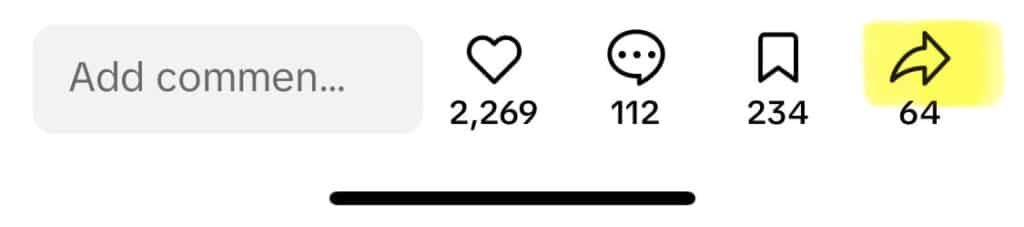
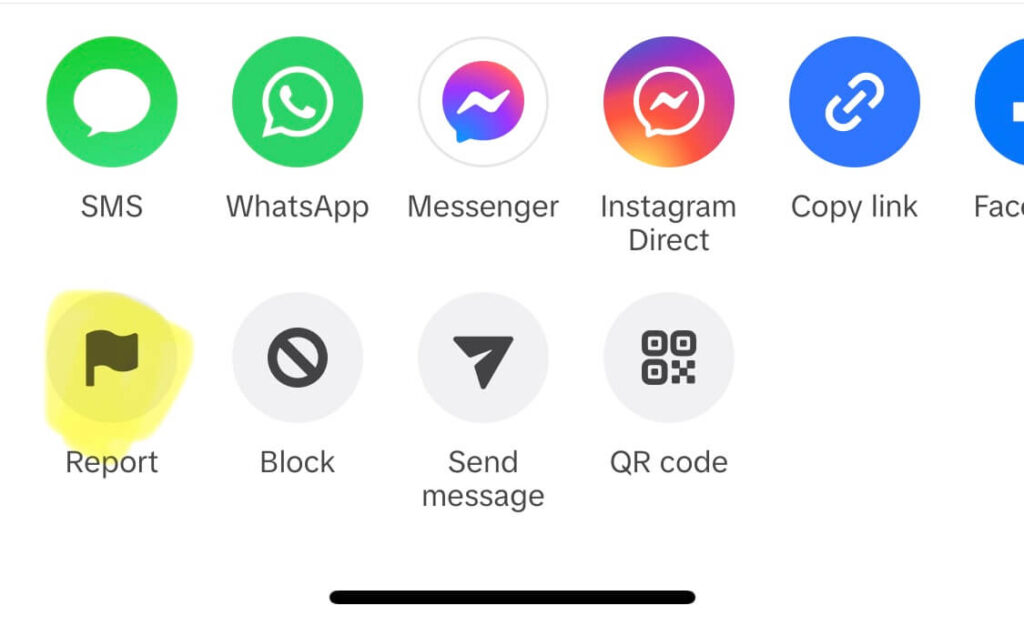
On mobile: Open the account or video in question, then tap the share icon—the arrow button on the right-hand side of the screen. Scroll through the share menu until you see Report, and tap it.
On desktop: Navigate to the account or post, click the three-dot menu icon, and select Report.

When several infringing accounts are involved, repeat the process for each account. This individual review process allows TikTok to assess the context of each case, but it can become time-consuming for brands handling impersonation at scale.
Step 2: Choose the right report category
TikTok offers several report options depending on what you are dealing with:
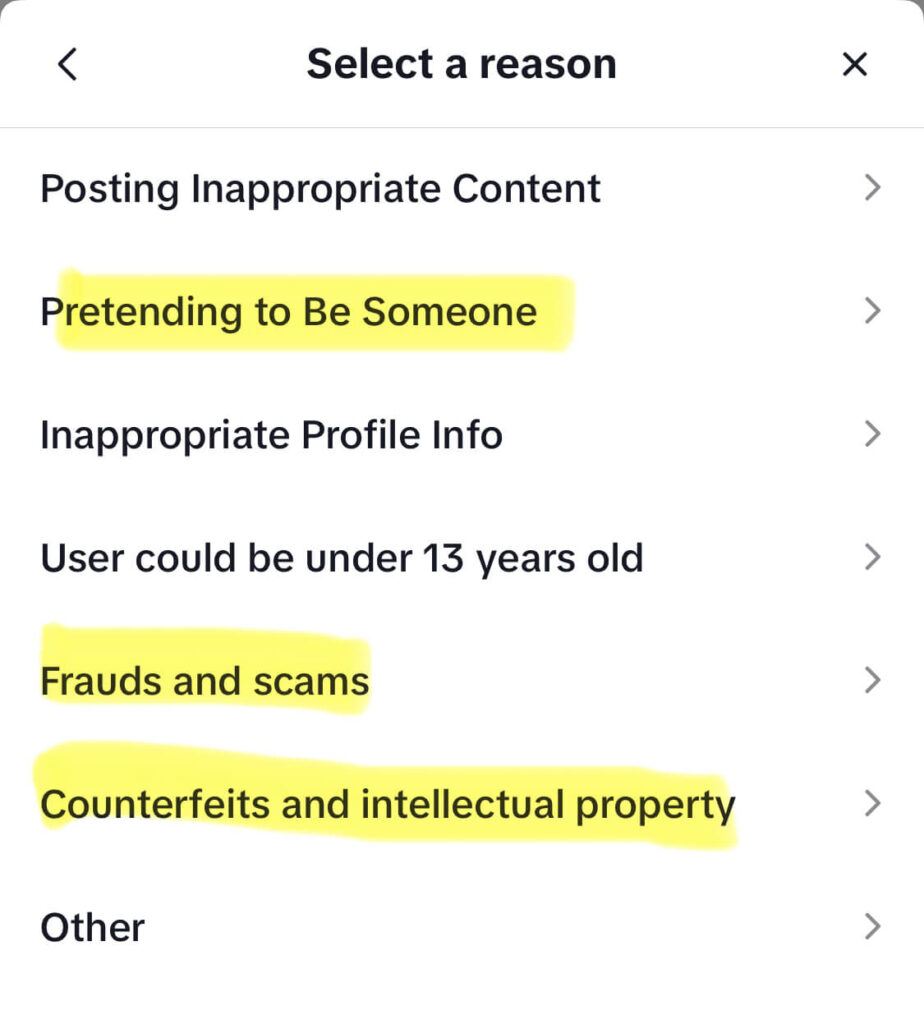
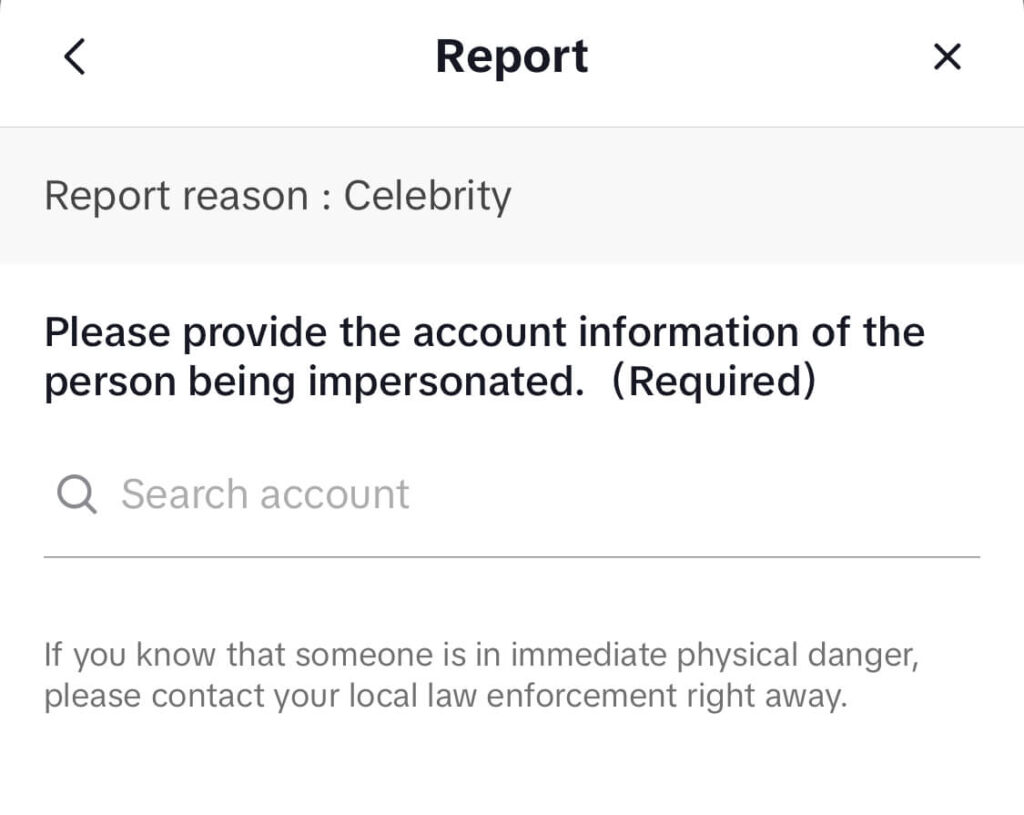
Pretending to be someone: Use this if the account is impersonating your brand or a verified person. You can reference a verified TikTok account being copied.
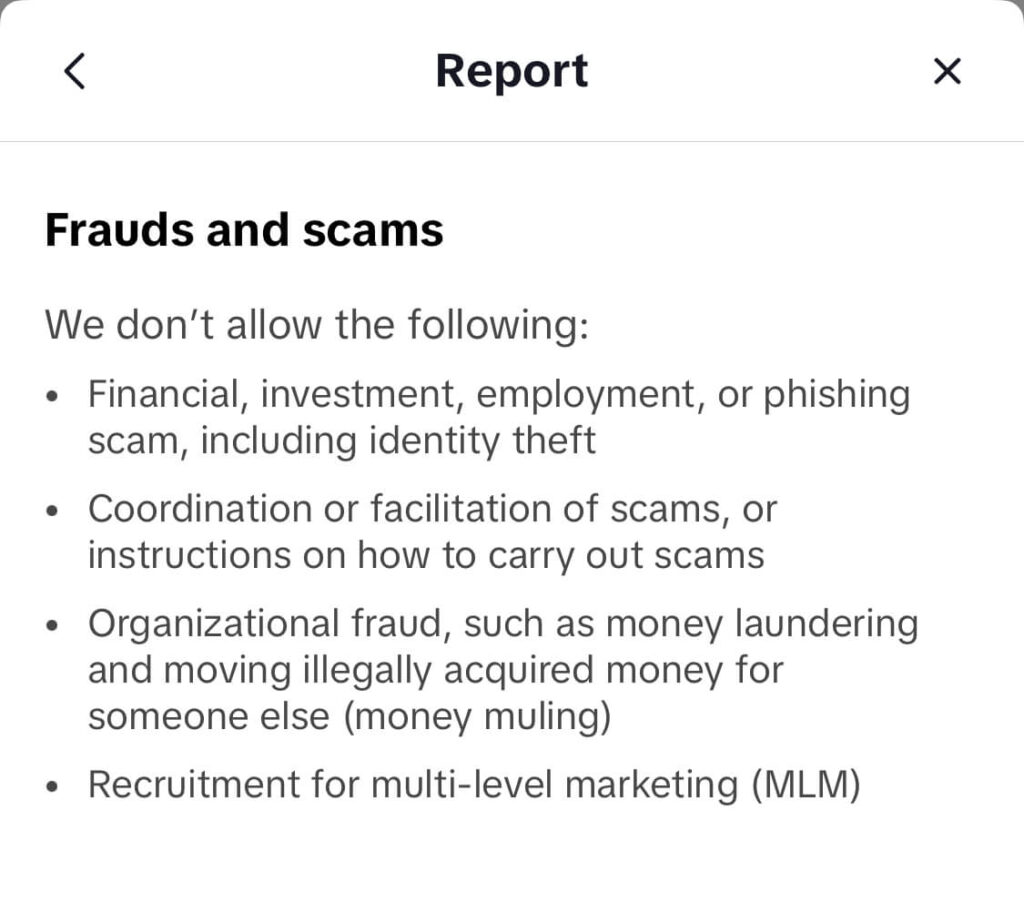
Fraud and scams: Use this if the account is collecting payments or running a scam that does not necessarily involve IP.
Intellectual property violation: Use this for trademark or copyright infringement, including fake accounts that use your logo, imagery, or branded content without authorization.
For impersonation and fraud reports, selecting the appropriate category and submitting the report is usually enough. TikTok’s team will review the case from there.
Step 3: Complete a copyright or trademark infringement form, if applicable
For trademark and copyright cases, TikTok’s in-app flow redirects you to one of three dedicated forms:
- Copyright infringement report
- Trademark infringement report
- IP infringement in advertising report: for content in TikTok ads or sponsored content
These forms take more time to complete. You will need to provide:
- Your identity and contact information
- Proof of IP ownership, such as a registration number, jurisdiction, and certificate for trademarks, or proof of authorship or ownership for copyright
- The URL of the infringing content
- Proof of authorization if you are acting on behalf of a brand
- A signed legal affirmation confirming that your report is accurate
Submit the form once complete. TikTok routes reports to IP specialists across different time zones, allowing reviews to begin promptly. TikTok will notify you by email once a decision has been made or if additional information is required.
Step 4: Monitor the outcome
After submitting, keep an eye on your email for TikTok’s response. If the account owner files a counter-report, TikTok may ask you for additional evidence before proceeding.
Responding within the requested window is important. If supporting evidence is not supplied, TikTok may be unable to continue with the case.
How do you report a counterfeit product in TikTok Shop?
TikTok Shop operates a separate reporting system from TikTok’s standard account and content forms. When a product listing sells suspected fakes or uses your brand assets without authorization, there are two main reporting routes.
Option 1: Report directly through the app
- Tap the share icon on the video or product listing.
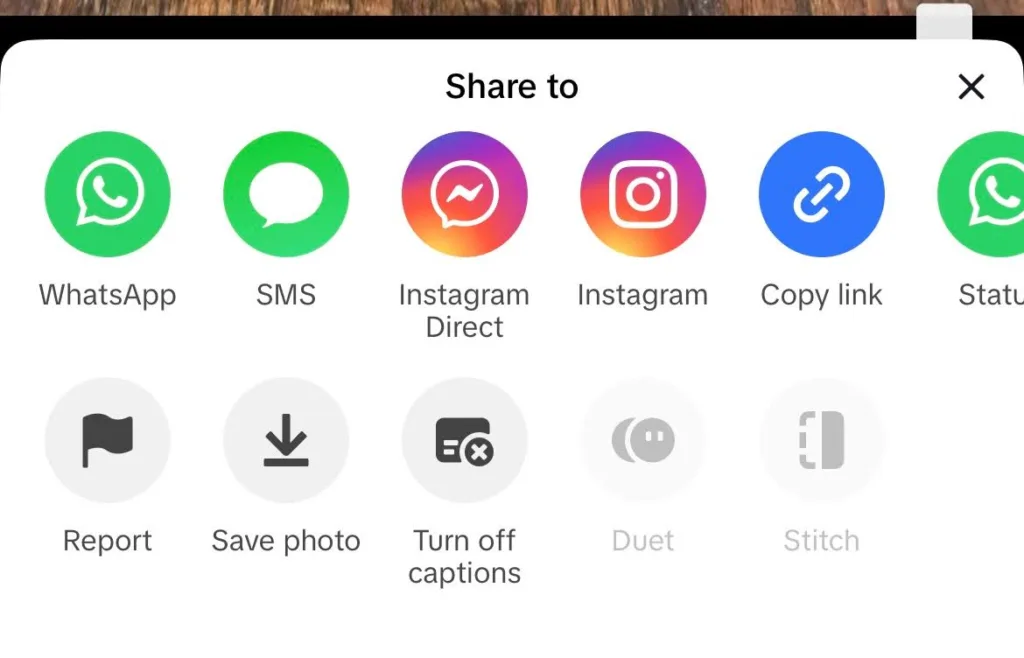
- Select Report.
- Choose Counterfeits and Intellectual Property.
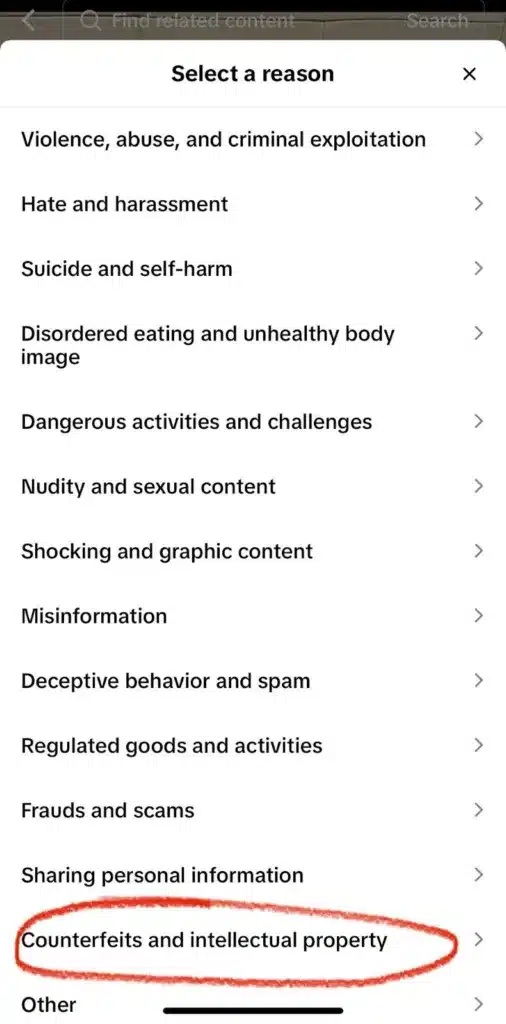
- From here, the path splits:
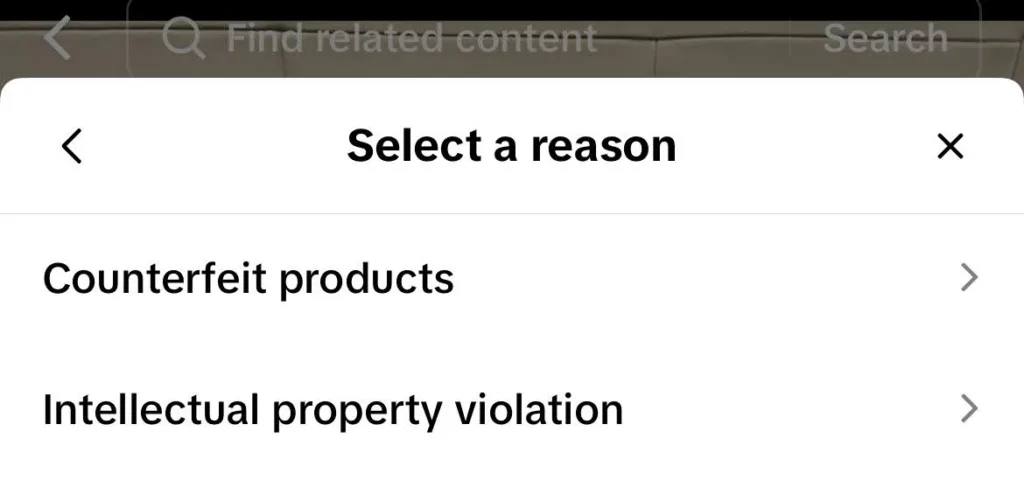
- If you are not the IP owner but suspect a fake, select Counterfeit Products, then Suspected infringement of others, and follow the steps.
- If you are the IP owner or an authorized representative, select Intellectual Property Infringement, then Trademark Infringement Report, and complete the form with your ownership documentation.
- IP owners can also choose Counterfeit products, then I am the rights holder, and follow the same documentation process.
Option 2: Use TikTok Shop’s IP Protection Centre (IPPC)
For brands dealing with repeat infringers or high-volume counterfeiting in the Shop, TikTok’s Intellectual Property Protection Centre is the stronger route. The IPPC is a centralized portal where rights holders can register their IP directly (trademarks, copyright, patents) and then submit enforcement complaints against specific Shop listings from one place.
To use it, you will need to register your IP assets first. This typically requires:
- Trademark registration certificates
- Copyright documentation
- Any supporting legal materials that confirm ownership
Once registered, you can track the status of complaints within the portal and file against new listings as they appear. Sellers found in violation may face listing removal, account suspension, or permanent bans for repeat offenses under TikTok Shop’s IP policy.
Important distinction: The IPPC covers product-listing infringements in TikTok Shop. If the infringement appears in a standard TikTok video rather than a Shop listing, use the trademark or copyright reporting forms linked above.
How do you identify counterfeits in TikTok Shop before reporting?
Before you can report an infringement, you need to identify it. Here are some of the clearest signals that a TikTok Shop listing may be selling fakes or infringing your IP:
The price is unrealistically low. Counterfeiters typically undercut genuine prices by a wide margin. If your product retails for $80 and a listing is selling what appears to be the same product for $12, that is a major red flag.
Product information is incomplete or deliberately vague. Blurry images, missing specifications, or descriptions that avoid naming the brand clearly may be intentional. Counterfeiters often limit specific details that could make the infringement easier to document.
The review profile looks suspicious. Genuine products tend to accumulate a mix of positive and negative reviews over time. A new listing with no reviews, copied reviews, or an unusually uniform set of five-star ratings is worth investigating.
The seller has no verifiable history. Sellers who have been active for only a few days, have no other listings, or repeatedly change their account information may require additional scrutiny.
Your brand name or logo appears in the listing without authorization. This includes product photos, thumbnails, video content, and descriptions. Unauthorized use of your trademark in a Shop listing may violate TikTok’s IP policy regardless of whether the product itself is fake.
The listing pushes buyers off-platform. Some sellers try to avoid detection by using coded hashtags, misspellings, or emoji substitutes for brand names before directing interested buyers to a bio link, direct message, or external website to complete the sale. If a listing remains vague on-platform but funnels buyers elsewhere, treat that as a signal worth investigating.
Which product categories require particular attention?
Apparel, accessories, and technology products are frequent targets because their designs and visual branding can be imitated and promoted easily.
Cosmetics and skincare counterfeits add a more urgent safety dimension. Products made by unauthorized manufacturers may not follow the genuine brand’s ingredient, production, labeling, or safety standards. This makes fast identification and reporting especially important for beauty and personal-care brands.
Electronics and related accessories may present similar concerns when counterfeit products do not follow the original manufacturer’s quality or safety controls.
What should brands do to stay ahead of fake accounts and counterfeits on TikTok?
Reporting is reactive. A long-term strategy requires ongoing monitoring and a few foundational steps.
Get your brand verified on TikTok
TikTok offers a verified badge to notable brands and public figures. To apply, go to Settings > Account > Verification and submit links to press coverage of your brand, excluding paid placements.
The checkmark makes it easier for users to distinguish your legitimate account from impersonators. It can also provide useful context when you file reports about accounts attempting to copy your identity.
Monitor your brand hashtags and TikTok Shop regularly
Search your brand name, product names, common misspellings, and variations through TikTok’s search function at least weekly.
Pay particular attention to hashtags. Sellers may use hashtags such as #RepTok, short for Replica TikTok, to reach shoppers interested in replica products. It is worth checking whether your products or brand assets appear in this type of content as part of your regular monitoring.
Do not rely exclusively on exact trademark searches. Sellers may replace letters with numbers, use emojis, separate words with punctuation, show the logo only inside a video, or refer to a product through an informal nickname.
It is also worth setting up Google Alerts for your brand name so you can identify new mentions across TikTok and the broader web.
Keep an eye on accounts that suddenly start promoting your products
If creators begin promoting what appears to be your product and you do not have an influencer agreement with them, investigate before assuming the content is legitimate.
Counterfeit sellers may work with creators to build social proof around a listing. However, creators do not always know that a product is fake. A convincing replica may lead even a well-meaning influencer to lend credibility to an unauthorized product unintentionally.
Creator promotion can expose a suspicious listing to a much larger audience in a short period. This is why the content is worth flagging and investigating even when you have no reason to suspect bad intent from the creator.
Where appropriate, brands can also contact creators directly with clear authenticity guidance. This can help responsible creators correct or remove misleading content while reducing the risk of similar mistakes in the future.
Register your IP before you need it
TikTok’s IP forms and the IPPC require proof of ownership. Registering your trademarks and keeping your documentation current means you can act quickly when an infringement appears rather than trying to locate evidence under pressure.
For practical guidance on the broader topic, see our guide to protecting your intellectual property internationally.
Use anti-counterfeit packaging where possible
Physical measures such as holographic labels, QR codes that link to a verification page, and NFC tags can be difficult for counterfeiters to replicate accurately.
They also give customers a fast way to confirm authenticity before a complaint or dispute reaches TikTok’s reporting system.
Help customers recognize your official channels
Make it easy for buyers to confirm where genuine products are sold. Your TikTok profile, website, product pages, and customer-service content should clearly identify:
- Your official TikTok account
- Your authorized TikTok Shop storefront
- Approved sellers or retail partners
- Product-authentication features
- Where customers can report suspicious listings or accounts
Clear authenticity messaging can reduce the chance that customers mistake an impersonator or counterfeit seller for your brand.
What are the real limits of TikTok’s reporting system?
TikTok has strengthened its IP protection tools significantly. Brands can use the IP Protection Centre to upload IP documents, search TikTok Shop products, videos, and LIVEs, submit complaints, and track complaint status.
TikTok has also introduced TikTok Real, which includes features such as Risk Alert and Quick Removal for enrolled rights owners. These tools demonstrate TikTok’s continued investment in more proactive brand protection alongside its existing reporting processes.
Brands should still understand how the available workflows fit into a broader enforcement strategy.
Access to proactive features may vary
TikTok Real features are being introduced through invitations and beta releases, so access may vary between rights holders.
Brands that do not yet have access can continue using TikTok’s established reporting forms and the IPPC while maintaining their own detection and monitoring processes.
Effective discovery still benefits from brand knowledge
The IPPC gives rights holders tools to search for possible infringements across TikTok Shop products, videos, and LIVEs. Brands still play an important role in identifying relevant keywords, visual assets, pricing patterns, unauthorized sellers, and other indicators specific to their products.
This brand knowledge helps TikTok receive clearer, better-supported reports.
Counterfeiters use evasive tactics
TikTok’s newer tools go beyond simple keyword search, including product ID searches, seller-name searches, and automated risk indicators for enrolled rights owners.
However, counterfeiters and impersonators may avoid obvious brand terms, use misspellings, replace words with emojis, or conceal infringement in images, videos, seller behavior, linked products, direct messages, and external destinations.
Detection therefore works best when text searches are combined with image recognition, seller analysis, and ongoing review.
Reporting workflows vary by channel
TikTok provides different reporting routes for TikTok Shop, user-generated content, Ads, and other commercial content.
Brands need to direct each case to the appropriate process and maintain accurate URLs, screenshots, account identifiers, and ownership evidence. This can become operationally demanding when violations appear across many accounts, listings, videos, ads, or external landing pages.
Appeals require clear evidence
TikTok allows sellers and users to appeal enforcement decisions and may request additional information when reports are incomplete or disputed.
Strong ownership evidence, clear infringement reasoning, accurate URLs, and side-by-side product comparisons can help TikTok assess reports efficiently.
Why do counterfeit listings and fake accounts keep coming back?
Reporting removes individual violations, but it does not eliminate the demand that encourages counterfeiters and impersonators to create new listings and accounts.
Several consumer-side factors help explain why the problem persists.
Price
Replicas offer the appearance of a premium product at a fraction of the genuine price. This remains one of the main attractions for budget-conscious shoppers, particularly when the quality difference is difficult to judge from a short video or product image.
Accessibility
Counterfeit sellers may make trend-driven products appear readily available, including products that are expensive, sold out, geographically restricted, or difficult to obtain through official channels.
The convenience of an apparent alternative can lead buyers to act before verifying the seller or product.
Social proof
When a product is promoted by a creator, friend, or peer group, that recommendation can give it credibility it would not otherwise have.
This effect is particularly strong when buyers see the product repeatedly in reviews, unboxing videos, styling content, or recommendation posts.
Awareness gaps
Some buyers genuinely cannot tell a convincing counterfeit from the real product until it arrives. Others may not realize that a seller is unaffiliated with the brand or that an account using official imagery is an impersonator.
Clear authenticity education can help close this gap.
Trend-driven purchasing
Younger consumers, including Gen Z and Millennials, often discover products through creators, visual trends, and social recommendations. They can also be highly price-conscious.
At the same time, many younger shoppers care about product safety, ethical production, sustainability, and supporting original creators. Brands can use that awareness to explain why authenticity matters without alienating buyers who may have encountered a counterfeit unintentionally.
A single takedown rarely ends the broader problem. When demand remains, counterfeiters may replace removed accounts or listings with new ones. This is the case for continuous monitoring rather than one-off reporting.
How does Red Points help brands take down fake TikTok accounts and Shop counterfeits at scale?
Manual reporting gets you so far. For brands that are dealing with ongoing infringement, the volume of violations quickly outpaces what a team can realistically manage by hand.
Red Points’ brand protection software closes that gap through four automated stages:
- Detect. The platform scans TikTok continuously using both text and image search. This matters because counterfeiters and impersonators frequently avoid branded keywords, but they cannot avoid your logo, product images, or visual identity. Image recognition catches what keyword searches miss.
- Validate. Results are filtered in real time using image recognition and logic rules to separate genuine infringements from noise. Only confirmed violations move forward.
- Cluster. The platform cross-references seller data to connect individual violations back to the same bad actor. This means repeat infringers are identified and prioritized rather than treated as isolated cases each time.
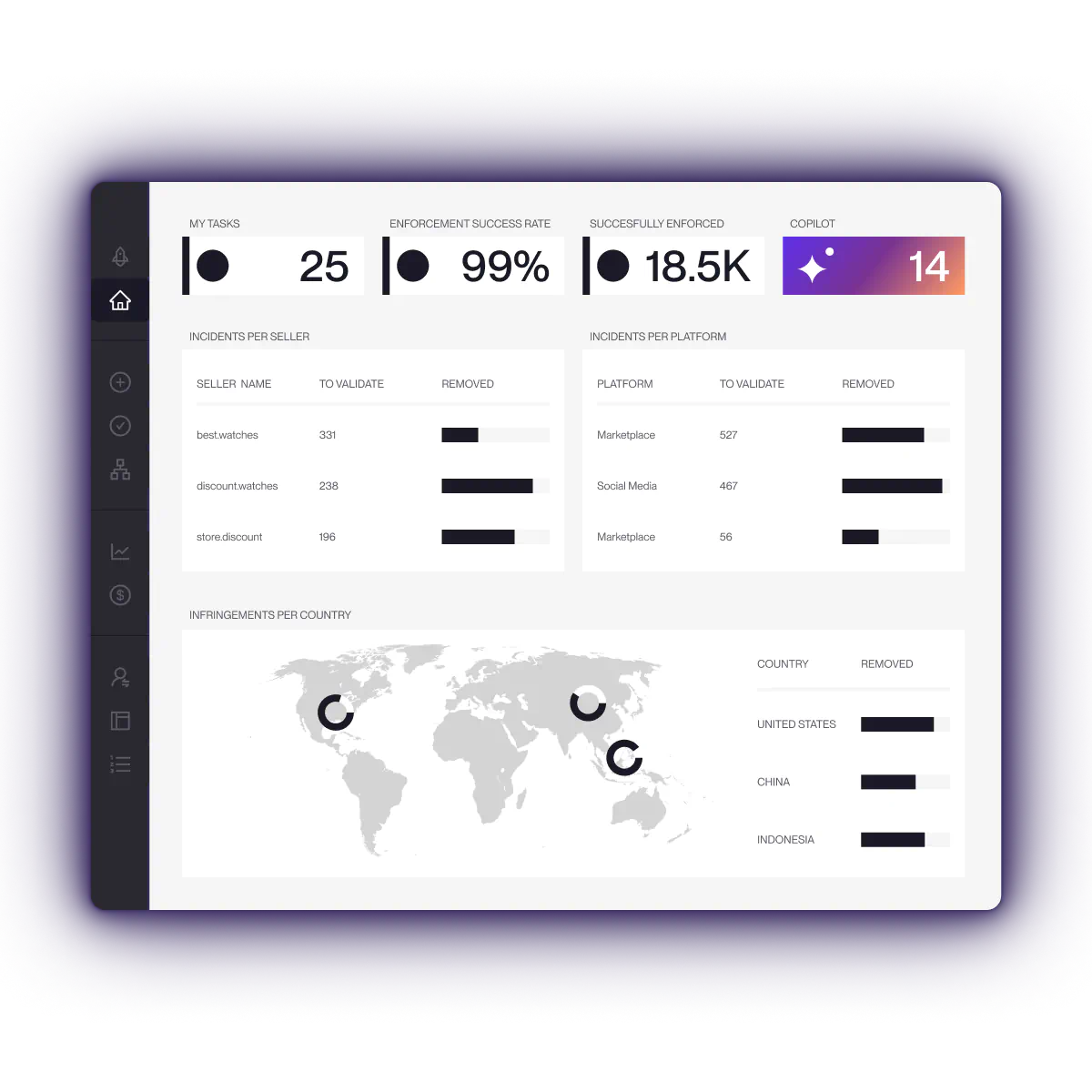
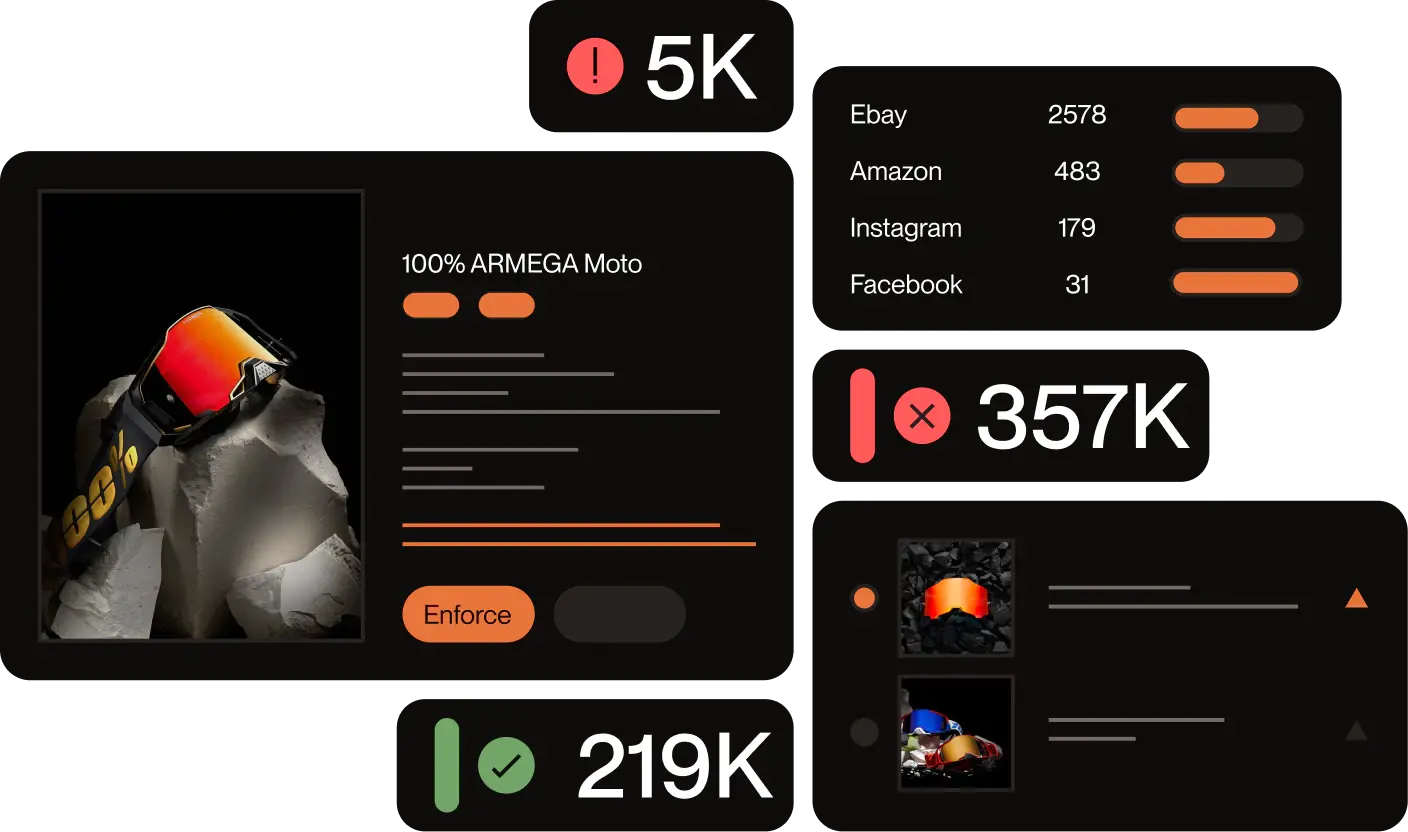
- Remove. Takedown requests are sent directly to TikTok and TikTok Shop on your behalf, 24 hours a day. When counter-reports come in, the platform monitors them and supplies additional evidence to keep cases moving.
Every active case is visible in a single dashboard, so your team always knows what has been reported, what is pending, and what has been taken down, without chasing individual email threads.
If you want to see how it works for a brand in your situation, request a demo here.
Frequently asked questions about reporting fake TikTok accounts
How long does it take TikTok to remove a fake account?
Timelines vary depending on the type of violation, the evidence supplied, and whether the account owner disputes the report. TikTok will notify you when a decision is made or request additional information when needed. Clear documentation and accurate URLs can help avoid unnecessary delays.
Can I report a TikTok account I think is fake even if it is not impersonating my brand?
Yes. The Fraud and scams category covers accounts suspected of running scams or collecting payments fraudulently, regardless of whether your brand is involved. Use the in-app report function and select the category that most accurately reflects the activity.
What is the TikTok impersonation report form?
TikTok does not have one standalone impersonation form. Report impersonation through the in-app flow: tap the share icon, select Report, then choose Pretending to be someone. For trademark-based impersonation, the trademark infringement form is the more appropriate route.
Is TikTok Shop legitimate?
TikTok Shop is a real and growing commerce platform operated by TikTok. Like any large marketplace, it includes legitimate sellers while bad actors may also try to misuse its reach. The appearance of a counterfeit listing does not mean the platform itself is fraudulent. It means buyers and brands should use the reporting and IP protection tools available and remain attentive to seller activity.
What is the difference between reporting a fake account and reporting a counterfeit in TikTok Shop?
A fake-account report targets a profile that is impersonating someone or running a scam. A counterfeit report targets a specific product listing in TikTok Shop that sells or promotes suspected fake goods. Both use TikTok reporting tools, but they follow different paths and may involve different review teams. For Shop-specific counterfeiting, the IPPC is generally the more effective channel for registered rights holders.
What happens if TikTok rejects my report?
A report may be denied when the available evidence does not establish a violation clearly enough. You can resubmit with additional documentation, such as:
- A clearer certificate of ownership
- Additional screenshots of the infringing content
- Side-by-side comparisons of the genuine and suspected counterfeit product
- Evidence connecting the seller or account to the unauthorized activity
- More precise URLs, product IDs, or account identifiers
A brand protection partner can also help organize the evidence and prepare a stronger submission.
Can I report multiple TikTok accounts at once?
TikTok’s standard in-app process assesses accounts and listings individually. Rights holders managing TikTok Shop infringements can use the IPPC to centralize their IP assets, complaints, and case tracking. Brands handling larger volumes generally use an automated brand protection platform to detect, document, prioritize, and submit cases at scale.
Does TikTok have a specific impersonation report form?
TikTok does not have a standalone impersonation form. Report impersonation through the in-app flow by tapping the share icon, selecting Report, and choosing Pretending to be someone. When an impersonating account uses your registered logo or trademark without authorization, the trademark infringement form is the more appropriate route and will be reviewed through TikTok’s IP process.