Lookalike domain attacks are one of the fastest ways for bad actors to exploit the trust your brand has already built. A single fake domain can redirect customers to a scam website, collect login details, sell counterfeit products, run phishing campaigns, or damage your brand reputation before your team even sees it.
The challenge is that lookalike domain names are no longer limited to simple typos. Attackers now use misspellings, extra words, alternative top-level domains, homoglyph characters, cloned websites, paid ads, search manipulation, and AI-generated content to make fake sites look legitimate. This guide explains how lookalike domain attacks work, how to detect them, what to do when you find one, and how brands can scale domain monitoring and takedown beyond manual searches.
TL;DR
- A lookalike domain attack happens when someone registers a domain that looks similar to your official domain to mislead customers, employees, partners, or search engines.
- Common techniques include typosquatting, combosquatting, homoglyph domains, TLD variations, copycat websites, SEO poisoning, and AI-generated fake websites.
- To detect lookalike domains, monitor brand name variations, new domain registrations, DNS and MX records, search results, ads, social links, customer complaints, and copied website content.
- If you find a suspicious domain, capture evidence first, assess the risk, identify the registrar or host, submit abuse reports, report phishing or malware where relevant, and escalate to UDRP or legal action when needed.
- Manual monitoring is not enough for brands facing repeated domain impersonation, fake websites, or phishing campaigns.
What is a lookalike domain attack?
A lookalike domain attack happens when a bad actor registers or uses a domain name that closely resembles a legitimate brand’s domain.
The goal is to make users believe they are visiting the official website, receiving an official email, or interacting with an authorized brand channel.
For example, if your official domain is:
brandname.com
A bad actor might register:
- brand-name.com
- brandname-shop.com
- brandname-support.com
- brarndname.com
- brandname.co
- brandname.store
- bŕandname.com
- login-brandname.com
Some lookalike domains are used for phishing. Others are used to sell counterfeit products, copy your website, run fake promotions, redirect users to competitors, collect payment details, or impersonate customer support.
Lookalike domain attacks often overlap with domain impersonation, website impersonation, website cloning, and domain name trademark infringement.
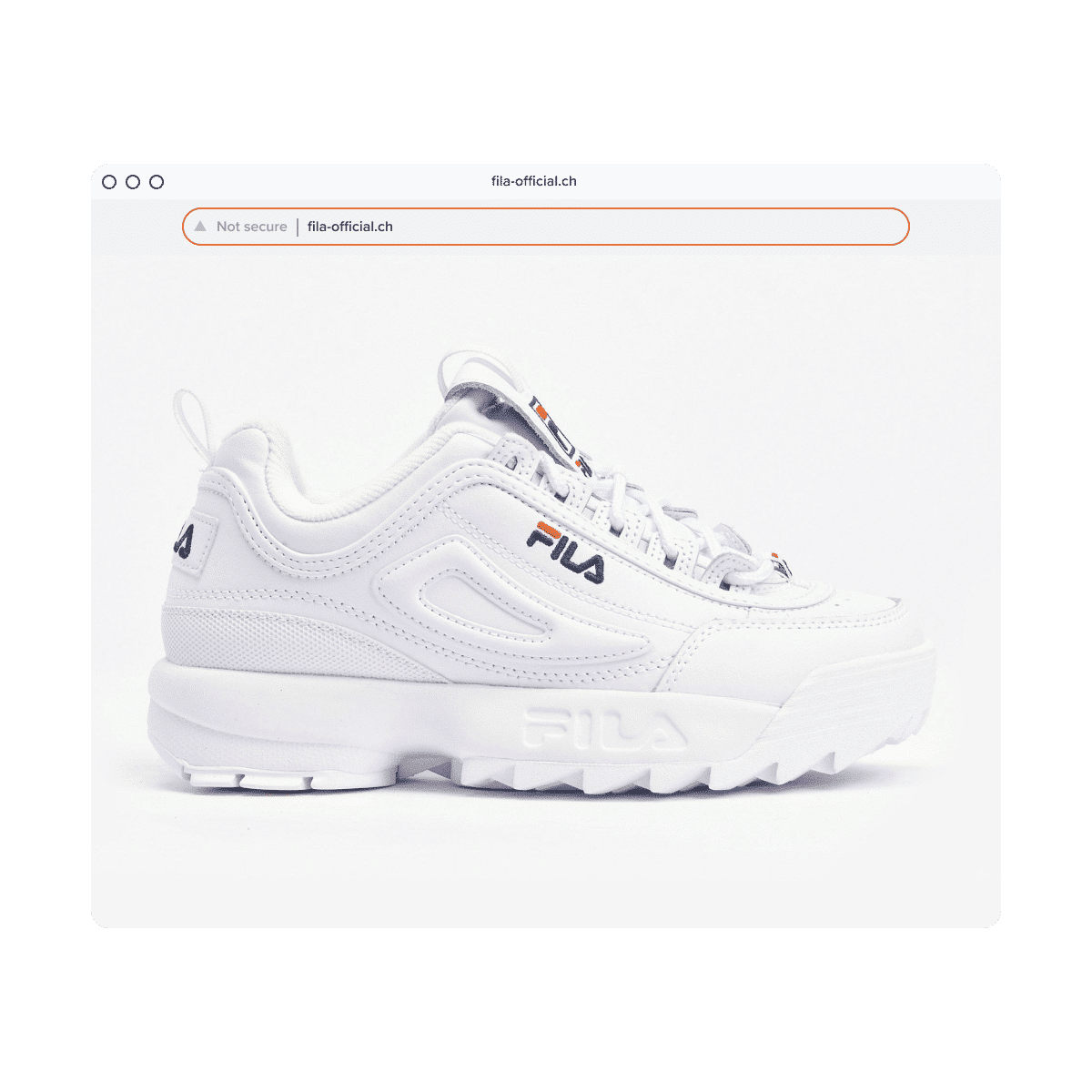
Why are lookalike domains dangerous for brands?
Lookalike domains are dangerous because they target trust. Customers may not notice a small spelling change, a different domain extension, or an extra word in the URL, especially when the fake site copies your logo, product images, design, and checkout experience.
For brands, the impact can include:
- Customer scams and payment fraud
- Phishing and credential theft
- Counterfeit sales
- Lost revenue
- Search traffic diversion
- Customer support escalations
- Reputational damage
- Legal and security workload
- Loss of trust in official channels
The damage is not always visible at first. Many fake domains are promoted through paid ads, social media posts, email campaigns, messaging apps, or direct links rather than organic search. That means a brand may not find the fake site through a simple Google search.
A lookalike domain should be treated as a live risk, not just a confusing URL.
How do lookalike domain attacks work?
Most lookalike domain attacks follow the same basic pattern.
First, the attacker creates a domain that resembles your brand. Then they use that domain to create trust, attract users, and push them toward a harmful action.
That action may be:
- Buying a counterfeit product
- Entering payment information
- Sharing login credentials
- Downloading malware
- Contacting fake support
- Clicking a phishing link
- Visiting a cloned website
- Believing the domain is officially connected to your brand
Some domains are active immediately. Others are registered and left dormant until a campaign launches. That is why brands need both domain monitoring and website monitoring. A domain can be risky before it hosts a fully developed fake site.
Types of lookalike domain attacks
| Attack type | Example | What to look for | Best first response |
| Typosquatting | brnadname.com | Misspellings, swapped letters, missing letters | Capture evidence and monitor redirects or active content |
| Combosquatting | brandname-support.com | Brand name plus words like “login,” “sale,” “support,” or “outlet” | Check for phishing, fake support, or fake sales activity |
| TLD variation | brandname.shop instead of brandname.com | Same brand name with different extension | Assess customer confusion and trademark risk |
| Homograph or IDN attack | Characters that visually mimic your brand name | Unusual letters, accents, or non-Latin characters | Check whether the domain visually impersonates your official domain |
| Copycat website | Fake site using your brand design | Copied logo, product images, layout, checkout, or copy | Preserve screenshots and start host or registrar escalation |
| SEO poisoning | Fake pages ranking for branded queries | Indexed fake pages, keyword-stuffed product pages, fake reviews | Report to search engines and start takedown workflow |
| AI-generated fake website | Fast-built scam site with realistic content | Polished copy, fake reviews, localized pages, copied product structure | Treat as a domain, content, and impersonation issue together |
Typosquatting
Typosquatting happens when someone registers a domain based on a common typo of your official domain.
Examples include:
- Missing letters
- Extra letters
- Swapped letters
- Repeated letters
- Keyboard-neighbor mistakes
- Common spelling mistakes
If users type quickly, click from a message, or view the URL on mobile, they may not notice the difference.
For a deeper explanation, see Red Points’ guide to typosquatting detection.
Combosquatting
Combosquatting happens when someone combines your brand name with another word to make the domain look legitimate.
Examples include:
- brandname-login.com
- brandname-support.com
- brandname-sale.com
- brandname-outlet.com
- brandname-refund.com
- brandname-verify.com
- brandname-store.com
These domains often appear credible because the added word matches a real user need. A customer looking for support, tracking, refunds, or discounts may trust the domain because it includes the brand name.
Combosquatting is especially risky when it is used for fake customer support, fake ecommerce, phishing pages, or counterfeit product sales.
TLD variations
A TLD variation uses the same or similar brand name with a different domain extension.
For example:
- brandname.com
- brandname.net
- brandname.shop
- brandname.store
- brandname.co
- brandname-support.xyz
Not every TLD variation is malicious. But when a domain uses your brand name and hosts confusing content, sells related products, runs ads, or collects user information, it becomes a brand protection issue.
Brands should monitor both common extensions and high-risk extensions connected to ecommerce, discounts, support, and phishing campaigns.
Homograph and IDN attacks
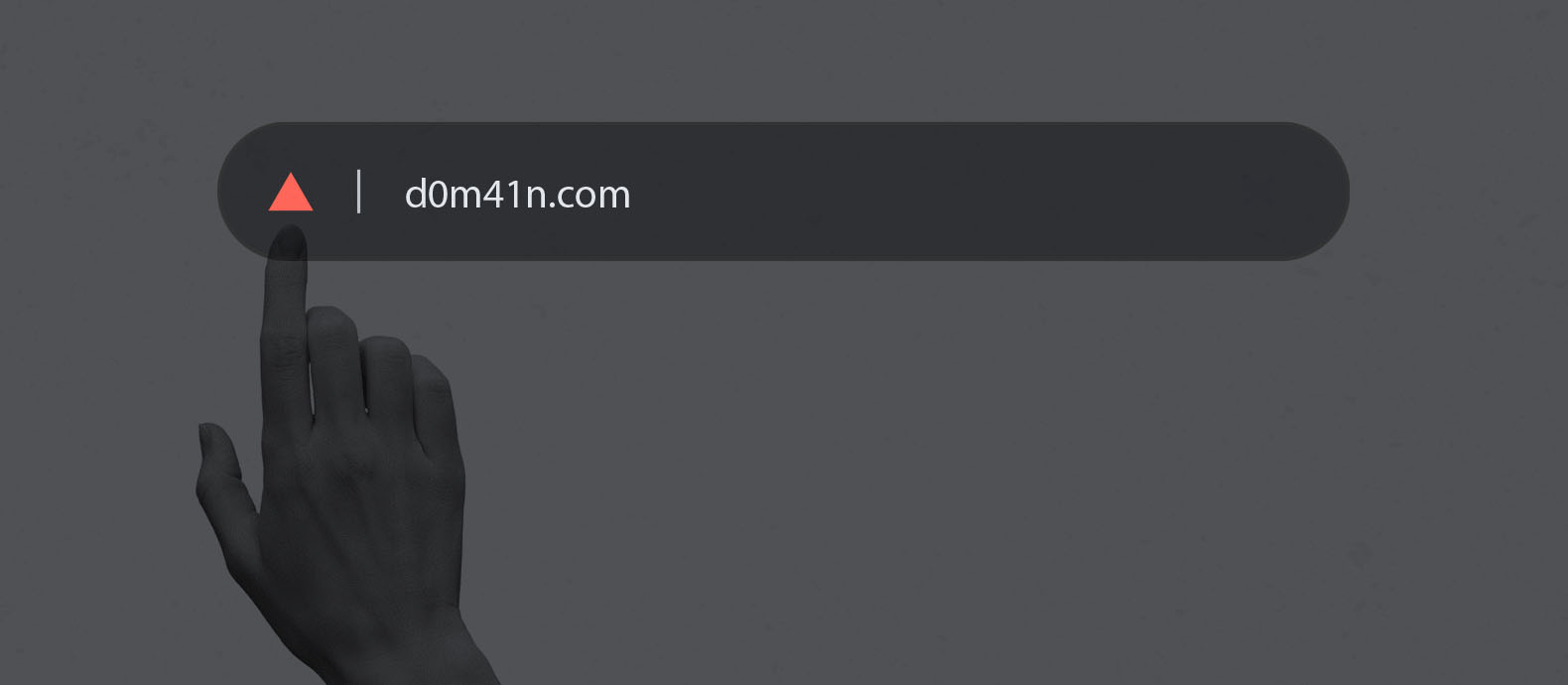
A homograph attack uses characters that look similar to legitimate letters. These may include accented characters, Cyrillic characters, Greek characters, or other internationalized domain name characters.
For example, a fake domain may visually look like your official domain even though the underlying characters are different.
These attacks are difficult for users to spot because the domain can look almost identical in a browser, email, ad, or mobile message.
Brands should monitor for visually similar characters, not just exact spelling variations.
Copycat websites
A copycat website uses a similar domain and copies parts of your official website.
It may copy:
- Logo
- Product images
- Website layout
- Product descriptions
- Reviews
- Checkout flow
- Brand colors
- Promotional banners
- Trust badges
- Customer support language
This type of attack is often more damaging than a parked domain because it creates a complete fake brand experience. Customers may believe they are buying from your company, then blame your brand when they receive a fake product, lose money, or never receive their order.
For a step-by-step response framework, see Red Points’ guide on how to take down a fake website.
SEO poisoning
SEO poisoning happens when bad actors create fake pages designed to rank for branded search queries.
These pages may target searches such as:
- Brand name discount
- Brand name outlet
- Brand name sale
- Brand name support
- Brand name refund
- Brand name login
- Brand name reviews
- Brand name product name
The fake site may use copied content, keyword stuffing, fake reviews, or product pages designed to look relevant to search engines.
This is dangerous because customers often trust search results. If a fake site appears near your official domain, users may click before noticing the domain difference.
If the site appears in Google Search results and involves spam, phishing, or malware, Google provides official routes to report those issues through Google Search Central.
AI-generated fake websites
AI has changed the speed and quality of lookalike domain attacks.
Bad actors can now generate realistic product descriptions, landing pages, fake reviews, support pages, email copy, and localized scam content much faster than before. The result is that fake websites can look polished, consistent, and credible, even when the operation behind them is fraudulent.
This matters because older detection advice often focused on obvious warning signs such as bad grammar, poor design, or awkward copy. Those signals are less reliable now.
Microsoft’s 2025 Digital Defense Report found that AI-automated phishing emails achieved a 54% click-through rate compared with 12% for standard attempts. The same shift applies to brand impersonation more broadly: AI can make scam messages, fake pages, and cloned customer journeys more convincing at scale.
For brands, the takeaway is clear. Do not rely only on visual quality or copy quality to identify fake sites. Monitor domain patterns, infrastructure signals, traffic sources, copied assets, redirects, payment flows, and repeat behavior.
How to detect lookalike domains
Lookalike domain detection requires more than searching your brand name once in a while. Brands need to monitor how their name appears across domain registrations, websites, search results, ads, social channels, and customer complaints.
Monitor new domain registrations
Monitor newly registered domains that include:
- Your brand name
- Product names
- Common misspellings
- Abbreviations
- Slogans
- Executive names
- Support-related terms
- Discount-related terms
- Login-related terms
- Market-specific translations or transliterations
Use domain and URL brand monitoring to detect suspicious registrations before customers find them.
The ICANN Lookup tool can help you look up public registration data for a domain. However, privacy services, proxy registration, and incomplete data can limit what is visible.
Track brand name variations
Build a list of high-risk variations.
Include:
- Typos
- Hyphenated versions
- Singular and plural forms
- Added words like “official,” “support,” “login,” “outlet,” “sale,” and “refund”
- Country-specific terms
- Product names
- Campaign names
- Homoglyph and IDN variations
- Alternative TLDs
This list should feed your domain monitoring, search monitoring, and takedown workflow.
Check DNS, MX, SSL, and hosting signals
A domain can be risky even before it hosts a full website.
Check whether the domain has:
- Active DNS records
- MX records for email
- SSL certificates
- Redirects
- Hosting infrastructure
- CDN use
- Login forms
- Payment pages
- Connections to other suspicious domains
MX records are especially important because a domain may be used for email impersonation even if the website looks inactive.
Monitor search results and ads
Lookalike domains are often promoted through search ads, social ads, organic search, shopping ads, affiliate pages, or fake review sites.
Monitor for:
- Fake domains bidding on branded terms
- Fake “official” ads
- Search results using your brand name
- Fake coupon or outlet pages
- Scam sites ranking for product queries
- Sponsored results leading to suspicious domains
A lookalike domain with no organic visibility can still cause damage if it is promoted through ads or social media.
Use image and content matching
Fake websites often copy your assets.
Monitor for copied:
- Logos
- Product images
- Lifestyle photos
- Website banners
- Product descriptions
- Reviews
- Checkout pages
- Trust badges
- Legal text
- Customer service content
This is where lookalike domain monitoring connects with website cloning detection. A domain may be suspicious because of its name, but the copied content often proves the impersonation.
Watch customer complaints and support tickets
Customers often find fake domains before brand teams do.
Track complaints that mention:
- Suspicious order confirmations
- Products never received
- Wrong or fake products
- Payment issues
- Customer support confusion
- Login problems
- Emails from unfamiliar domains
- Ads that led to unusual websites
Customer support, ecommerce, legal, security, and marketing teams should share these signals. Lookalike domain attacks often sit between brand protection and cybersecurity.
What should you do if you find a lookalike domain?
When you find a lookalike domain, act quickly but do not rush into enforcement without evidence.
The first goal is to preserve proof. The second is to understand risk. The third is to choose the right escalation path.
Step 1: Capture evidence
Before contacting the domain owner, registrar, host, or platform, document the domain.
Capture:
- Full URL
- Domain name
- Screenshots of every relevant page
- Product pages
- Checkout pages
- Login pages
- Contact pages
- Payment options
- Redirect paths
- Search result snippets
- Ads leading to the domain
- Social posts linking to the domain
- Customer complaints
- Date and time of capture
If the site is actively scamming customers, preserve evidence from the customer journey without entering sensitive information or completing a suspicious payment.
Step 2: Assess the risk
Not every similar domain needs the same response.
Prioritize domains that:
- Host a fake website
- Use your logo or copyrighted content
- Sell counterfeit products
- Collect payment details
- Collect login credentials
- Use MX records for email
- Rank in search results
- Run paid ads
- Receive customer complaints
- Redirect users to suspicious pages
- Repeat patterns from previous attacks
A parked domain may be lower priority than an active fake checkout page. A phishing domain with MX records may require immediate security escalation.
Step 3: Identify the registrar, host, and infrastructure
Use ICANN Lookup or other registration data tools to identify available registrar and domain information.
Also check:
- Hosting provider
- Nameservers
- CDN provider
- SSL certificate issuer
- Email infrastructure
- Redirect destinations
- Payment processor, if visible
- Platform or ecommerce provider, if visible
This helps you decide who to contact first.
Step 4: Report abuse to the registrar, host, or relevant provider
Most registrars, hosts, CDNs, ecommerce platforms, and payment providers have abuse reporting channels.
Your report should include:
- The suspicious domain
- Evidence of impersonation
- Screenshots
- Explanation of the brand relationship
- Trademark details, if relevant
- Description of customer harm
- Any phishing, malware, or fraud signals
- Request for suspension, removal, or disablement
If the site uses your brand assets, the issue may involve trademark infringement, copyright infringement, phishing, fraud, or website impersonation.
Step 5: Report phishing, malware, or scam activity where relevant
If the lookalike domain is used for phishing, malware, or scam activity, report it to security and search providers.
Useful external reporting routes include:
- Google Search Central for spam, phishing, or malware in search results
- ReportFraud.ftc.gov for scams, fraud, or bad business practices affecting U.S. consumers
These reports do not replace registrar, host, or legal action, but they can reduce user exposure.
Step 6: Consider UDRP or legal action
If the domain was registered in bad faith and is confusingly similar to your trademark, you may need to escalate.
ICANN’sUniform Domain Name Dispute Resolution Policy, known as UDRP, applies to many trademark-based domain disputes. WIPO also provides a practical domain name dispute resolution guide for rights holders.
UDRP may be relevant when:
- The domain is identical or confusingly similar to your trademark
- The registrant has no legitimate rights or interests in the domain
- The domain was registered and used in bad faith
UDRP can lead to transfer or cancellation of the domain, but it is not always the fastest route for active phishing or fraud. If customers are being harmed, brands may need parallel action through registrars, hosts, search engines, payment providers, and legal counsel.
Step 7: Monitor for relaunches
Removing one domain does not always stop the actor behind it.
After takedown, monitor for:
- New domains using the same pattern
- Reused website templates
- Reused product images
- Same checkout pages
- Same hosting infrastructure
- Same social ads
- Same payment flows
- Same support email language
- Redirects to new domains
Repeat monitoring is what turns one-off takedowns into a real enforcement strategy.
How to prevent lookalike domain attacks
You cannot prevent every bad actor from registering a similar domain, but you can reduce exposure and improve response speed.
Register priority domain variations
Defensive domain registration can reduce obvious risk.
Prioritize:
- Main brand domain
- Key country-code domains
- High-risk TLDs
- Common misspellings
- Hyphenated variations
- Product names
- Campaign names
- Support or login-related variations where appropriate
You do not need to register every possible variation. Focus on the domains most likely to confuse customers or be used in fraud.
Keep your domain portfolio organized
Many brands lose control because their own domain portfolio is fragmented.
Track:
- Domain owner
- Registrar
- Renewal date
- DNS settings
- Business owner
- Market or region
- Status
- Redirect destination
- Renewal responsibilities
This helps prevent expired domains, forgotten redirects, and internal confusion.
Secure renewals and access
Expired domains can become security and brand risks.
Use:
- Auto-renewal
- Registrar lock
- Strong access controls
- Multi-factor authentication
- Centralized ownership
- Renewal alerts
- Clear internal accountability
A domain you lose accidentally can become a lookalike threat later.
Implement email authentication
Lookalike domains are often used in phishing and business email compromise.
Protect your official domains with:
- SPF
- DKIM
- DMARC
- BIMI where relevant
- Monitoring for unauthorized email-sending domains
Email authentication does not stop lookalike domain registration, but it helps protect your official domain and supports detection of suspicious sender behavior.
Educate customers and employees
Customer and employee education should be specific, not generic.
Tell users:
- What your official domains are
- Which support channels you use
- What you will never ask for by email or SMS
- How to report suspicious websites
- How to verify promotions
- Where official sales or outlet pages live
This reduces the chance that a fake domain succeeds.
Monitor continuously
Manual checks are not enough once a brand becomes visible.
A monitoring program should cover:
- Domain registrations
- Search results
- Paid ads
- Social media links
- Fake websites
- Marketplace links
- Customer complaints
- Email infrastructure
- Repeated actor patterns
How Red Points helps brands detect and remove lookalike domains
Red Points helps brands detect, validate, and remove lookalike domains, fake websites, domain impersonation, and other forms of online brand abuse.
For domain threats, Red Points can help brands:
- Monitor domains that misuse brand names
- Detect typosquatting, combosquatting, TLD variations, and suspicious registrations
- Identify fake websites and cloned brand experiences
- Prioritize high-risk domains based on customer harm and business impact
- Submit enforcement through the right registrar, host, CDN, or platform route
- Track takedown progress and outcomes
- Monitor for relaunch attempts and repeat abuse
- Report trends to legal, ecommerce, security, and brand protection teams
For brands managing threats across multiple online channels, Brand Protection Software centralizes detection, validation, enforcement, and reporting across marketplaces, social media, domains, ads, and websites. No infringement gets enforced without the authorization of the original brand, whether that is based on customized rules, the brand, or Red Points experts, avoiding taking down any authorized seller.
KEEN faced a spoofed-website campaign that generated 1,400 customer complaints in a single day after a scam ad surfaced. They partnered with Red Points to tackle thousands of online infringements, covering 1,000 domains with a 93.5% enforcement success rate and removing an estimated $35.6 million in counterfeit product value.
The lesson is simple: by the time customers start reporting a fake site, the attack may already be spreading. Brands need visibility before the next complaint happens.
If your brand is dealing with lookalike domains, fake websites, or phishing campaigns using your name, request a demo to see how Red Points can help.
Frequently asked questions
A lookalike domain attack happens when someone registers or uses a domain name that closely resembles a legitimate brand’s domain. The goal is usually to mislead customers, employees, partners, or search engines into believing the domain is official.
To stop lookalike domain attacks, capture evidence, assess the risk, identify the registrar and host, submit abuse or takedown reports, report phishing or malware where relevant, and escalate to UDRP or legal action when needed. Brands should also monitor for repeat domains after the first removal.
Lookalike domain names are domains that resemble a legitimate domain through typos, added words, different extensions, hyphens, homoglyph characters, or brand-name combinations. Examples include fake support, outlet, login, or sale domains using a brand name.
Lookalike domain monitoring is the process of tracking new and existing domains that may imitate your brand. It includes monitoring brand name variations, misspellings, suspicious TLDs, DNS records, MX records, redirects, search results, ads, and fake websites.
You can detect lookalike domains by monitoring domain registrations, searching for brand-name variations, checking DNS and MX records, reviewing search results and ads, using content and image matching, and tracking customer complaints that mention suspicious websites.
First, document the domain and capture evidence. Then assess whether it is parked, redirecting, hosting a fake site, sending email, or collecting customer information. If it misuses your brand or creates confusion, report it to the registrar, host, search engines, or file a domain dispute if needed.
Typosquatting is one type of lookalike domain attack. Lookalike domains also include combosquatting, TLD variations, homoglyph domains, copycat websites, and domains used for phishing, fake support, or counterfeit sales.
A lookalike domain is the suspicious URL itself. Website impersonation happens when the site hosted on that domain copies or imitates your brand. Many attacks involve both: a confusing domain and a fake website that copies your brand identity.
Yes, many lookalike domains can be removed, suspended, transferred, or deindexed depending on the facts. The right route depends on whether the domain is used for phishing, trademark infringement, copyright infringement, fraud, malware, or bad-faith registration.
Yes. UDRP can help trademark owners challenge domains that are confusingly similar to their marks, where the registrant lacks legitimate rights and registered or used the domain in bad faith. It is often useful for domain recovery, but active phishing or fraud may also require faster registrar, hosting, search, or payment-provider action.
Ecommerce brands should use tools that monitor domain registrations, DNS signals, search results, ads, fake websites, copied product images, and repeat infrastructure patterns. Red Points’ Domain Management Software helps brands detect and act on domains that misuse their name.
AI makes lookalike domain attacks harder to detect because fake sites can now use polished copy, realistic product descriptions, localized pages, fake reviews, and convincing customer journeys. This reduces the reliability of older warning signs such as bad grammar or poor design.