Your team launches a new Instagram campaign, and within hours, a fake account copies your profile picture, reposts your content, and starts replying to customers with “exclusive discount” links. Some users land on a fake website. Others message the account thinking it is your brand. By the time your team spots it, the scam has already created confusion, complaints, and lost trust.
That is the challenge of Instagram brand protection. Instagram is no longer only a social media channel. It is a discovery engine, ad platform, customer service channel, influencer ecosystem, and storefront for millions of brands. Meta CEO Mark Zuckerberg said Instagram reached 3 billion monthly active users in September 2025, which makes it a major commercial channel and a high-value target for scammers.
This guide explains how to report impersonation accounts, stolen content, fraud, counterfeit promotions, and trademark infringement on Instagram. It also shows how to move from reactive reporting to a scalable process that protects your brand, customers, and revenue.
TL;DR
- A strong Instagram brand protection strategy combines IP registration, daily monitoring, evidence capture, reporting workflows, customer education, seller and account intelligence, and human expert review for high-risk cases.
- Instagram brand protection means detecting, reporting, and removing threats such as impersonation accounts, stolen content, counterfeit promotions, scam ads, and trademark infringement.
- To report an impersonation account on Instagram, use the in-app reporting flow or Instagram’s impersonation form.
- To report stolen content, use Instagram’s copyright report form and provide URLs, proof of ownership, original content, and a clear explanation.
- To report trademark infringement on Instagram, use the trademark report form and include trademark details, registration information, screenshots, and infringing URLs.
- Fraud and counterfeits often start on Instagram but redirect users to fake websites, WhatsApp chats, Telegram groups, or external stores.
- Manual reporting works for one-off issues. It breaks down when scammers create multiple accounts, change handles, relaunch ads, or move between Instagram, Facebook, TikTok, YouTube, X, Pinterest, marketplaces, and fake websites.
Instagram brand protection at a glance
| Threat type | What it looks like | Best reporting route | Evidence to collect | Main business risk |
| Impersonation account | Fake profile copies your brand name, logo, bio, images, or executives | Instagram impersonation report | Profile URL, screenshots, official account, proof of identity or brand ownership | Customer confusion, fraud, reputational harm |
| Stolen content | Reposted photos, videos, captions, campaign assets, or product images | Instagram copyright report form | Original content, publication date, infringing URL, screenshots | Loss of creative value, scam credibility |
| Trademark infringement | Unauthorized use of your brand name, logo, slogan, packaging, or product mark | Instagram trademark report form | Trademark certificate, registration details, infringing URL, screenshots | Brand dilution, false association |
| Counterfeit promotion | Posts, stories, Reels, ads, or comments promoting fake goods | Trademark or counterfeit report, plus ad/profile report | Product screenshots, URLs, trademark proof, fake website links | Revenue loss, customer safety risk |
| Fraud or scam | Fake discounts, phishing links, giveaway scams, investment scams, fake support accounts | In-app fraud report, impersonation report, IP complaint where relevant | Messages, profile URL, ad URL, landing page, payment evidence | Customer harm, account takeover, brand trust loss |
| Repeat scam network | Multiple accounts reuse the same images, links, handles, comments, or website templates | Platform reporting plus cross-channel monitoring | Connected profiles, shared URLs, repeated assets, account history | Recurring enforcement workload |
What is Instagram brand protection?
Instagram brand protection is the process of finding and removing unauthorized use of your brand assets on Instagram. This includes fake accounts, copied content, scam ads, counterfeit promotions, trademark misuse, and accounts impersonating your business, employees, executives, or authorized partners.
Instagram provides official reporting routes for intellectual property and impersonation issues. Its copyright form states that IP reports must come from the rights owner or someone authorized to act on their behalf, while its trademark form covers trademark violations and counterfeit products. Instagram also has a dedicated impersonation form for accounts pretending to be you or someone you know.
The problem is not whether reporting routes exist. The problem is scale. Scammers can create new accounts, reuse stolen images, change usernames, relaunch ads, and send users to external websites faster than most teams can manually detect and report them.
What threats should brands monitor on Instagram?
Brands should monitor Instagram for impersonation, stolen content, trademark misuse, counterfeit promotions, fake ads, scam comments, and fraudulent accounts using the brand’s name or visual identity.
Impersonation accounts
Impersonation accounts copy your brand identity to make users believe they are interacting with your official business. They may use your logo, product photos, bio, captions, employee names, executive photos, or a username that looks similar to your official handle.
Examples include:
- A fake profile using your logo and brand name
- A username with added dots, underscores, numbers, or misspellings
- A fake customer support account messaging users
- An account pretending to be a founder, executive, influencer partner, or authorized distributor
- A profile promoting “exclusive discounts” that redirect to a fake store
Instagram’s in-app flow lets users report an account that is pretending to be someone else, and Instagram also provides a dedicated impersonation reporting form.
Stolen content
Stolen content includes photos, videos, Reels, product images, captions, campaign copy, artwork, music, graphics, or other creative assets reposted without permission.
For brands, stolen content is not just a copyright problem. It also makes fake accounts and scam ads look legitimate. A scam profile using your real product photography can appear more trustworthy than an obvious fake, especially when paired with discounts, stolen reviews, or copied captions.
Trademark infringement
Trademark infringement happens when an Instagram account, post, ad, bio, username, or comment uses your protected brand name, logo, slogan, product name, packaging, or other brand identifier without authorization.
Common examples include:
- Your logo in a fake profile image
- Your brand name in a scam username
- Your slogan in an unauthorized ad
- Product packaging copied in posts or stories
- A counterfeit seller using your trademark to imply authenticity
Instagram’s trademark report form is the main route for reporting trademark violations and counterfeit products.
Counterfeit promotions
Counterfeit goods are not always sold directly inside Instagram. Often, Instagram is used as the traffic source. Scammers run posts, Reels, stories, comments, or ads that send users to a fake store, WhatsApp number, Telegram group, or external marketplace where the fake product is sold.
That means enforcement should not stop at the Instagram account. If the account links to a fake website, landing page, or marketplace listing, document and report those destinations too.
Fraud and scam activity
Fraud on Instagram can include phishing, fake giveaways, fake customer support, fake investment accounts, fake discount campaigns, and accounts claiming to sell products they never ship.
When fraud uses your brand name, logo, content, or trademark, treat it as both a platform abuse issue and a brand protection issue. Report the scam behavior, but also file the correct IP complaint where your rights are being infringed.
How to report an impersonation account on Instagram
To report an impersonation account on Instagram, use the in-app reporting flow or Instagram’s impersonation form. For brand teams, it is also important to capture evidence before the account changes its name, deletes posts, or starts sending users to a different link.
Step 1: Collect evidence before reporting
Save the fake account URL, screenshots of the profile, posts, stories, bio, and messages, your official Instagram account URL, and any links the fake account is sending users to. If customers have already interacted with the fake account, document their messages as evidence of confusion.
Before reporting, collect:
- The fake account URL
- Screenshots of the profile, posts, stories, bio, and messages
- Your official Instagram account URL
- Evidence that the account is pretending to be your brand, employee, or executive
- Any links the fake account is sending users to
- Examples of customer confusion, if available
Step 2: Use the in-app reporting flow
Go to the fake profile, tap the three dots in the top right corner, select Report, choose the impersonation option, and follow the prompts. Select the option that best matches the impersonation, such as a business, a public figure, or someone you know.
Step 3: Use the impersonation form for additional reporting
If you cannot report from inside the app or need to submit additional evidence, use Instagram’s dedicated impersonation form. This route is useful when the issue is recurring, the fake account is targeting customers, or your team needs a dedicated reporting path outside the app.
Step 4: File an IP report if brand assets were also used
If the impersonation account also uses your logo, product images, or trademark, submit an IP report as well. Impersonation reporting explains that the account is pretending to be your brand. IP reporting explains that the account is using protected assets without permission.
How to report stolen content on Instagram
To report stolen content on Instagram, use Instagram’s copyright report form. The strongest reports show exactly what was copied, where the original appeared first, and why your team owns or is authorized to enforce the content.
Step 1: Confirm the copied asset is protected content
Use this route when someone copies:
- Product photos
- Campaign images
- Reels or videos
- Captions or written content
- Artwork, graphics, prints, or illustrations
- Packaging images, manuals, or other creative assets
Step 2: Collect the original and infringing content
A strong copyright report should include:
- The Instagram URL where the stolen content appears
- A screenshot of the infringing post, Reel, story, or profile
- A link or file showing the original content
- The date your content was created or first published
- Proof of ownership or authorization to act
- A short explanation, such as: “This post uses our original product image without permission.”
Step 3: Submit the copyright report
Use Instagram’s copyright report form and provide the infringing URL, the original work, proof that you own or are authorized to enforce the copyright, and a clear explanation of what was copied.
Step 4: Make the comparison easy to review
Copyright claims are strongest when the reviewer can quickly compare the original and infringing content. Avoid vague claims such as “they copied our brand.” Show exactly what was copied and where the original appeared first.
How to report trademark infringement on Instagram
To report trademark infringement on Instagram, use Instagram’s trademark report form. The report should make it clear how the account, post, ad, or comment uses your protected mark without authorization and why that use may confuse customers.
Step 1: Identify the trademark use
Use this route when an account, post, ad, or comment uses:
- Your brand name
- Your logo
- Your slogan
- Your product name
- Your packaging
- A confusingly similar username or brand identifier
Step 2: Collect trademark ownership details
A strong trademark report should include:
- Trademark owner information
- Trademark registration number
- Country or region of registration
- Goods or services covered by the trademark
- Infringing Instagram URLs
- Screenshots showing the trademark use
- Explanation of why the use is unauthorized or confusing
Step 3: Submit the trademark report
Use Instagram’s trademark report form and provide your trademark details, registration information, infringing URLs, screenshots, and an explanation of how the content misuses your mark.
Step 4: Flag counterfeit activity where relevant
If the account is also selling or promoting counterfeit goods, make that clear in the report. Counterfeits are usually a trademark issue because the fake product uses protected branding to make customers believe it is genuine.
How to report fraud on Instagram
To report fraud on Instagram, use the in-app report function on the profile, post, message, comment, or ad. If the fraud also impersonates your brand or uses your IP, file an impersonation or intellectual property report too.
Step 1: Capture the scam path
Fraud cases often move across channels. A fake Instagram account may send users to a fake website, a WhatsApp number, a Telegram group, a marketplace listing, or a payment page. Capture the full path from Instagram to the final destination so the enforcement action is not limited to a single post.
For fraud cases, collect:
- Profile URL
- Post, Reel, story, comment, or ad URL
- Screenshots of messages and claims
- Landing page or fake website URL
- Payment requests or transaction evidence
- Customer complaints
- Any use of your brand name, logo, images, or trademark
Step 2: Report the fraudulent content in-app
Use the in-app report function on the profile, post, message, comment, or ad and choose the most relevant scam or fraud option.
Step 3: File an impersonation or IP report where relevant
If the fraud uses your brand name, logo, images, or trademark, treat it as both a platform abuse issue and a brand protection issue. Submit an impersonation, copyright, or trademark report depending on the assets being misused.
Step 4: Document off-platform destinations
If the scam sends users to a fake website, WhatsApp number, Telegram group, marketplace listing, or payment page, save those links and screenshots too. The Instagram content may be only the entry point into a wider fraud funnel.
How to remove counterfeits from Instagram
To remove counterfeits from Instagram, report the account, post, ad, or comment promoting the fake product and file a trademark or counterfeit complaint where the content uses your protected brand assets.
Step 1: Identify how the counterfeit is being promoted
Counterfeits on Instagram often appear as:
- Posts showing fake branded products
- Stories promoting “factory outlet” discounts
- Ads using official product photos
- Comments linking to fake stores
- Reels displaying counterfeit hauls
- Profiles claiming to be authorized sellers
- DMs offering fake goods directly to customers
Step 2: Collect evidence of the counterfeit promotion
For counterfeit complaints, collect:
- The Instagram profile or post URL
- Screenshots of the counterfeit product
- Trademark registration details
- Evidence showing the product is not genuine
- Links to external stores or checkout pages
- Seller information, if visible
- Test purchase evidence, where available
Step 3: File the relevant report
Report the Instagram profile, post, ad, or comment promoting the fake product. If the content uses your protected brand name, logo, packaging, or product marks, file a trademark or counterfeit complaint as well.
Step 4: Capture external selling destinations
Do not treat the Instagram post as the whole problem. If the post links to a fake website, marketplace listing, or payment page, those destinations should be captured and enforced against too.
What evidence do you need before reporting?
The strongest Instagram reports are specific, documented, and easy for a reviewer to verify. A complete evidence packet reduces delays and improves consistency when your team has to submit multiple reports.
Collect:
- Infringing URLs: profile, post, Reel, story highlight, ad, comment, image, or landing page links.
- Screenshots: capture the profile, username, bio, content, comments, messages, links, and timestamps.
- IP ownership: trademark certificates, copyright registration where available, original files, publication dates, or authorization letters.
- Official brand references: your verified account, official website, authorized seller list, approved campaigns, and product pages.
- Customer impact: complaints, support tickets, screenshots of customer confusion, chargeback claims, or negative reviews.
- Network signals: repeated usernames, phone numbers, URLs, images, captions, discount language, or shared storefront templates.
For stolen content, focus on original ownership and copying. For trademark infringement, focus on registration and customer confusion. For fraud, focus on user harm and the path from Instagram to the scam destination.
Why manual Instagram reporting breaks down
Manual reporting works for isolated cases. It breaks down when scammers use Instagram as part of a repeatable fraud system.
Most teams run into five problems.
Fake accounts are easy to recreate
A removed profile can reappear with a slightly different handle, profile picture, or bio.
Stolen content spreads quickly
Product images, campaign visuals, and videos can be copied across accounts, ads, comments, and stories.
Counterfeit promotions are often indirect
The sale may happen outside Instagram, which means teams need to trace links, redirects, and fake websites.
Account-level reporting does not always reveal the network
Multiple profiles may be controlled by the same actor but appear unrelated unless you track shared images, links, captions, and contact details.
Review quality matters
Automation helps with scale, but human expertise is still needed for borderline impersonation, authorized seller checks, fair use questions, counter-notices, and high-risk escalations.
This is why Instagram brand protection should not rely on reactive reporting alone. Brands need a repeatable detection, validation, enforcement, and monitoring process.
How to build an Instagram brand protection strategy
A strong Instagram brand protection strategy reduces repeat harm instead of treating every fake account, stolen post, or scam ad as a new isolated incident.
Register and organize your IP rights
Start with documentation. Keep trademark certificates, copyright records, original product images, campaign assets, authorization letters, distributor lists, and brand guidelines in one place.
This makes reporting faster and helps your team avoid delays when a scam is active and customers are already engaging with it.
Monitor brand names, usernames, images, and comments
Monitor more than your exact brand name. Scammers often use typos, extra punctuation, lookalike handles, cropped logos, stolen product images, and comments under legitimate posts.
Key places to monitor include:
- Usernames and display names
- Profile bios
- Profile pictures
- Posts, Reels, and stories
- Comments on your posts
- Comments on influencer and partner posts
- Instagram ads
- Hashtags
- Product images and campaign visuals
- Links in bios and stories
Prioritize by customer risk
Not every infringement has the same impact. Prioritize accounts and content that:
- Use your logo or brand name
- Message customers directly
- Run paid ads
- Promote fake discounts
- Link to fake websites
- Sell safety-sensitive products
- Impersonate executives or customer support
- Generate high engagement
- Reappear after takedown
The goal is to remove the highest-risk threats first, especially those that can capture payments, steal credentials, or damage trust.
Create separate workflows by threat type
Different threats need different reports. Build templates for:
- Impersonation accounts
- Copyright infringement
- Trademark infringement
- Counterfeit promotions
- Scam ads
- Fraudulent comments and messages
- Fake websites connected to Instagram accounts
Each template should list required evidence, owner approvals, reporting route, follow-up steps, and escalation criteria.
Track repeat actors and connected assets
Every report should feed a wider intelligence picture. Track repeated profile images, usernames, links, domain names, captions, ad creatives, phone numbers, and product photos.
This helps your team move from “remove this account” to “identify the network behind these accounts.”
Educate customers and partners
Customers need to know where your brand officially sells and how to recognize scams. Make your official Instagram account easy to verify. List authorized sellers. Warn customers about fake discount accounts. Tell users not to share payment details or passwords through DMs.
This does not replace enforcement, but it reduces the damage while takedowns are in progress.
How Red Points helps with Instagram brand protection
The standard is clear: brands need to monitor Instagram, identify impersonation and IP infringement, capture evidence, submit the right reports, track outcomes, and watch for recurrence. The challenge is doing this at scale.
A manual team cannot reliably monitor every copied image, fake account, scam ad, trademark misuse, counterfeit promotion, and relisted threat across Instagram, Facebook, TikTok, YouTube, X, Pinterest, marketplaces, fake websites, and search engines.
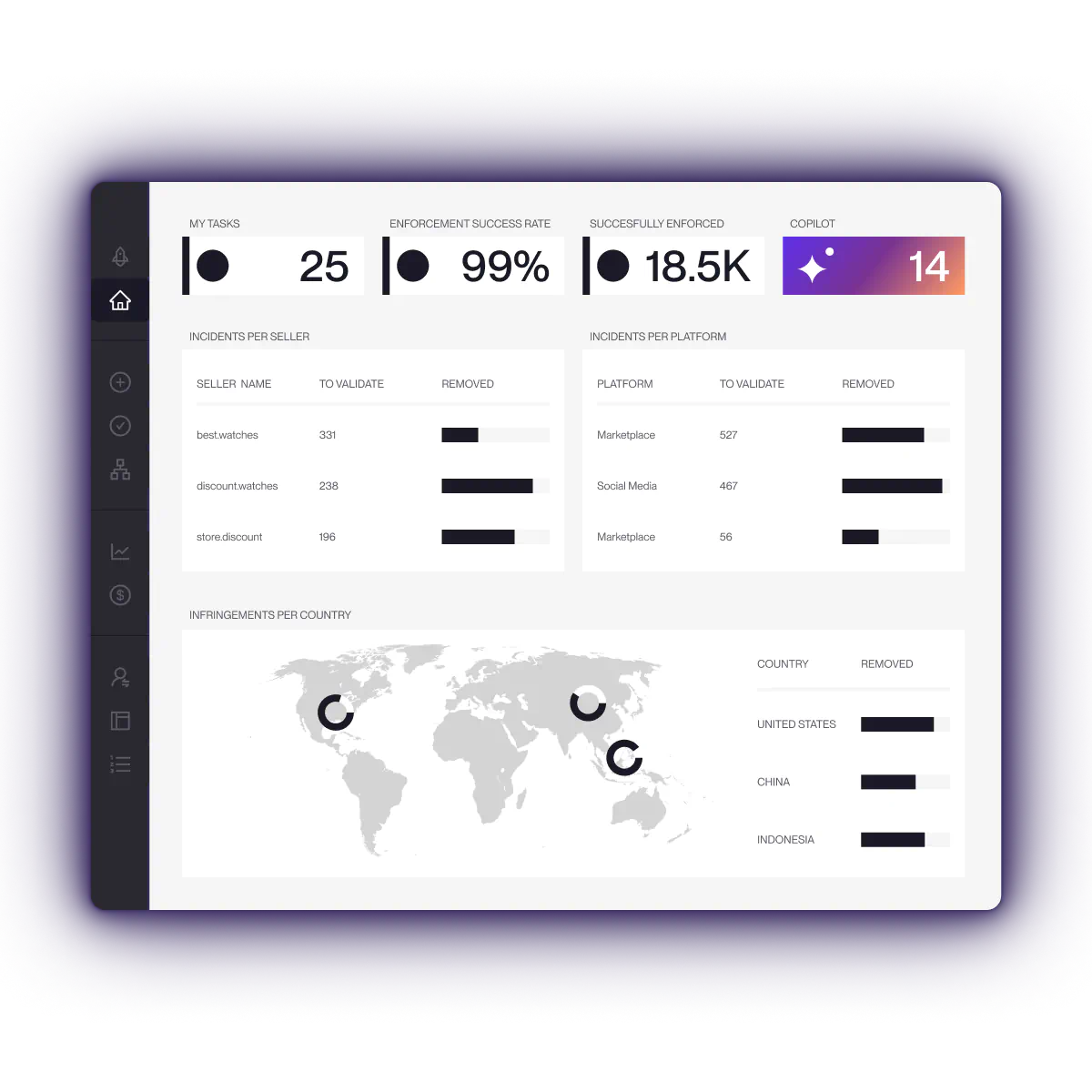
Red Points’ brand protection platform combines image and logo recognition, OCR, risk models, automation rules, seller and account intelligence, custom priorities, and expert review to detect, validate, and enforce threats across social media, marketplaces, websites, domains, ads, search engines, and apps. Its platform processes 90M+ new links per day and delivers 5.1M+ enforcement actions per year across 1,300+ brands — combining automation at scale with expert oversight for complex validation and escalation decisions.
For Instagram specifically, Red Points’ Social Media Protection can help brands:
- Detect impersonation accounts using brand names, logos, images, and account patterns
- Find stolen content even when scammers avoid exact brand keywords
- Identify trademark misuse in profiles, posts, ads, comments, and linked destinations
- Detect fake ads and social promotions that redirect users to fraudulent websites
- Build evidence-ready cases with URLs, screenshots, asset matches, and account data
- Prioritize threats based on risk, visibility, recurrence, and customer impact
- Track connected accounts, links, and campaigns across Instagram and other channels
- Support enforcement with automation while keeping expert review for high-risk validation and escalation
Here’s a short section you can add to the Instagram blog, ideally before “How Red Points helps with Instagram brand protection.”
Case study: Reducing social media impersonation by 92%
A global fashion group was facing large-scale brand impersonation across social media and the open web. Fake profiles posed as customer care teams, promoted fraudulent job offers, ran fake giveaways, and redirected shoppers to replica websites designed to steal personal data and payment details. Their legal team had been handling enforcement in-house, but the volume and speed of new threats made manual tracking unsustainable.
With Red Points’ Managed Services, the brand moved to a structured workflow combining daily specialist review, adaptive keyword tracking, automated enforcement, and monitoring across social media ads, fake websites, and emerging scam formats. Detection was refined weekly across threat categories like fake giveaways, customer care impersonation, recruitment fraud, seasonal scams, geographic targeting, and typosquatting.
The result: 36,000+ links removed, nearly 30,000 fake social profiles taken down, 99.6% enforcement success on social media, and a 92% sustained reduction in impersonation over 18 months. For brands protecting themselves on Instagram, the lesson is clear: fake accounts are not isolated incidents. The strongest results come from combining fast detection, repeat reporting, account intelligence, and continuous refinement as scam tactics change.
This mirrors how social media protection needs to work at scale: detect fake profiles and counterfeits, enforce quickly, measure performance, and keep monitoring across platforms where scammers can relaunch or redirect users to fake sites.
Protect your brand on Instagram with Red Points
Book a demo to see how Red Points can help your team detect, validate, and remove impersonation accounts, stolen content, trademark misuse, fraud, and counterfeit promotions across social media and beyond.
Frequently asked questions
Go to the fake profile, tap the three dots, choose Report, select the impersonation option, and follow the prompts. You can also use Instagram’s impersonation form if you need to report outside the app.
Use Instagram’s copyright report form. Include the infringing URL, screenshots, the original content, proof of ownership or authorization, and a clear explanation of what was copied.
Use Instagram’s trademark report form. Provide your trademark registration details, infringing URLs, screenshots, and an explanation of how the content misuses your brand name, logo, slogan, or other protected mark.
Use the in-app report option on the profile, post, ad, comment, or message and choose the most relevant fraud or scam category. If the fraud uses your brand identity or IP, also file an impersonation, copyright, or trademark report.
Report the content promoting the counterfeit product and file a trademark or counterfeit complaint if the content uses your protected brand name, logo, packaging, or product marks. Capture the Instagram content and any external links where the fake products are sold.
Impersonation means an account is pretending to be your brand, employee, executive, or partner. Trademark infringement means the account or content uses your protected brand identifiers without authorization. A single fake account may involve both.
Yes. Instagram provides reporting options for impersonation accounts and intellectual property violations. The quality of your evidence can affect how quickly and consistently the report is reviewed.
Collect profile URLs, post URLs, screenshots, messages, ads, comments, landing pages, IP ownership documents, official brand references, and proof of customer confusion or fraud where available.
Yes. Red Points helps detect, validate, and enforce against impersonation accounts, stolen content, trademark misuse, fraud, counterfeit promotions, and connected threats across Instagram and other digital channels.