To report an X account for impersonation, brands should first confirm whether the account is pretending to be the company, misusing a trademark, copying copyrighted content, selling counterfeits, or running a scam. The right reporting route depends on the type of abuse.
For businesses, impersonation on X can quickly become more than a social media issue. A fake account can pretend to be customer support, promote counterfeit products, redirect users to phishing sites, publish misleading statements, copy branded content, or damage brand reputation in real time.
X’s current rules prohibit accounts that pose as another person, group, or organization in a confusing or deceptive way. X also allows compliant parody, commentary, and fan accounts, which means brands need to understand the difference between a policy violation and a clearly labeled non-official account.
This guide explains how to report an X account for impersonation, how to choose the right reporting path, what evidence to collect, and how brands can build a stronger social media protection process.
TL;DR
- To report an X account for impersonation, use X’s impersonation form, profile-level reporting flow, or intellectual property forms depending on the issue.
- If a company, brand, or trademark is being misused, X says businesses should file under its trademark policy rather than treating the case only as general impersonation.
- If the account copied your images, videos, graphics, or written content, use X’s copyright/DMCA process. X responds to copyright complaints submitted under the DMCA.
- If the account is pretending to be your brand but does not involve registered IP, collect evidence and use X’s impersonation reporting route.
- Before reporting, capture the account handle, profile URL, screenshots, copied content, misleading posts, links, customer complaints, and any evidence of fraud or counterfeit sales.
- Do not report every negative or parody account as impersonation. X allows compliant parody, commentary, and fan accounts when they are clearly presented as such.
- Brands should monitor X continuously for fake accounts, fake support pages, copied logos, counterfeit promotions, fake ads, phishing links, and repeat impersonators.
- Manual reporting works for isolated cases. When impersonators create multiple accounts, change handles, and relaunch after removal, manual-only processes cannot keep pace.
X impersonation at a glance
| Issue | What it looks like | Best reporting route |
| Brand impersonation | Account pretends to be your company or official page | Impersonation or trademark report |
| Trademark misuse | Account uses your brand name, logo, or protected mark deceptively | Trademark report |
| Fake customer support | Account pretends to help customers, issue refunds, or fix orders | Impersonation report, fraud escalation, or trademark report |
| Counterfeit promotion | Account sells or promotes fake products using your brand | Trademark report, counterfeit goods report, or broader brand protection escalation |
| Copied branded content | Account reposts your images, videos, graphics, or copy | Copyright/DMCA report |
| Phishing account | Account sends users to fake login, payment, or support pages | Impersonation, fraud, phishing, or platform abuse report |
| Parody or fan account | Account comments on the brand but clearly identifies itself as unofficial | May not qualify unless it deceives users |
| Negative commentary | Account criticizes your brand without pretending to be you | Usually not impersonation |
What is X impersonation?
X impersonation happens when an account pretends to be another person, company, brand, organization, executive, employee, or support channel in a way that could mislead users.
For brands, impersonation usually appears in one of these forms:
- A fake brand account using your logo and name
- A fake customer support account replying to your customers
- A fake executive account pretending to speak for the company
- A fake employee or recruiter account
- A fake regional account, such as “Brand UK” or “Brand Support Mexico”
- A fake product launch or promotion account
- A fake account selling counterfeits
- A fake account redirecting users to phishing websites
- A fake account copying your posts, images, or videos
- A fake account using a similar handle to confuse users
The key issue is deception. If users could reasonably believe the fake account is official, affiliated, authorized, or connected to the brand, the case is much stronger.
Why X impersonation is dangerous for brands
X is a fast-moving public platform. A fake post, fake offer, or fake support reply can spread before internal teams have time to react.
For brands, impersonation can create several risks:
| Risk | Impact |
| Customer scams | Users may send money, personal data, or order details to a fake account |
| Phishing | Customers may be redirected to fake login or payment pages |
| Counterfeit sales | Fake accounts may promote replica or fake products |
| Brand confusion | Customers may struggle to identify the official account |
| Reputation damage | Users may blame the real brand for the fake account’s behavior |
| Support overload | Customer service teams may receive complaints caused by impersonators |
| Revenue loss | Buyers may be redirected away from official channels |
| Executive risk | Fake executive accounts can spread false statements or scams |
| Campaign hijacking | Fraudsters may exploit product launches, promotions, or seasonal sales |
| Repeat abuse | Impersonators can relaunch with new handles after removal |
This is why brands should not treat X impersonation as a one-off moderation task. It is part of a wider brand protection and impersonation removal strategy.
What counts as impersonation on X?
An account is more likely to qualify as impersonation if it uses your identity in a way that deceives users.
Common signals include:
- Your official brand name in the display name
- A handle that closely resembles your official handle
- Your logo as the profile image
- Your brand imagery in the header image
- Bio language such as “official,” “support,” “help desk,” or “customer care”
- Posts written as if they come from your company
- Replies to customers asking for order details or personal information
- Links to fake websites, fake stores, or phishing pages
- Use of your product images or campaign creative
- Claims of affiliation, employment, partnership, or authorization
- Fake verification-style language or copied official account formatting
X’s authenticity policy says accounts must be genuine and transparent about their source, identity, and popularity, and prohibits accounts that impersonate individuals, groups, or organizations to deceive others.
What may not count as impersonation?
Not every account using your brand name in conversation is automatically impersonating you.
These cases may need a different approach:
| Case | Why it may not qualify as impersonation |
| A customer complaint account | Criticism is not impersonation unless the account pretends to be the brand |
| A parody account | X allows compliant parody, commentary, and fan accounts if clearly labeled |
| A fan account | Fan accounts may be allowed if they do not deceive users |
| A reseller account | Resale is not always impersonation unless it falsely claims authorization or misuses IP |
| A competitor mentioning your brand | Mentioning a brand is not always a violation |
| A username that includes a generic word similar to your brand | The case depends on confusion, context, and IP rights |
This distinction matters because weak reports are easier to reject or delay. The stronger your report, the clearer it is that the account is misleading users.
Which X reporting route should you use?
Before reporting, identify the main violation. This helps you choose the strongest route and avoid delays.
| Situation | Recommended route |
| Account pretends to be your brand or company | X impersonation report form or trademark report if IP is involved |
| Account misuses your trademark, logo, or brand name | X trademark policy |
| Account copies your images, videos, or written content | X copyright policy |
| Account sells or promotes counterfeit goods | Trademark, counterfeit goods, or IP report |
| Account sends phishing links | Report as impersonation, fraud, spam, or malicious link abuse |
| Account is harassing users but not pretending to be your brand | Report through the relevant abuse or safety flow |
| Account is impersonating someone else and you are a bystander | Report directly from the account profile |
| Your own account was hacked | Use account recovery, not impersonation reporting |
X states that companies and businesses should report accounts misusing trademarks or brands through its trademark policy, and incomplete trademark reports may delay processing.
How to report an X account for impersonation
To report an X account for impersonation, follow these steps.
Step 1. Confirm the account is pretending to be your brand
Start by reviewing the account from the perspective of a customer. Ask whether a reasonable user could believe the account is official, authorized, or connected to your company.
Look at:
- Display name
- Handle
- Profile photo
- Header image
- Bio
- Pinned post
- Recent posts
- Replies to customers
- Links in profile
- Direct message behavior, if available
- Use of logos, product images, or brand claims
- Any claims of support, verification, affiliation, or authorization
The goal is to prove confusion, not just similarity.
Step 2. Capture evidence before the account changes
Fake accounts can change their handle, delete posts, remove links, or switch profile images after being reported.
Before submitting a report, capture:
| Evidence | Why it matters |
| Account handle | Identifies the reported account |
| Profile URL | Gives X the exact account to review |
| Screenshots of profile | Shows name, logo, bio, and visual impersonation |
| Screenshots of posts | Shows misleading statements or fake promotions |
| Screenshots of replies | Shows customer targeting or support impersonation |
| Links in bio or posts | Shows phishing, fake stores, or counterfeit sales |
| Copied content | Supports copyright or trademark claims |
| Customer complaints | Shows real-world confusion or harm |
| Official account URL | Helps X compare the real account with the fake one |
| Trademark registration details | Supports trademark-based reports |
| Internal authorization records | Shows the account is not official or authorized |
Evidence is especially important when the fake account uses small differences, such as a similar handle, a slightly modified logo, or regional wording.
Step 3. Decide whether the strongest claim is impersonation, trademark, copyright, or fraud
Many X impersonation cases involve more than one violation.
Use this table to decide your strongest claim:
| What the account is doing | Strongest angle |
| Pretending to be your company | Impersonation |
| Using your brand name or logo deceptively | Trademark |
| Reposting your original photos, videos, or graphics | Copyright |
| Selling fake products | Trademark, counterfeit goods, brand protection |
| Sending customers to a fake website | Impersonation, phishing, fraud, domain abuse |
| Pretending to be customer support | Impersonation, fraud, trademark |
| Pretending to be an executive | Impersonation, executive impersonation |
| Running paid ads to a fake profile or site | Ad abuse, impersonation, trademark |
When in doubt, report the clearest violation first. A trademark misuse case with strong evidence may be more effective than a vague impersonation complaint.
Step 4. Use the correct X form
Use X’s reporting options based on the issue:
- Use the X impersonation form when an account is pretending to be you, your brand, your organization, or someone you represent.
- Use the X trademark policy when the account misuses your registered trademark, logo, or brand identity.
- Use the X copyright policy when the account copies your original images, videos, graphics, or written content.
- Report directly from the profile when you are flagging impersonation as a bystander or when the issue is visible through X’s in-product reporting flow.
X says users do not need an X account to report impersonation. X also states that companies and businesses should report accounts misusing trademarks or brands through the trademark policy.
Step 5. Write a clear report explanation
Your explanation should be short, factual, and specific.
Avoid generic wording like:
This account is fake. Please remove it.
Use clearer wording like:
This account is impersonating our official brand account. It uses our registered brand name in the display name, our logo as the profile image, and links users to a non-official website. The account is not operated, authorized, or affiliated with our company. Customers could reasonably believe this is our official support account.
For trademark cases, include:
- Trademark owner
- Trademark registration number
- Country or jurisdiction
- Class, if relevant
- Official website
- Official X account
- Reported account URL
- Explanation of confusion
- Screenshots
X notes that incomplete trademark reports can delay processing, so the more complete the report, the better.
Step 6. Submit and track the case
After submitting the report, save:
- Submission confirmation
- Case reference, if available
- Date submitted
- Reporter email
- Reported account handle
- Violation type
- Evidence folder
- Follow-up emails from X
- Outcome
This tracking matters because repeat impersonators often return with similar handles, logos, bios, or links.
Step 7. Monitor for relaunches
Do not stop after one account is removed. Impersonators often create new accounts using:
- Slightly different handles
- New profile images
- Country-specific names
- Support-related terms
- Product launch names
- Campaign hashtags
- Fake discount language
- Similar phishing links
- Shortened URLs
- New fake websites
A takedown removes the visible threat. Monitoring helps reduce the chance that the same scam returns under a new account.
How to take down an X account
To take down an X account, you need to show that the account violates X’s rules, intellectual property policies, or safety policies. X may suspend accounts that violate its trademark policy, and in some cases accounts may be permanently suspended after a first review.
For brands, the account takedown process usually follows this workflow:
| Step | Action |
| 1 | Identify the account and the specific violation |
| 2 | Capture profile, post, link, and customer evidence |
| 3 | Choose the right report type |
| 4 | Submit a complete report |
| 5 | Track the report outcome |
| 6 | Escalate if the account is connected to fraud, phishing, counterfeits, or fake ads |
| 7 | Monitor for duplicate or relaunched accounts |
The most important part is choosing the right reason. A fake account pretending to be your brand is different from a copyright infringement case, a counterfeit sales case, a hacked account, or a harassment case.
How to protect your brand on X
Protecting your brand on X requires a combination of account security, public trust signals, monitoring, and enforcement.
1. Secure your official account
Your official account is the reference point customers use to identify the real brand.
Make sure it has:
- Accurate handle
- Clear display name
- Official logo
- Consistent brand visuals
- Complete bio
- Official website link
- Verified brand channels listed on your website
- Clear customer support instructions
- Strong password controls
- Multi-factor authentication
- Limited admin access
- Internal approval process for posts and campaign links
If your official account looks incomplete or inconsistent, impersonators have more room to confuse customers.
2. Use verification and affiliations where relevant
X Premium Business allows approved businesses to receive a gold checkmark and square avatar, and Full Access subscribers can affiliate related accounts with badges that link back to the parent organization.
This can help customers identify official brand accounts, regional accounts, executives, spokespersons, or support profiles. It does not replace monitoring, but it can reduce confusion when impersonators try to copy your identity.
3. Publish your official social media accounts
Make it easy for customers to verify which accounts are real.
Add your official X account to:
- Website footer
- Contact page
- Customer support page
- Store locator
- Email footer
- App profile
- Product packaging, where relevant
- Campaign landing pages
- Other verified social profiles
If customers can easily find your official account from your website, they are less likely to trust a fake support profile or fake promotion account.
4. Monitor high-risk account patterns
Search X regularly for:
| Search pattern | Example |
| Brand name + support | “Brand support” |
| Brand name + help | “Brand help” |
| Brand name + customer service | “Brand customer service” |
| Brand name + sale | “Brand sale” |
| Brand name + outlet | “Brand outlet” |
| Brand name + official | “Official Brand” |
| Brand name + country | “Brand Mexico,” “Brand UK,” “Brand Brasil” |
| Misspelled brand name | Common typos and swapped letters |
| Product name + discount | Product launch scams |
| Campaign hashtag | Fake accounts hijacking campaigns |
This should be combined with monitoring for misused logos, fake profile images, suspicious links, and repeated posting patterns.
5. Monitor fake customer support accounts
Fake support accounts are especially dangerous because they target customers who already need help.
They may reply to real customer complaints with messages like:
- “DM us your order number”
- “Contact our support team here”
- “Fill in this refund form”
- “Verify your account”
- “Click this link to resolve the issue”
- “Send payment details to confirm your refund”
These accounts can harvest personal data, redirect customers to phishing pages, or create refund scams.
6. Monitor fake ads and external links
X impersonation often connects to a wider scam funnel.
A fake account may link to:
- Fake ecommerce websites
- Phishing pages
- Counterfeit stores
- Fake giveaway pages
- Fake refund forms
- Messaging app groups
- Suspicious payment pages
- Malware downloads
If impersonation is connected to paid ads, brands should also monitor fake ads on social media and search engines.
7. Protect branded content
Impersonators often copy official content to make fake accounts more believable.
Protect and monitor:
- Logos
- Product images
- Campaign graphics
- Videos
- Product launch posts
- Customer service templates
- Brand slogans
- Hashtags
- Executive photos
- Press release images
- Promotional copy
If the account copies original creative assets, the case may also involve copyright infringement.
Brand protection checklist for X
| Area | Action |
| Official account | Keep profile complete, secure, and consistent |
| Verification | Consider X Premium Business or relevant verification options |
| Customer education | Publish official accounts and warn about fake support scams |
| Monitoring | Track brand names, misspellings, hashtags, and fake support terms |
| IP readiness | Keep trademark and copyright evidence ready |
| Reporting | Use the right X form for impersonation, trademark, or copyright |
| Evidence | Capture screenshots, links, posts, and customer complaints |
| Escalation | Prioritize phishing, fake payment, counterfeit, and executive impersonation |
| Repeat abuse | Track handles, links, templates, and relaunch patterns |
| Automation | Use structured monitoring when manual checks are no longer enough |
Common mistakes when reporting X impersonation
Reporting without enough evidence
A report is stronger when it shows exactly how the account is deceiving users. Include screenshots, URLs, copied assets, and a clear comparison with your official account. Without that context, the reviewer may only see a similar-looking profile rather than a clear impersonation or customer harm case.
Choosing the wrong report type
If the issue is trademark misuse, use the trademark route. If it is copied content, use copyright. If it is phishing, include the malicious links and customer harm. Choosing the wrong route can slow down the review or lead to a weaker outcome, especially when the same fake account is also selling counterfeits or redirecting users off-platform.
Treating parody as impersonation
X allows compliant parody, commentary, and fan accounts when they are clear about their purpose. A parody account may be frustrating, but it is not always a policy violation. The stronger question is whether the account clearly signals that it is unaffiliated, or whether a reasonable user could believe it is connected to the brand.
Waiting until customers complain
Customer complaints are useful evidence, but they should not be your first detection mechanism. By that point, users may already have been scammed, sent personal information, clicked a phishing link, or posted publicly about a bad experience they associate with the real brand.
Only searching for exact brand names
Impersonators often use misspellings, country names, support terms, campaign names, or product names. Exact-match searches miss many threats. A fake support account may never use the exact official handle, but still copy your logo, reply to your customers, and send them to a fake refund page.
Taking down one account without tracking the wider pattern
Fake accounts often connect to domains, ads, marketplace sellers, fake stores, or other social profiles. Track the network, not just the account. The same impersonator may reuse the same bio language, profile image, short link, landing page, or fake support script across several accounts.
How Red Points helps brands remove X impersonation
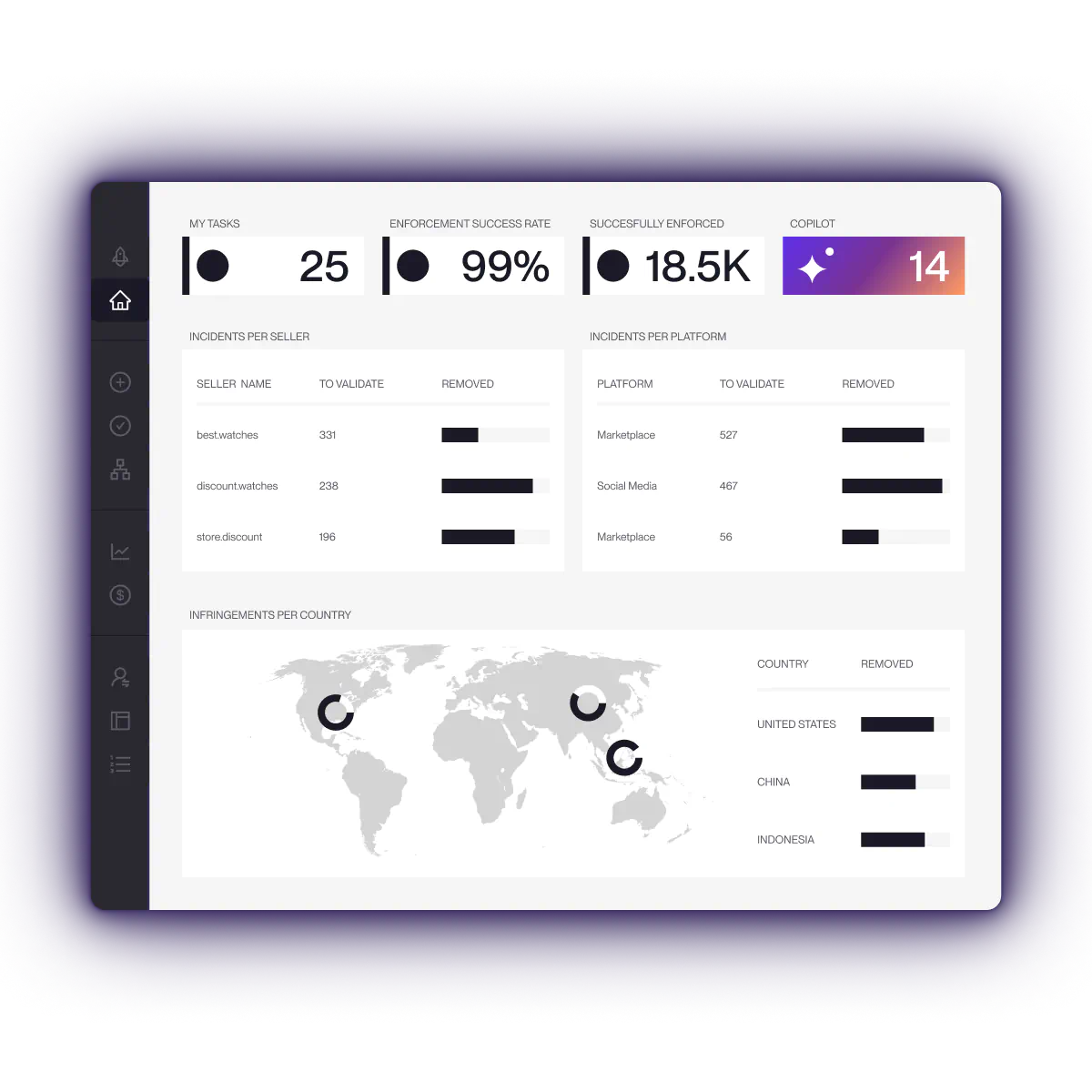
Red Points helps brands detect and remove fake social media accounts, brand impersonation, counterfeit promotion, and social media scams across X and other platforms.
With social media protection software, impersonation removal, and brand protection software, brands can move from manual searches to scalable detection and enforcement.
For X, this can include:
- Fake account detection
- Brand and logo misuse monitoring
- Fake customer support account detection
- Executive impersonation monitoring
- Copied image and content detection
- Counterfeit promotion detection
- Fake ad monitoring
- Suspicious link tracking
- Evidence capture
- Takedown workflow management
- Repeat impersonator tracking
- Cross-platform monitoring when abuse moves from X to fake websites, marketplaces, ads, or other social media platforms
Red Points processes 5.1M+ enforcements per year, including fake social media accounts, brand impersonation, and social fraud across X and other platforms.
Manual reporting works when there is one account. It becomes difficult when impersonators create multiple accounts, change handles, copy new assets, run ads, and relaunch after removal.
For brands that prefer a managed approach, Red Points’ specialists handle detection and enforcement, so teams validate where they choose to without manually reviewing every case.
Request a demo to see how Red Points helps brands detect, validate, and remove fake accounts at scale.
What to do next
If you have found an X account impersonating your brand, start by capturing evidence and identifying the strongest reporting route.
Use this order:
- Confirm whether the account is impersonating your brand.
- Capture profile, post, link, and customer evidence.
- Check whether the issue involves trademark, copyright, phishing, counterfeits, or fraud.
- Submit the report through the right X form.
- Track the outcome.
- Monitor for similar accounts and relaunches.
- Strengthen your official account, public trust signals, and ongoing monitoring.
X impersonation is rarely just a profile problem. It can be part of a wider customer deception journey involving fake support, fake ads, fake websites, counterfeit products, or phishing pages. The faster brands detect and classify the threat, the easier it is to reduce customer harm and protect brand trust.
Frequently asked questions
To report an X account for impersonation, collect evidence of the fake account, visit X’s impersonation reporting form, choose who is being impersonated, provide the reported account URL, explain how the account is misleading users, and submit the report. If the account misuses your brand name or trademark, use X’s trademark reporting route.
Yes. Brands can report impersonation when an account pretends to be the company, misuses brand identity, or creates customer confusion. X says companies and businesses should report accounts misusing trademarks or brand identity through its trademark policy.
X impersonation is when an account pretends to be another person, brand, or organization. Trademark infringement involves unauthorized or misleading use of a protected brand name, logo, or mark. Many brand impersonation cases involve both.
You should collect the account handle, profile URL, screenshots of the profile, screenshots of posts or replies, copied logos or content, suspicious links, customer complaints, your official account URL, and trademark or copyright details if relevant.
X says you do not need an X account to report impersonation. However, some IP reporting flows may require additional information, account access, or form-specific steps depending on the type of complaint.
To take down an X account, you need to report a specific policy violation, such as impersonation, trademark misuse, copyright infringement, phishing, fraud, harassment, or platform manipulation. X reviews the report and may restrict, suspend, or permanently suspend accounts that violate its rules.
Yes. X says trademark violations may result in suspension, and in some cases an account may be permanently suspended after first review.
Parody accounts can be reported if they deceive users or fail to make their non-official nature clear. However, X allows compliant parody, commentary, and fan accounts, so a clearly labeled parody account may not qualify as impersonation.
Capture screenshots of the account, replies, DMs if available, links, and customer complaints. Report the account for impersonation and, if it uses your trademark or sends users to phishing pages, include those details in the report.
Collect the account URL, posts, product images, links, prices, and any customer complaints. Report the account through the strongest available route, often trademark misuse, counterfeit goods, or brand impersonation.
If the account copied your original images, videos, graphics, or written content, you can use X’s copyright/DMCA process. X says it responds to copyright complaints submitted under the DMCA.
Verification can help users identify official accounts, especially when organizations use X Premium Business and affiliated account badges. But verification does not stop all impersonation. Brands still need monitoring and enforcement.
Brands can reduce impersonation risk by securing official accounts, publishing official social handles, using consistent branding, monitoring fake support accounts, tracking brand misspellings, protecting trademarks and content, and using structured monitoring for fake accounts and impersonation patterns.
Fake accounts often come back because impersonators reuse templates, profile images, bios, links, and naming patterns. Brands should track repeat behavior and monitor for relaunches after each takedown.
Red Points helps brands detect, validate, and remove fake accounts, impersonation, counterfeit promotion, and social media fraud across X and other platforms using automated monitoring, enforcement workflows, and repeat offender tracking.